

OneSweep - Clean Up Storage
CLOUD HONEST LLC Utilities iPhoneiPadiPod touch
OneSweep - Clean Up Storage is a free Utilities app for iPhone and iPad by CLOUD HONEST LLC. Requires iOS 17.0. Updated September 25, 2026.
- Price
- Free
- on the App Store
- Size
- 10 MB
- Age 4+
- Updated
- Sep 25
- 2026 · v1.0
Screenshots


About OneSweep - Clean Up Storage
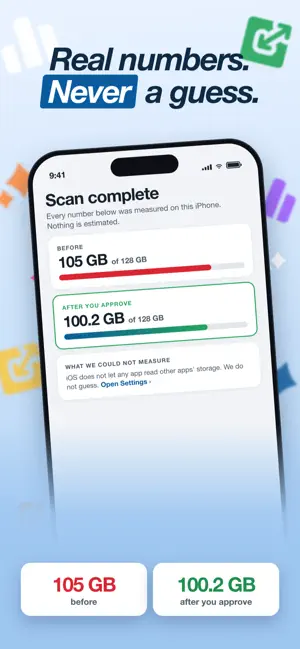
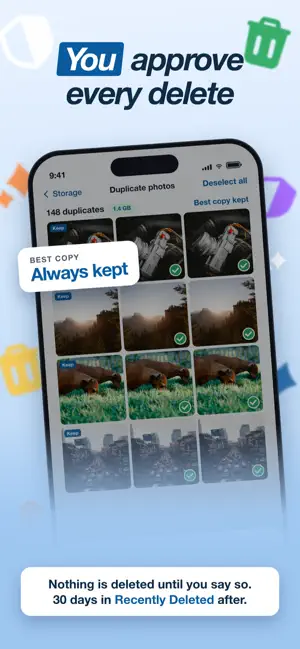
No weekly fee. No daily limit. No fake numbers. Most iPhone cleaners show "You can free 12 GB!" before they have scanned anything, charge by the week, and stop you after five deletes a day. OneSweep does the opposite. It shows only space it has really measured, lets you delete as much as you want, and never removes anything until you approve it. ONE SWEEP CLEANS EVERYTHING Screenshots — every screenshot in your library in one place, biggest first, for a fast bulk clean. Large videos and files — your biggest files first, so a few taps free real space. Duplicate photos — exact copies and near-identical shots, with a sensitivity slider so you decide how strict the match is. Similar and blurry photos — the burst shots and out-of-focus frames you would never keep. Old and unused — photos you have not favourited in over a year, oldest first. Duplicate contacts — every merge shows a full before-and-after view. Nothing merges silently. Calendar clutter — duplicate and old events, reviewed before removal, because Calendar has no undo. Promotional email — connect Gmail, clear newsletters by sender, and unsubscribe for good. OneSweep reads only sender, subject and date. Never your message content. WhatsApp media — duplicate photos and videos forwarded across chats and saved to your library. Photo categories — on-device recognition sorts your library into Travel, People, Pets and Docs. NOTHING IS DELETED WITHOUT YOU Every module ends in a review screen. You see each item, you choose what goes, and the delete runs through the iPhone system confirmation. Deleted photos stay in Recently Deleted for 30 days. There is no one-tap clean that decides for you. An Activity log records every delete and merge, and you can lock it with Face ID. WHERE iOS SAYS NO, WE SAY SO No app can see how much space other apps use. No app can turn on iCloud's Optimize iPhone Storage for you. Other cleaners pretend otherwise. OneSweep tells you the truth and takes you straight to the right Settings page with the exact steps. PRIVATE BY DESIGN Photos, contacts and calendar events are scanned on your iPhone. Nothing is uploaded. No account is needed. No ads, no tracking, no analytics. HONEST PRICING Scanning is free in every module and photo cleanup is free without limits. OneSweep Pro unlocks the other modules with one yearly or monthly price. You are never stopped in the middle of a task. Available in English, German, Spanish, French, Italian, Dutch, Polish, Portuguese and Turkish. Subscriptions renew automatically unless cancelled at least 24 hours before the end of the current period. Manage or cancel in Settings > Apple ID > Subscriptions. Privacy Policy: https://app.cloudhonest.com/one-sweep/privacy.html Terms of Use: https://app.cloudhonest.com/one-sweep/terms.html Made by Cloud Honest LLC.
App privacy
The developer, CLOUD HONEST LLC, reported these privacy practices to Apple.
Data Not Linked to You
The following data, which may be collected but is not linked to your identity, may be used for the following purposes:
- Usage Data: Product Interaction
- Diagnostics: Crash Data, Performance Data
Used for: Analytics
Alternatives to OneSweep - Clean Up Storage
Looking for apps like OneSweep - Clean Up Storage? Here are 6 similar apps on the App Store.
-
 UAkron PD
-
 FontFore: Beautiful Font Texts
-
 Font Size Decrease for Safari
-
 Font Size Increase for Safari
-
 AIronWall
-
 Super Size Text
| App | Rating | Price | Last updated | Compare |
|---|---|---|---|---|
| OneSweep - Clean Up Storage | – | Free | September 25, 2026 | |
| UAkron PD | – | Free | Oct 7, 2025 | Compare |
| FontFore: Beautiful Font Texts | – | Free | Jul 1, 2026 | Compare |
| Font Size Decrease for Safari | – | Free | Dec 7, 2025 | Compare |
| Font Size Increase for Safari | – | Free | Dec 5, 2025 | Compare |
| AIronWall | – | Free | Jun 4, 2026 | Compare |
| Super Size Text | – | Free | Feb 15, 2024 | Compare |