

Yajak: Artwork Work Log
Project Cheum Inc Productivity iPhoneiPadiPod touchApple Watch
Yajak: Artwork Work Log is a free Productivity app for iPhone and iPad by Project Cheum Inc. Requires iOS 17.0. Updated October 18, 2026.
- Price
- Free
- on the App Store
- Size
- 26 MB
- Age 4+
- Updated
- Oct 18
- 2026 · v1.4.0
Screenshots


About Yajak: Artwork Work Log
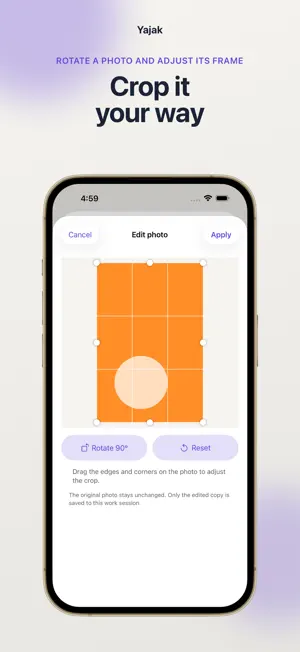
“Yajak” is short for “nighttime work,” a term used in Korean art schools. If you draw or paint, you probably know the feeling of losing track of time with a piece, day or night. Record each session, keep it with the artwork, and see all those hours come together in a finished piece. Choose an artwork and start the timer. Add a process photo and a work note after a session, then revisit the dated entries and see time accumulated for that piece. Add material costs when useful. Make one card for a work in progress and another for a completed piece. Choose which details to show before saving or sharing. Rotate or crop a photo, compare two photos from the same artwork, and save a stored personal card back to this device. In a shared workroom, choose the artwork and attachments to connect. You can open the connected copy again from your personal library. When iCloud is unavailable, records are kept on this device. iCloud sync depends on a usable Apple Account and connection. Keep a separate .yajak backup of important records. Restoring a backup replaces the current records on this device with the selected file. Yajak Early is a one-time, non-consumable in-app purchase through the App Store. It raises the limit for active workrooms you own from one to three total; rooms you join are not counted. A verified purchase can be restored to the current Yajak account. Purchase restore does not restore artwork or work records.
What’s new
Version 1.4.0 · Updated October 18, 2026
Preview artwork cards first, then save or cancel changes to the included details and export settings. Find shared-workspace creation and invitation actions more easily, with clearer creation and QR status messages. Save consent selections after reviewing them, and browse artwork cards with more consistent image and title alignment. We improved English and Japanese text in workspaces and artwork handoffs, and made handoff confirmation and action buttons easier to reach.
App privacy
The developer, Project Cheum Inc, reported these privacy practices to Apple.
Data Linked to You
The following data, which may be collected and linked to your identity, may be used for the following purposes:
- Location: Coarse Location
- Usage Data: Advertising Data, Product Interaction
- Diagnostics: Performance Data, Other Diagnostic Data
- Purchases: Purchase History
- Contact Info: Email Address, Name, Other User Contact Info
- User Content: Photos or Videos, Other User Content
- Identifiers: User ID, Device ID
Used for: Third-Party Advertising, Analytics, App Functionality
Data Not Linked to You
The following data, which may be collected but is not linked to your identity, may be used for the following purposes:
- Identifiers: Device ID
- Usage Data: Product Interaction
- Diagnostics: Other Diagnostic Data, Crash Data
- Other Data: Other Data Types
Used for: Third-Party Advertising, Analytics
Alternatives to Yajak: Artwork Work Log
Looking for apps like Yajak: Artwork Work Log? Here are 6 similar apps on the App Store.
-
 GrowingTimer
-
 모멘톡 Momentalk
-
 Toggle 토글단어장
-
 Runn: To-Do List & Widget
-
 StoryLoom: Novel Story Bible
-
 Plantri: Time Block Planner
| App | Rating | Price | Last updated | Compare |
|---|---|---|---|---|
| Yajak: Artwork Work Log | – | Free | October 18, 2026 | |
| GrowingTimer | – | Free | Mar 2, 2026 | Compare |
| 모멘톡 Momentalk | – | Free | Oct 2, 2026 | Compare |
| Toggle 토글단어장 | – | Free | Dec 1, 2024 | Compare |
| Runn: To-Do List & Widget | – | Free | Oct 8, 2026 | Compare |
| StoryLoom: Novel Story Bible | – | Free | Oct 20, 2026 | Compare |
| Plantri: Time Block Planner | – | Free | Oct 6, 2026 | Compare |