

Pilcrow: Spell Check Keyboard
ANDRIS DUDAREVS Utilities iPhoneiPadiPod touch
Pilcrow: Spell Check Keyboard is a free Utilities app for iPhone and iPad by ANDRIS DUDAREVS. Requires iOS 17.0. Updated October 20, 2026.
- Price
- Free
- on the App Store
- Size
- 49 MB
- Age 4+
- Updated
- Oct 20
- 2026 · v1.2.1
Screenshots


About Pilcrow: Spell Check Keyboard
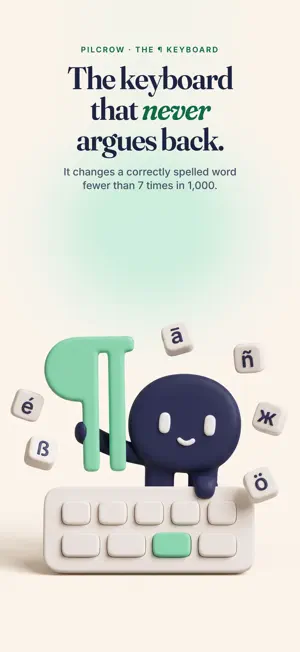
Most keyboards fix a typo by making a different mistake. Pilcrow corrects what you meant and leaves alone what you actually wrote. In testing it changes a correctly spelled word fewer than 7 times in 1,000, while restoring 61–72% of the words you genuinely mistyped. IT BACKS OFF Undo a correction once and it never applies that one to you again. Every word it learns from you is listed, and you can delete any single one. ONE TAP FIXES THE WHOLE MESSAGE It re-reads everything you typed, repairs it and tells you what changed. One tap puts it all back. TYPE THE WAY YOU TYPE • Forty languages, more than one in the same sentence, no switching • Swipe typing, and accents put back when you skip them (74–85%) • Saves 27–35% of your keystrokes • Learns your words and phrases, and lets go of what you drop • Make it yours: your photo in or behind the keys, see-through keys, 23 fonts and letter styles you can type in • A number row, emoji with memory, haptics, adjustable height PRIVATE BY CONSTRUCTION The keyboard contains no networking code. No account, no analytics, no cloud, no ads. The model that predicts your next word runs on your phone. It works with Full Access switched off, though we recommend turning it on. WHAT IT COSTS Everything is free for three days from the first time you type. Nothing is charged when the days end. Then unlock it once and keep it for good, or subscribe yearly or monthly; subscriptions renew automatically until cancelled. Either way the keyboard keeps typing, and nothing it has learned from you is deleted. Terms of Use: https://pilcrowtype.com/terms Privacy Policy: https://pilcrowtype.com/privacy
What’s new
Version 1.2.1 · Updated October 20, 2026
Make the keyboard look like yours, and see what every setting does. YOUR OWN LOOK • Start from one of eight finished looks — Glass, Neon, Terminal, Typewriter, Candy, Chalkboard, Gothic, Bubbles — or tap Surprise me • See-through keys, with one slider • Your photo behind the keys, inside each key, or under frosted-glass keys — now on themes that follow light and dark too • 23 fonts and 17 letter styles for the keys: ⓑⓤⓑⓑⓛⓔⓢ and more TYPE IN STYLE New, and off unless you turn it on: type in any of those letter styles, in any app. Corrections and suggestions pause while it is on. Switch it from the toolbar's Styled letters button or the Themes tab. SETTINGS THAT EXPLAIN THEMSELVES • An ⓘ next to nearly every setting says what it does, what it changes and what it depends on • Switches that cancel each other out now say which one wins • Turn off the mascot, the tool row or the paste button, or choose how long the paste button stays • A new page explains when iOS shows Apple's keyboard instead, and how to get back FIXES • The fix button no longer closes the keyboard • Changes made in the app reach the keyboard straight away • A capital after a sentence that ends inside quotes or brackets, and no second full stop after one • Emoji suggestions in every language you have switched on • Corrections follow where your fingers actually land on the keys • French: a word from the bar followed by ? or ! keeps its space • The Themes screen scrolls and edits smoothly The keyboard still contains no networking code.
App privacy
The developer, ANDRIS DUDAREVS, reported these privacy practices to Apple.
Data Not Linked to You
The following data, which may be collected but is not linked to your identity, may be used for the following purposes:
- Purchases: Purchase History
Used for: App Functionality
Alternatives to Pilcrow: Spell Check Keyboard
Looking for apps like Pilcrow: Spell Check Keyboard? Here are 6 similar apps on the App Store. The highest rated is Grammar Corrector (5.0/5), and 5 of the 6 are free to download.
-
 Easy Mailer Dutch Keyboard
-
 AEI Keyboard Note Dutch
-
 AI Email Writer - Writing App
-
 ALOW - Translation Centre
-
 Writing & Paraphrase - Textrix
-
 Grammar Corrector
5.0
| App | Rating | Price | Last updated | Compare |
|---|---|---|---|---|
| Pilcrow: Spell Check Keyboard | – | Free | October 20, 2026 | |
| Easy Mailer Dutch Keyboard | – | 0.99 USD | Jul 1, 2025 | Compare |
| AEI Keyboard Note Dutch | – | Free | Sep 5, 2025 | Compare |
| AI Email Writer - Writing App | – | Free | May 15, 2026 | Compare |
| ALOW - Translation Centre | – | Free | Jul 5, 2025 | Compare |
| Writing & Paraphrase - Textrix | – | Free | Sep 21, 2026 | Compare |
| Grammar Corrector | 5.0 / 5 (2) | Free | Sep 11, 2026 | Compare |