

Password Manager: My Passwords
Erkan Molla Productivity iPhoneiPadiPod touch
Password Manager: My Passwords is a free Productivity app for iPhone and iPad by Erkan Molla. Requires iOS 17.0. Updated October 21, 2026.
- Price
- Free
- on the App Store
- Size
- 12 MB
- Age 4+
- Updated
- Oct 21
- 2026 · v26.10.41
Screenshots
About Password Manager: My Passwords
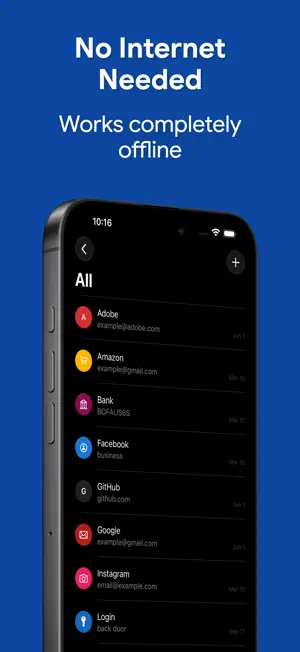
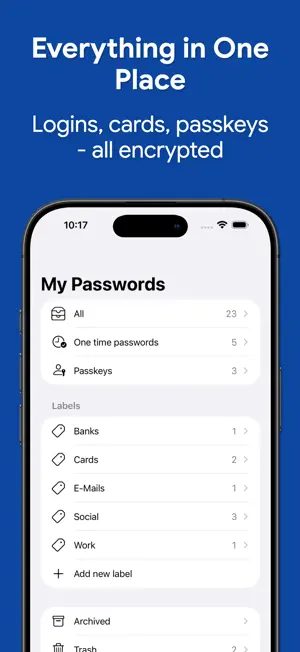
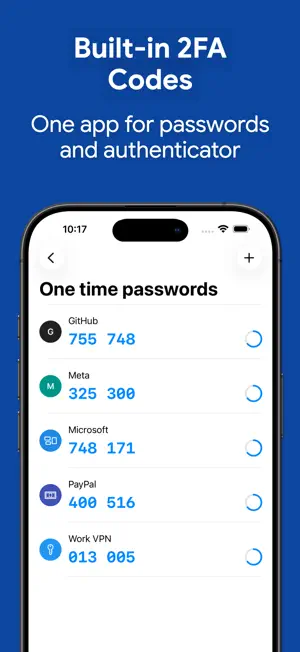
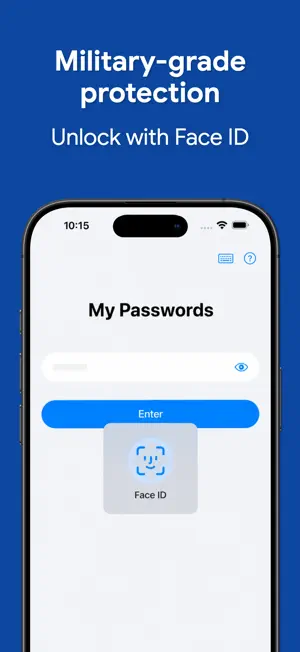
My Passwords is an offline password manager built for privacy. Your encrypted vault stays on your device — no cloud, no tracking, no accounts to create. AES-256 encryption, biometric unlock, passkeys, and built-in 2FA codes keep every login safe and instantly accessible. Tired of password reset emails? Worried your data could leak from a hacked cloud service? My Passwords stores your logins, passkeys, 2FA codes, secure notes, and cards in a highly encrypted vault, accessible only with your master password. Unlike cloud-based managers, your data never leaves your device, ensuring strong security with no internet access required. Key Features • AES-256 encryption – The gold standard for data security • Offline & private – the app makes zero network connections, ever • Autofill – One-tap sign-in for apps and websites • Quick & easy access – Simplify login management • Backup & restore – Securely transfer data between devices • Built-in password generator – Create strong passwords instantly • Auto-lock – Set your own delay, from instant to 10 minutes, or never • Unlimited entries – Store all your logins with ease • Light/Dark appearance – automatically follows your iPhone's system setting PRO Features • Passkeys – Store and use modern phishing-resistant credentials, offline • Biometric unlock – Fingerprint & face authentication • One-Time Passwords (OTP) – Built-in authenticator for 2FA accounts • Password history – Track previous passwords • Self-destruction – Extra security in case of attacks • Custom fields – Store additional details for each entry • Clipboard auto-clear – Prevent leaks • CSV import & export – Seamless migration and backup • PDF export & print – Save and print your passwords securely • Image attachments – Store visual credentials • Unlimited labels – Organize your way Choose Your Pro Plan Two ways to unlock every Pro feature — pick whichever fits you: • Lifetime – One-time purchase, yours forever, no recurring charges • Monthly or yearly subscription – Lower upfront cost, cancel anytime What are passkeys? Passkeys are the modern, phishing-resistant alternative to passwords. Instead of a string you can forget or reuse, your account uses a cryptographic key — stored safely in your My Passwords vault. Fully offline, fully under your control, no third-party sync required. Security You Can Trust Your data is protected with AES-256 encryption, a widely trusted industry standard. Need a strong password? Generate one instantly with the built-in tool. Backup & Restore Easily transfer your data across devices using local storage or apps like Dropbox and Google Drive. Just create a backup and restore it using your master password. Important Notes • My Passwords is an offline password manager. Data is not automatically synced between devices. • Lost Master Password? Your data cannot be recovered. Please choose and remember your master password carefully. Terms of Use: https://www.apple.com/legal/internet-services/itunes/dev/stdeula/
What’s new
Version 26.10.41 · Updated October 21, 2026
- Security improvements - Safer master password change - Clearer message when your master password can't be checked - Temporary copies of your data are cleaned up automatically - Other iPad windows lock after a password change or restore - Restore errors are shown right away - Fast enter is unavailable while self-destruct is on - Bug fixes
App privacy
The developer, Erkan Molla, reported these privacy practices to Apple.
Data Not Collected
The developer does not collect any data from this app.
Alternatives to Password Manager: My Passwords
Looking for apps like Password Manager: My Passwords? Here are 6 similar apps on the App Store. The highest rated is Cryptobox (5.0/5), and all 6 are free to download.
-
 Notes by Color - Toono
4.8
-
 Juzdan جزدان
3.7
-
 Color Notes - Journals, To Dos
1.0
-
 Cryptobox
5.0
-
 My Passwords Manager
4.7
-
 Notefuse logbook
1.0
| App | Rating | Price | Last updated | Compare |
|---|---|---|---|---|
| Password Manager: My Passwords | – | Free | October 21, 2026 | |
| Notes by Color - Toono | 4.8 / 5 (4) | Free | Aug 25, 2026 | Compare |
| Juzdan جزدان | 3.7 / 5 (3) | Free | Sep 9, 2026 | Compare |
| Color Notes - Journals, To Dos | 1.0 / 5 (1) | Free | Jul 10, 2026 | Compare |
| Cryptobox | 5.0 / 5 (1) | Free | Sep 21, 2026 | Compare |
| My Passwords Manager | 4.7 / 5 (4,060) | Free | Apr 4, 2024 | Compare |
| Notefuse logbook | 1.0 / 5 (1) | Free | Mar 19, 2025 | Compare |