

Tivimate - IPTV & M3U Player
Anna Mathew Reference iPhoneiPadiPod touch
Tivimate - IPTV & M3U Player is a free Reference app for iPhone and iPad by Anna Mathew. Rated 4.3/5 from 38 ratings. Requires iOS 15.6.
- Rating
- 4.3
- 38 ratings
- Price
- Free
- on the App Store
- Size
- 70 MB
- Age 4+
- Updated
- Sep 22
- 2026 · v3.0
Screenshots


About Tivimate - IPTV & M3U Player
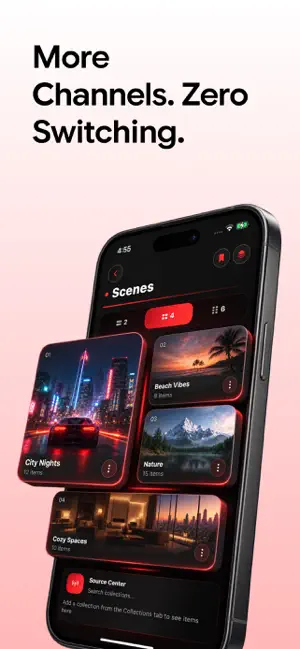
Live TV from your own sources — finally reliable, organised, and personal. This app is a media player. It does not provide, host, or sell any channels or content. You add your own playlists and sign in with your own credentials. WHAT MAKES IT DIFFERENT Streams that recover themselves — if a channel freezes or drops, playback automatically switches to a healthy copy from another of your sources, mid-stream, no taps. A shield badge shows which of your channels are protected before anything breaks. A profile built from what you watch — your hours, streaks, top channels, and prime-time patterns, computed entirely on your device and shown on a living home card. Tap a top channel to resume instantly. Nothing is uploaded, ever. A guide built around time — one continuous timeline where every screen is a zoom level: what's on now, what's next, a full grid, and the player. Pinch to zoom the time axis. One line marks "now" everywhere. EVERYTHING ELSE, DONE PROPERLY One-paste sign-in — paste any playlist or portal link and the app works out the rest, with a five-step connection check and plain-language errors instead of codes Channel health at a glance — see which of your channels are live, slow, or offline before you tap; hide dead ones and merge duplicates in one tap Fix guide mapping yourself — when a channel shows no programme data, correct it in one tap and it stays fixed Switch services without starting over — favourites, groups, and hidden channels re-attach to your new source automatically Programme reminders so you never miss a start time Face ID lock, with credentials stored only in the iOS Keychain PRIVACY FIRST Your viewing stats, credentials, and sources never leave your device. No accounts, no tracking, no servers. IMPORTANT NOTICE This app does not include, bundle, host, store, sell, index, or recommend any media, channels, playlists, or streaming content of any kind. Every source inside the app is added manually by you. It works purely as a utility — for checking, organising, cleaning, and playing sources you supply yourself. It cannot create, distribute, or unlock access to any third-party content, and adding a source does not grant any rights to it. You are solely responsible for ensuring that every source you add is legal and that you hold the proper rights or permissions to use it. Unauthorised access to copyrighted material is not supported or encouraged in any form. All screenshots show sample content for demonstration purposes only. Download to check, clean, and organise your own source setup — with health insights, automatic recovery through your own backups, and a private on-device viewing profile. For an uninterrupted experience, consider subscribing to access all app features without ads through an auto-renewing subscription available on a weekly, monthly, or yearly basis. Manage your subscription settings and turn off auto-renewal within your iTunes Account Settings after purchase, ensuring flexibility and control over your subscription. Current subscription may not be canceled during the active subscription period; however, you can manage your subscription and/or turn off auto-renewal by visiting your iTunes Account Settings after purchase. Read our full Terms of Service and our Privacy Policy at: Link to Privacy Policy: https://annamathew.netlify.app/privacy-policy.html Link to Terms of use: https://annamathew.netlify.app/terms-conditions.html
Ratings & reviews
4.3
38 ratings
What’s new
Version 3.0 · Updated September 22, 2026
bug fix.
App privacy
The developer, Anna Mathew, reported these privacy practices to Apple.
Data Used to Track You
The following data may be used to track you across apps and websites owned by other companies:
- Usage Data: Advertising Data
Data Linked to You
The following data, which may be collected and linked to your identity, may be used for the following purposes:
- Usage Data: Advertising Data
Used for: Analytics, App Functionality
Data Not Linked to You
The following data, which may be collected but is not linked to your identity, may be used for the following purposes:
- Diagnostics: Crash Data, Performance Data
Used for: Analytics, App Functionality
Alternatives to Tivimate - IPTV & M3U Player
Looking for apps like Tivimate - IPTV & M3U Player? Here are 6 similar apps on the App Store. The highest rated is Justin Guitar Lessons & Songs (4.8/5), and all 6 are free to download.
-
 TvMate Pro - Smarter Iptv
4.3
-
 Grass Identifier: AI Scan
4.4
-
 Streameast - Live sports, IPTV
4.7
-
 WoodSense: Wood Plans & Guides
4.7
-
 Fishing Knots FishPlanet
4.7
-
 Justin Guitar Lessons & Songs
4.8
| App | Rating | Price | Last updated | Compare |
|---|---|---|---|---|
| Tivimate - IPTV & M3U Player | 4.3 / 5 (38 ratings) | Free | September 22, 2026 | |
| TvMate Pro - Smarter Iptv | 4.3 / 5 (116) | Free | Jul 25, 2026 | Compare |
| Grass Identifier: AI Scan | 4.4 / 5 (221) | Free | Oct 5, 2026 | Compare |
| Streameast - Live sports, IPTV | 4.7 / 5 (2,665) | Free | Dec 1, 2025 | Compare |
| WoodSense: Wood Plans & Guides | 4.7 / 5 (18,905) | Free | Oct 17, 2026 | Compare |
| Fishing Knots FishPlanet | 4.7 / 5 (19,704) | Free | Feb 26, 2026 | Compare |
| Justin Guitar Lessons & Songs | 4.8 / 5 (27,236) | Free | Oct 19, 2026 | Compare |