

PDF Scanner: Sign Documents
彩月 姚 Productivity iPhoneiPadiPod touch
PDF Scanner: Sign Documents is a free Productivity app for iPhone and iPad by 彩月 姚. Requires iOS 15.0. Updated October 20, 2026.
- Price
- Free
- on the App Store
- Size
- 49 MB
- Age 4+
- Updated
- Oct 20
- 2026 · v1.0.2
Screenshots


About PDF Scanner: Sign Documents
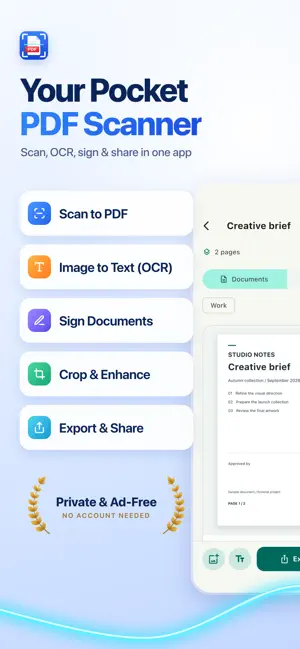
Turn paper into a PDF you can use. Scan receipts, forms and contracts, extract text with OCR, and add your handwritten signature before sharing. No ads, no account: your document library stays on your iPhone or iPad. SCAN PAPER AND PHOTOS • Capture multiple pages or import selected photos and PDF files. • Review suggested page edges, adjust corners, correct perspective and rotate pages. • Choose enhanced color, grayscale or black and white. • Put the front and back of an ID card on a single PDF page. COPY TEXT AND FIND DOCUMENTS • Recognize text on your device, then copy it or export a TXT file. • Add recognized text to create a searchable PDF. • Find documents by title, tags or recognized content. ADD YOUR SIGNATURE • Draw a signature, position it on the page and resize it. • Save up to 10 signature templates for reuse. • Cover sensitive areas with opaque blocks and check the exported file before sharing. ORGANIZE, EXPORT AND SHARE • Keep tax receipts, expense records and class notes in folders with tags and favorites. • Merge documents, reorder pages and recover deleted files from Trash. • Export PDF, JPEG, text or page images in ZIP. Choose Letter, A4 or original page dimensions. • Share and print through system tools. Export selected documents as separate PDFs in a single ZIP. YOUR LIBRARY STAYS WITH YOU Documents are stored locally and are not automatically uploaded. Text recognition runs on your device. Enable the app lock to require device authentication when returning to the app. OCR language support depends on your device and system version; check important text. Imported PDFs become page images. Drawn signatures are graphical marks, not certified digital signatures.
What’s new
Version 1.0.2 · Updated October 20, 2026
A smoother welcome tour, plus performance and stability improvements.
App privacy
The developer, 彩月 姚, reported these privacy practices to Apple.
Data Linked to You
The following data, which may be collected and linked to your identity, may be used for the following purposes:
- Contact Info: Email Address
- User Content: Customer Support
- Other Data: Other Data Types
Used for: App Functionality
Alternatives to PDF Scanner: Sign Documents
Looking for apps like PDF Scanner: Sign Documents? Here are 6 similar apps on the App Store. The highest rated is Teleprompter for Video Script (5.0/5), and all 6 are free to download.
-
 PDF Scanner - PDF Scanner App
-
 PDF Assistant:PDF Scanner App
-
 Teleprompter for Video Script
5.0
Teleprompter for Video Script
5.0
-
 AI-فهمتك
3.7
AI-فهمتك
3.7
-
 To Do List – Task Manager+
4.4
To Do List – Task Manager+
4.4
-
 JOBCAN Attendance (CoreNFC)
| App | Rating | Price | Last updated | Compare |
|---|---|---|---|---|
| PDF Scanner: Sign Documents | – | Free | October 20, 2026 | |
| PDF Scanner - PDF Scanner App | – | Free | Dec 19, 2025 | Compare |
| PDF Assistant:PDF Scanner App | – | Free | May 8, 2026 | Compare |
| Teleprompter for Video Script | 5.0 / 5 (1) | Free | Apr 28, 2025 | Compare |
| AI-فهمتك | 3.7 / 5 (7) | Free | Dec 20, 2024 | Compare |
| To Do List – Task Manager+ | 4.4 / 5 (84) | Free | Mar 16, 2026 | Compare |
| JOBCAN Attendance (CoreNFC) | – | Free | Apr 13, 2026 | Compare |