

LOCKEDIN Focus Timer
Sok Edward Productivity iPhoneiPadiPod touch
LOCKEDIN Focus Timer is a free Productivity app for iPhone and iPad by Sok Edward. Requires iOS 17.0. Updated September 18, 2026.
- Price
- Free
- on the App Store
- Size
- 1 MB
- Age 4+
- Updated
- Sep 18
- 2026 · v1.1
Screenshots

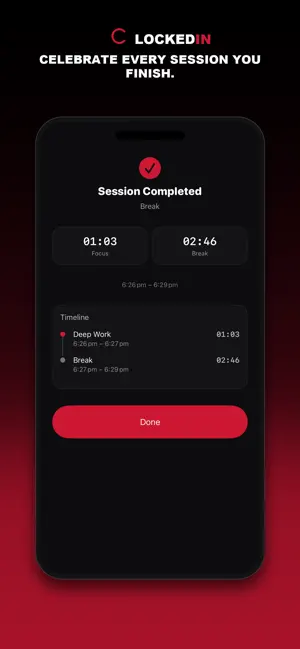
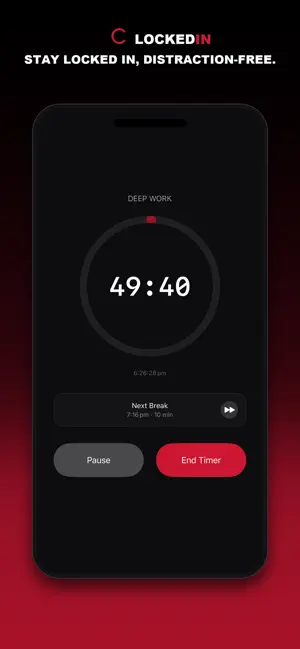

About LOCKEDIN Focus Timer
YOUR TIME. YOUR RULES. NO EXCUSES. Most timer apps hand you one rhythm and expect your life to fit around it. LOCKEDIN Focus Timer does the opposite: build the exact sequence your brain actually needs, then run it. BUILD YOUR OWN SEQUENCE Stack Timer and Break blocks in any order, any length. Name each one. Extend on the fly with +1 min, or drop another block into the run without breaking your streak. Nothing here locks you into a rhythm that isn't yours. SAVE WHAT WORKS Turn any sequence into a Template — your own icon, your own color, ready in one tap. Study. Deep Work. Sprint sets. Whatever gets you locked in, saved for next time. 7 BUILT-IN PROTOCOLS Classic 25/5 Pomodoro. 50-Minute Deep Work. 90-Minute Flow State. The 52/17 Method. 45-Minute Study Blocks. 10-Minute Micro Sprints for short-attention days. Even a 3-Minute Boxing Round for training splits. Proven techniques, zero filler. LIVE, EVERYWHERE A running countdown on your Lock Screen and Dynamic Island. A home screen widget tracking today's minutes and your streak. Silent when it should be, loud when it matters — a real notification the second a block or break ends, even three apps away. BUILT FOR HOW YOU ACTUALLY FOCUS Skip ahead. Pause. Add a minute when you're in the zone. End early without losing anything — every session logs to your history and your streak, no exceptions. LOCKED DOWN, NOT LOCKED IN Every session, every template, every streak lives on your device and nowhere else. No account. No cloud sync. No ads. No trackers. No third-party SDKs phoning home. Delete the app and it's gone — the way it should be. 100% FREE. NO CATCH. Every feature above, unlocked from the first launch. No subscription, no paywall, no "Pro" tier waiting behind a lock icon. Built by LOCKEDIN Studio — an independent tech studio for the locked-in life. Privacy Policy: https://lockedinstudio.app/focus-timer Terms of Use (EULA): https://www.apple.com/legal/internetservices/itunes/dev/stdeula/
What’s new
Version 1.1 · Updated September 18, 2026
NEW IN 1.1 • Cleaner countdown screen — bigger, clearer heading with the live clock moved right underneath it • The screen now pulses crimson while you work and shifts to a calm teal glow on break • Add Break / Add Timer are now clearly captioned buttons, grouped with +1 min right above your controls • Every block in your Sequence now shows an hourglass or rest icon so you can see your plan at a glance • Fixed: ending a timer early now always shows your Session Completed summary instead of skipping it • New: the app now speaks Spanish, French, German, and Japanese
App privacy
The developer, Sok Edward, reported these privacy practices to Apple.
Data Not Collected
The developer does not collect any data from this app.
Alternatives to LOCKEDIN Focus Timer
Looking for apps like LOCKEDIN Focus Timer? Here are 6 similar apps on the App Store. The highest rated is Cat On Chair: Pomodoro Timer (4.9/5), and all 6 are free to download.
-
 Lockn: Daily Planner & Focus
-
 Birthday Reminder™ & Countdown
4.5
-
 NAS Pro
4.3
-
 Focus Dog: Study Pet Pomodoro
4.7
-
 Focus Lock - Screen Time Limit
4.3
-
 Cat On Chair: Pomodoro Timer
4.9
| App | Rating | Price | Last updated | Compare |
|---|---|---|---|---|
| LOCKEDIN Focus Timer | – | Free | September 18, 2026 | |
| Lockn: Daily Planner & Focus | – | Free | Jun 24, 2026 | Compare |
| Birthday Reminder™ & Countdown | 4.5 / 5 (291) | Free | Oct 24, 2024 | Compare |
| NAS Pro | 4.3 / 5 (176) | Free | Oct 17, 2026 | Compare |
| Focus Dog: Study Pet Pomodoro | 4.7 / 5 (917) | Free | Oct 15, 2026 | Compare |
| Focus Lock - Screen Time Limit | 4.3 / 5 (294) | Free | Oct 20, 2026 | Compare |
| Cat On Chair: Pomodoro Timer | 4.9 / 5 (478) | Free | Oct 20, 2026 | Compare |