

Cloud Songs AI · Music Player
Xingxing Yu Music iPhoneiPadiPod touch
Cloud Songs AI · Music Player is a free Music app for iPhone and iPad by Xingxing Yu. Rated 5.0/5 from 1 ratings. Requires iOS 17.0.
- Rating
- 5.0
- 1 ratings
- Price
- Free
- on the App Store
- Size
- 16 MB
- Age 4+
- Updated
- Oct 24
- 2026 · v1.1.1
Screenshots
About Cloud Songs AI · Music Player
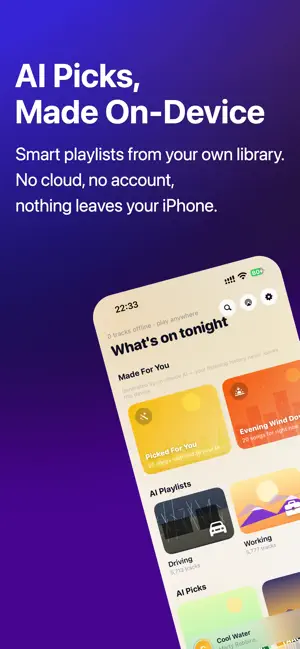
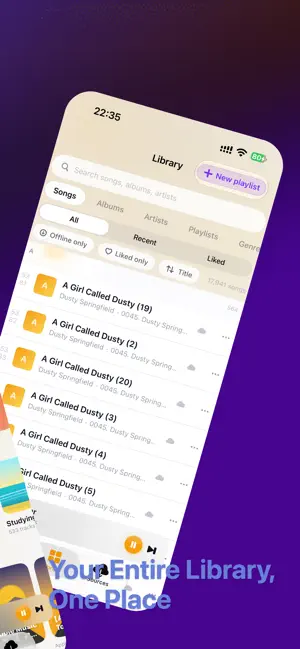
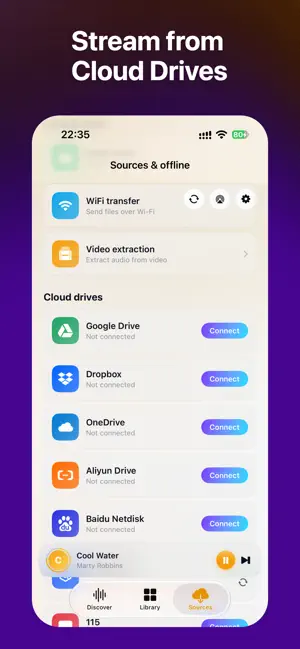
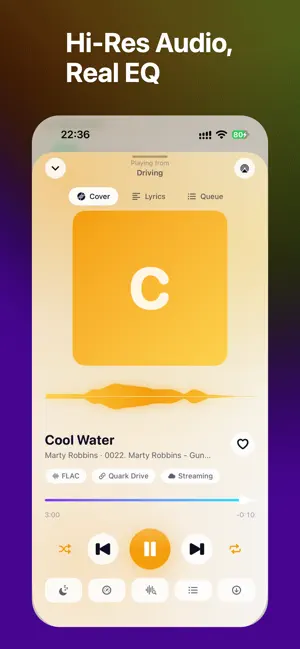
Cloud Songs turns your cloud storage into a personal music library. Stream FLAC, ALAC, WAV, DSD, MP3 — directly from Dropbox, Google Drive, OneDrive, Aliyun Drive, Baidu Netdisk, Quark, 115, or any WebDAV / OpenList / Alist server. No uploading, no transcoding, no limits. SUPPORTED CLOUD DRIVES Connect Dropbox, Google Drive, OneDrive, Aliyun Drive (阿里云盘), Baidu Netdisk (百度网盘), Quark (夸克网盘), 115, pCloud, Box, plus any WebDAV / OpenList / Alist / SMB / SFTP server. POWERED BY ON-DEVICE AI Your listening data never leaves your iPhone. • AI Playlists — Smart mixes that learn your taste, generated locally • Mood Discovery — Explore your library by mood: energetic, chill, focus, romantic, sad. AI tags every song automatically. • Personalized Recommendations — The more you listen, the better it gets PREMIUM AUDIO EXPERIENCE • Hi-Fi Playback — FLAC, ALAC, WAV, AIFF, APE, DSD, OPUS, AAC and MP3, played at native sample rate • 10-Band Equalizer — Professional-grade EQ • Crossfade & Gapless — Seamless transitions between tracks • Sleep Timer — Fall asleep to your music RINGTONE MAKER Trim any song from your library and export as a ringtone, alarm, or notification sound — no extra app needed. OFFLINE & SMART • Offline Downloads — Save songs for offline listening • Smart Sync — Your library stays in sync with your cloud drive • Lyrics Widget — Synced lyrics on Home Screen • Wi-Fi Transfer — Import local files without cables PLAYLIST MANAGEMENT Free: 3 playlists. Premium: unlimited playlists, EQ, crossfade, online lyrics, ringtone maker, advanced metadata enrichment. PRIVACY FIRST AI runs entirely on your iPhone. No account required. No analytics SDKs. No data collected. Download Cloud Songs and turn your cloud storage into the best music player on your phone. Payment will be charged to your Apple ID account at confirmation of purchase. Subscription automatically renews unless it is canceled at least 24 hours before the end of the current period. Manage your subscriptions in Account Settings after purchase. Privacy Policy: https://cloudsongs.app/privacy Terms of Service: https://cloudsongs.app/terms
What’s new
Version 1.1.1 · Updated October 24, 2026
This update: 1. Automatically fetch lyrics and album covers; 2. Fixed CarPlay errors; 3. Fixed the cover image issue on the home page; 4. Fixed other bugs;
App privacy
The developer, Xingxing Yu, reported these privacy practices to Apple.
Data Not Collected
The developer does not collect any data from this app.
Alternatives to Cloud Songs AI · Music Player
Looking for apps like Cloud Songs AI · Music Player? Here are 6 similar apps on the App Store. The highest rated is cmmusic (5.0/5), and all 6 are free to download.
-
 cmmusic
5.0
-
 SonikTrax
5.0
-
 Sonar Player
-
 Drift: Visual Music Player
5.0
-
 Dave's Music Library
-
 Catalog Manager - Music
| App | Rating | Price | Last updated | Compare |
|---|---|---|---|---|
| Cloud Songs AI · Music Player | 5.0 / 5 (1 rating) | Free | October 24, 2026 | |
| cmmusic | 5.0 / 5 (1) | Free | Nov 10, 2026 | Compare |
| SonikTrax | 5.0 / 5 (1) | Free | Nov 4, 2026 | Compare |
| Sonar Player | – | Free | Oct 1, 2026 | Compare |
| Drift: Visual Music Player | 5.0 / 5 (1) | Free | Nov 2, 2026 | Compare |
| Dave's Music Library | – | Free | Nov 9, 2026 | Compare |
| Catalog Manager - Music | – | Free | Jul 30, 2026 | Compare |