

SwipeLeft Photo Cleaner
智聪 朱 Utilities iPhoneiPadiPod touch
SwipeLeft Photo Cleaner is a free Utilities app for iPhone and iPad by 智聪 朱. Requires iOS 17.0. Updated September 14, 2026.
- Price
- Free
- on the App Store
- Size
- 5 MB
- Age 4+
- Updated
- Sep 14
- 2026 · v1.0.1
Screenshots


About SwipeLeft Photo Cleaner
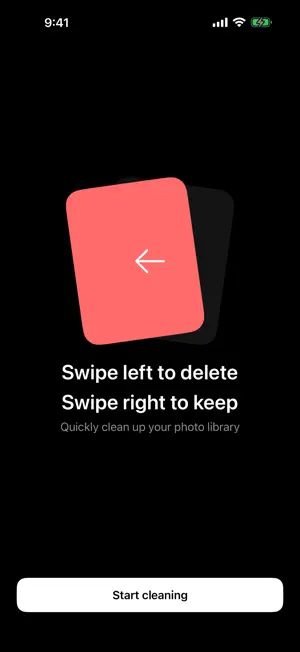
There are a few thousand photos on your phone. Half of them are near-duplicates, expired screenshots, and things you looked at once and never opened again. You know you should clear them out. But the thought of long-pressing, selecting, and confirming one photo at a time is enough to make you put the phone down. SwipeLeft turns all of that into a single gesture. • One gesture, one photo Swipe left to delete, right to keep. No long press, no checkboxes, no confirmation dialog per photo. Your thumb moves back and forth and you get through dozens of photos in a minute. Swiped wrong? Undo in the bottom-left corner takes you back. • Month by month, so it actually ends Photos are grouped by the month they were taken. Clear August today, July tomorrow. Each month is a stretch of road with an end to it, not an endless scroll. Finish one and a tile lights up on your cleanup wall. • Deleting is safe Marked photos don't disappear right away. When you tap Done, iOS shows its own delete confirmation, and the photos move to your Recently Deleted album, where they stay for 30 days. Everything goes through Apple's official Photos framework — nothing is worked around. • Your photos never leave your phone SwipeLeft doesn't upload your photos, doesn't run face detection, and doesn't analyze anything in the cloud. It reads your library on device and deletes on device. No account, no sign-in, no subscription. • A few things that help · Time Machine — surface a random old photo · Screenshots and Screen Recordings — the two folders that pile up fastest, one tap away · Cleanup wall — how many photos you've cleared and how much space you've freed Free. No ads. No in-app purchases. iPhone, iOS 17 or later. Privacy Policy: https://swipeleft.win/privacy/ Support: [email protected]
What’s new
Version 1.0.1 · Updated September 14, 2026
Bug fixes and stability improvements.
App privacy
The developer, 智聪 朱, reported these privacy practices to Apple.
Data Not Linked to You
The following data, which may be collected but is not linked to your identity, may be used for the following purposes:
- Identifiers: Device ID
- Usage Data: Product Interaction
Used for: Analytics
Alternatives to SwipeLeft Photo Cleaner
Looking for apps like SwipeLeft Photo Cleaner? Here are 6 similar apps on the App Store. The highest rated is Photo & Video Cleaner: Swipe (5.0/5), and all 6 are free to download.
-
 FreeUp Space Cleaner
-
 Kieps: Camera Roll Cleaner
-
 WatchMySpeed - Speedometer GPS
-
 Photo & Video Cleaner: Swipe
5.0
Photo & Video Cleaner: Swipe
5.0
-
 OMEC Open
-
 Offload - Photo Cleaner
5.0
Offload - Photo Cleaner
5.0
| App | Rating | Price | Last updated | Compare |
|---|---|---|---|---|
| SwipeLeft Photo Cleaner | – | Free | September 14, 2026 | |
| FreeUp Space Cleaner | – | Free | Sep 21, 2026 | Compare |
| Kieps: Camera Roll Cleaner | – | Free | Sep 7, 2026 | Compare |
| WatchMySpeed - Speedometer GPS | – | Free | Jun 3, 2026 | Compare |
| Photo & Video Cleaner: Swipe | 5.0 / 5 (5) | Free | Mar 14, 2026 | Compare |
| OMEC Open | – | Free | Oct 29, 2025 | Compare |
| Offload - Photo Cleaner | 5.0 / 5 (3) | Free | Feb 19, 2026 | Compare |