

Read First
Matt Lamborne Productivity iPhoneiPadiPod touch
Read First is a free Productivity app for iPhone and iPad by Matt Lamborne. Requires iOS 16.4. Updated October 14, 2026.
- Price
- Free
- on the App Store
- Size
- 71 MB
- Age 4+
- Updated
- Oct 14
- 2026 · v1.1.1
Screenshots



About Read First
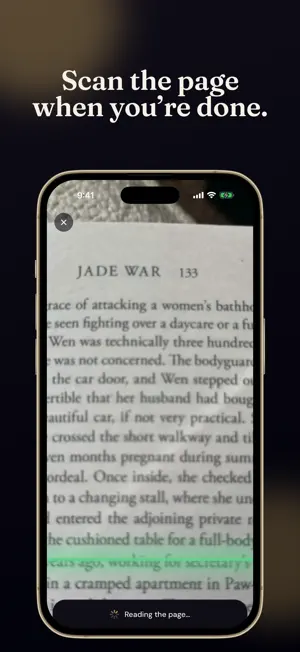
Your scrolling apps stay shut until you've read today's pages. Read First uses Apple's Screen Time to lock the apps that eat your evenings. Read your pages, snap a photo of the page you're on, and they open back up. That's the whole deal. HOW IT WORKS 1. Pick the apps that take your time 2. Add your book and the date you want to finish it 3. Read First works out today's page count 4. Read, snap the page, type where you got to. Your apps open. FOCUS TIMER Spin the dial, lock your apps for 5 minutes or 2 hours, and just read. A gentle tune plays when you're done, and the countdown shows on your Lock Screen. MAKE IT YOURS • All day: locked until you've read • Reading hours: locked only during the hours you choose • Relock rounds: read, get a few hours free, then a new page count • Normal or Hard: decide whether the lock screen can be dismissed • Reading reminders and a Home Screen widget for today's pages A LIBRARY THAT GROWS Covers pulled in automatically, an up-next shelf, your finished books and a daily streak. And Folio, a small book who is very happy when you read. PRIVATE BY DESIGN No account. Your books, pages and photos stay on your iPhone. Screen Time gives Read First anonymous tokens only, so it can't see which apps you picked or anything you do in them. We use anonymous analytics to improve the app, never your name, your books or which apps you lock. SUBSCRIPTION Read First requires a subscription. The plans, prices and any free trial are shown in the app before you subscribe. Payment is charged to your Apple ID at the end of a free trial, or when you subscribe if there is no trial. It renews automatically unless you cancel at least 24 hours before the end of the period. Manage or cancel in Settings › Apple ID › Subscriptions. Terms of Use: https://read-first.app/terms Privacy Policy: https://read-first.app/privacy
What’s new
Version 1.1.1 · Updated October 14, 2026
• Your streak, redone: the week now starts on Monday, days still to come stay unfilled, and tapping your streak opens a graph of every day you've read. • Fixed: books could show a start date one day early in some time zones (including Australia). • Your book's cover now shows on the widget. • Smaller fixes and polish.
App privacy
The developer, Matt Lamborne, reported these privacy practices to Apple.
Data Not Linked to You
The following data, which may be collected but is not linked to your identity, may be used for the following purposes:
- Identifiers: User ID
- Usage Data: Product Interaction
- Other Data: Other Data Types
- Purchases: Purchase History
Used for: Analytics, App Functionality
Alternatives to Read First
Looking for apps like Read First? Here are 6 similar apps on the App Store. The highest rated is BrainFree: Stop Doom Scrolling (5.0/5), and all 6 are free to download.
-
 SocialZen: Stop Doomscrolling
-
 TagTrack: NFC Habit Tracker
4.0
TagTrack: NFC Habit Tracker
4.0
-
 BrainFree: Stop Doom Scrolling
5.0
BrainFree: Stop Doom Scrolling
5.0
-
 Do It: To-Do List & Tasks
4.7
Do It: To-Do List & Tasks
4.7
-
 Pond - Screen Time & Pomodoro
4.6
Pond - Screen Time & Pomodoro
4.6
-
 Goal Tracker & Daily Planner
4.7
Goal Tracker & Daily Planner
4.7
| App | Rating | Price | Last updated | Compare |
|---|---|---|---|---|
| Read First | – | Free | October 14, 2026 | |
| SocialZen: Stop Doomscrolling | – | Free | Sep 29, 2026 | Compare |
| TagTrack: NFC Habit Tracker | 4.0 / 5 (3) | Free | Oct 2, 2026 | Compare |
| BrainFree: Stop Doom Scrolling | 5.0 / 5 (3) | Free | May 13, 2026 | Compare |
| Do It: To-Do List & Tasks | 4.7 / 5 (115) | Free | Nov 9, 2023 | Compare |
| Pond - Screen Time & Pomodoro | 4.6 / 5 (848) | Free | Jun 15, 2026 | Compare |
| Goal Tracker & Daily Planner | 4.7 / 5 (3,243) | Free | Jun 10, 2026 | Compare |
Compare Read First with the top alternatives: ratings, updates, ASO score and keyword gaps →