

Teleprompter: Voice & Scroll
Dylan Pearson Photo & Video iPhoneiPadiPod touch
Teleprompter: Voice & Scroll is a free Photo & Video app for iPhone and iPad by Dylan Pearson. Requires iOS 16.0. Updated October 6, 2026.
- Price
- Free
- on the App Store
- Size
- 2 MB
- Age 4+
- Updated
- Oct 6
- 2026 · v1.0.2
Screenshots

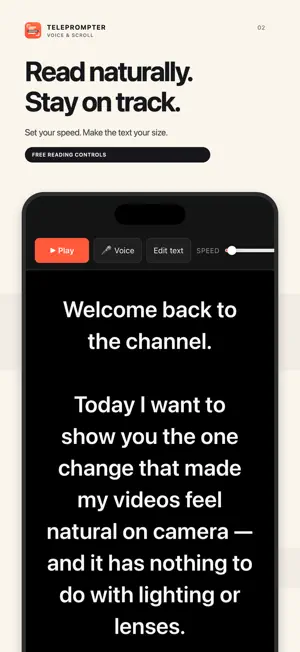

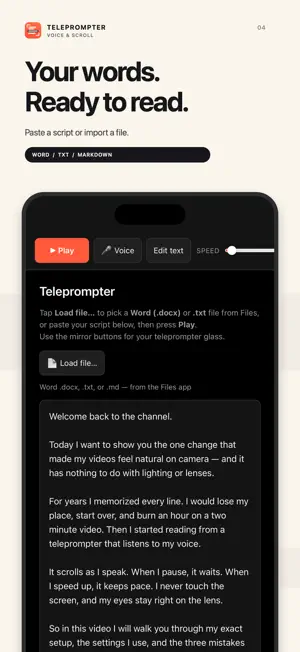
About Teleprompter: Voice & Scroll
Read your script at your own pace with a teleprompter that follows your voice. Try Voice Follow free for 90 seconds per session, then unlock Pro with one purchase. No subscription. Prepare for your next video, podcast, presentation or speech on iPhone or iPad. Paste your script or import a Word document, choose a comfortable text size and start reading. A narrow text column helps keep your eyes near the camera. START READING FOR FREE • Auto-scroll with adjustable speed, or drag the script to move at your own pace. • Adjust text size, column width and left, center or right alignment. • Paste text or import Word (.docx), plain text (.txt) and Markdown (.md) files. • Use a 3, 5 or 10-second countdown before a take. • Add a reading guide, fade the edges and hide the toolbar. • Read in portrait or landscape, with the screen kept awake. • Control playback with compatible keyboards, presentation clickers and foot pedals that send keyboard commands. • Your script and reading settings are saved locally between sessions. PRO: PAY ONCE, NO SUBSCRIPTION • Voice Follow matches your spoken words to the script, highlights your place and scrolls as you read. When you pause, the script waits. • Mirror Mode flips text horizontally or vertically for beam-splitter teleprompter rigs. • All future Pro features are included with your one-time purchase. You can try Voice Follow for 90 seconds each session before upgrading. Manual and automatic scrolling, file import and reading controls remain free. Restore your Pro purchase with your Apple ID. VOICE FOLLOW AND PRIVACY Voice Follow recognizes English (US). It uses Apple's speech recognition and runs on-device when a compatible speech model is available. Otherwise, Apple may process audio on its servers. The app does not save audio. Your script stays on your device. No account, ads or third-party tracking. Use Teleprompter alongside your camera or recording setup. The app displays your script; it does not record video. Built, owned and managed by Pondir. Support and privacy: https://pondir.com/teleprompter/privacy
What’s new
Version 1.0.2 · Updated October 6, 2026
A new Reading Focus app icon makes Teleprompter easier to spot. Updated App Store information highlights script reading, automatic scrolling and Mirror Mode. Your scripts, settings and Pro purchase carry over.
App privacy
The developer, Dylan Pearson, reported these privacy practices to Apple.
Data Not Collected
The developer does not collect any data from this app.
Alternatives to Teleprompter: Voice & Scroll
Looking for apps like Teleprompter: Voice & Scroll? Here are 6 similar apps on the App Store.
-
 Teleprompter: Script for Video
-
 Teleprompter Studio: Video
-
 Orate: Video Teleprompter
-
 Smart Teleprompter - PromptCam
-
 Teleprompter with Auto Scroll
-
 Voice Teleprompter - Scripttie
| App | Rating | Price | Last updated | Compare |
|---|---|---|---|---|
| Teleprompter: Voice & Scroll | – | Free | October 6, 2026 | |
| Teleprompter: Script for Video | – | Free | May 12, 2026 | Compare |
| Teleprompter Studio: Video | – | Free | Aug 23, 2026 | Compare |
| Orate: Video Teleprompter | – | Free | Oct 22, 2026 | Compare |
| Smart Teleprompter - PromptCam | – | Free | Mar 16, 2026 | Compare |
| Teleprompter with Auto Scroll | – | Free | Sep 25, 2026 | Compare |
| Voice Teleprompter - Scripttie | – | Free | Jun 24, 2026 | Compare |