

Interview: Voice to Transcript
Projek J Productivity iPhoneiPadiPod touch
Interview: Voice to Transcript is a free Productivity app for iPhone and iPad by Projek J. Rated 5.0/5 from 2 ratings. Requires iOS 26.4.
- Rating
- 5.0
- 2 ratings
- Price
- Free
- on the App Store
- Size
- 142 MB
- Age 4+
- Updated
- Oct 13
- 2026 · v1.3.0
Screenshots
About Interview: Voice to Transcript
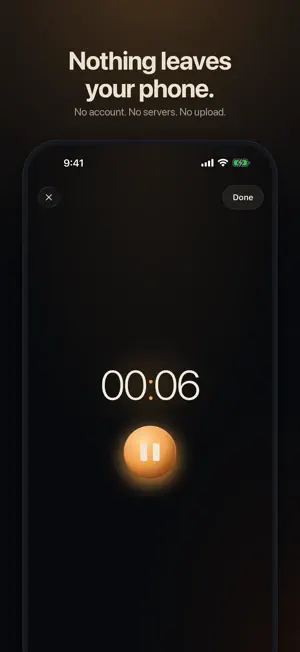
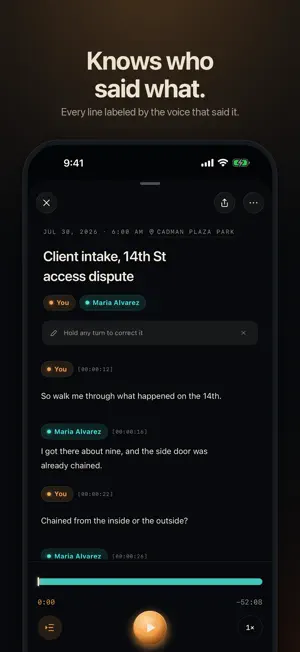
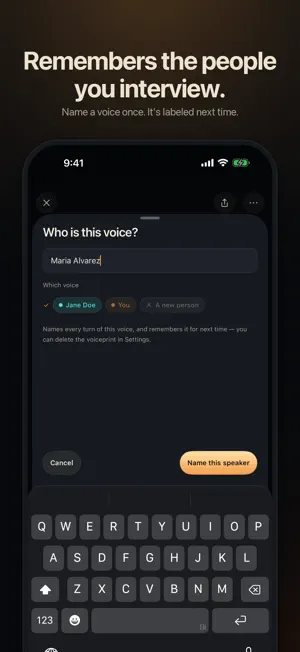
Record the conversation. Get a transcript that says who said what. Nothing ever leaves your phone. Interview is a recorder for conversations that can't leak: client meetings, interviews, research sessions, anything you'd rather keep to yourself. Tap Record, talk, tap Done. Minutes later you have a transcript with every line labeled by the person who said it. All of it happens on your phone. No account, no servers, no upload. The only way an interview leaves your phone is when you share it yourself. KNOWS WHO'S TALKING Interview tells the voices in the room apart and labels every line. Name a speaker once and everything they said is labeled. If it isn't sure, it asks instead of guessing. REMEMBERS THE PEOPLE YOU INTERVIEW Name someone once and Interview recognizes them next time. It learns your own voice during setup, so you're labeled automatically. Remembered voices are yours to delete, any time. SHARE ON YOUR TERMS Send the transcript as text, Markdown, Word or PDF, with or without the audio. Nothing is shared until you choose to. SPEAKS YOUR LANGUAGE Transcribes English, Spanish, French, German, Italian, Portuguese, Japanese, Korean, Mandarin and Cantonese, and picks the language on its own. Some languages need a one-time download from Apple the first time. ALREADY HAVE A RECORDING? Import audio or video and get the same transcript. PRIVATE BY DESIGN • No account, no sign-in • No servers, no upload • Delete means gone Made for anyone who cares about privacy. Lawyers, journalists and researchers use it, and so can anyone who'd rather keep a conversation their own. Works best on iPhone 12 or later. Titles and summaries need Apple Intelligence.
What’s new
Version 1.3.0 · Updated October 13, 2026
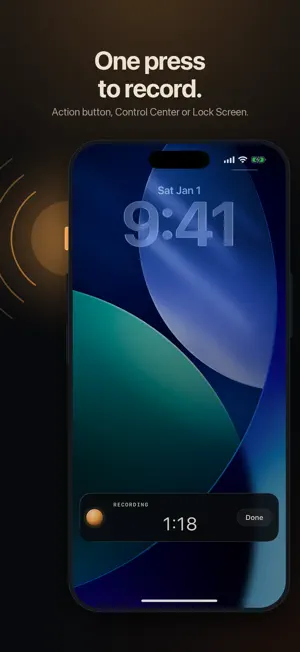
Recording is now one press away. • Start and stop recording from the Action button, Control Center or the Lock Screen. • While you record, your Lock Screen shows the time and a Done button. If you pause, tap the record button there to pick up where you left off. • Works on more phones. Transcripts no longer need Apple Intelligence; titles and summaries still do.
App privacy
The developer, Projek J, reported these privacy practices to Apple.
Data Not Linked to You
The following data, which may be collected but is not linked to your identity, may be used for the following purposes:
- Identifiers: Device ID
- Usage Data: Product Interaction, Advertising Data
- Diagnostics: Performance Data
Used for: Analytics
Alternatives to Interview: Voice to Transcript
Looking for apps like Interview: Voice to Transcript? Here are 6 similar apps on the App Store. The highest rated is MelodiaSync (5.0/5), and all 6 are free to download.
-
 SpeakSense: Voice Recorder
-
 MelodiaSync
5.0
MelodiaSync
5.0
-
 BackStageCloud
-
 CortextAI: AI Workspace
-
 VoiceTrace - Voice Recorder
-
 Voice Recorder Library
5.0
Voice Recorder Library
5.0
| App | Rating | Price | Last updated | Compare |
|---|---|---|---|---|
| Interview: Voice to Transcript | 5.0 / 5 (2 ratings) | Free | October 13, 2026 | |
| SpeakSense: Voice Recorder | – | Free | Aug 19, 2026 | Compare |
| MelodiaSync | 5.0 / 5 (1) | Free | Sep 17, 2026 | Compare |
| BackStageCloud | – | Free | Oct 11, 2026 | Compare |
| CortextAI: AI Workspace | – | Free | May 29, 2026 | Compare |
| VoiceTrace - Voice Recorder | – | Free | May 16, 2026 | Compare |
| Voice Recorder Library | 5.0 / 5 (2) | Free | Oct 17, 2026 | Compare |