

Scantrix PDF Scanner
Corelink Solutions FZE Productivity iPhoneiPadiPod touch
Scantrix PDF Scanner is a free Productivity app for iPhone and iPad by Corelink Solutions FZE. Rated 5.0/5 from 1 ratings. Requires iOS 15.5.
- Rating
- 5.0
- 1 ratings
- Price
- Free
- on the App Store
- Size
- 200 MB
- Age 4+
- Updated
- Oct 9
- 2026 · v1.0.9
Screenshots


About Scantrix PDF Scanner
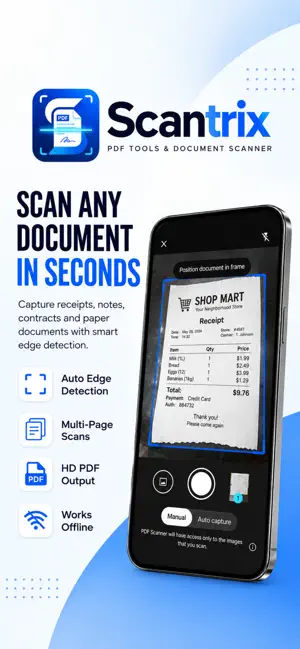
SCAN, EDIT, CONVERT & SIGN. ALL IN ONE APP Turn your iPhone into a powerful PDF scanner and document toolkit with Scantrix PDF Scanner. Scan documents, receipts and invoices, create PDFs, convert files, extract text with OCR, sign documents, organize important files, protect private documents and scan QR codes from one easy-to-use app. SMART PDF & DOCUMENT SCANNER Turn paper into clean digital documents in seconds. Scan receipts, invoices, contracts, notes, forms, reports and other documents. Automatic edge detection helps capture properly aligned scans and create clean PDF files directly from your phone. PDF & FILE CONVERTER Convert files without switching between multiple apps. Convert PDF files to: • Word • Excel • PowerPoint • Images • Text You can also convert supported Office documents and images into PDF files for easy sharing and storage. ESSENTIAL PDF TOOLS Manage everyday PDF tasks directly from Scantrix: • Merge PDF files • Compress PDFs • Manage and organize pages • Create PDFs from scans and images • Keep documents organized in one workspace E-SIGN & SIGN PDFs Create or import your signature and add it directly to PDF documents. No printer required. Sign contracts, forms, approvals and other documents directly from your iPhone. OCR TEXT RECOGNITION Extract text from scanned documents and images with OCR. Quickly copy, save and reuse extracted information instead of typing it manually. ORGANIZE & PROTECT YOUR DOCUMENTS Keep receipts, reports, pay stubs, insurance documents, personal files and business documents organized with Smart Categories. For additional privacy, lock selected document categories with a 4–6-digit PIN. QR CODE SCANNER Scan QR codes directly using your camera or gallery, with flash and camera-flip controls when needed. FREE & FLEXIBLE PREMIUM ACCESS Start using Scantrix PDF Scanner for free and upgrade when you need more. Premium options include: • Monthly Premium • Yearly Premium • Lifetime Premium Prefer not to subscribe? Watch 2 ads to unlock Premium access for 24 hours. Restore Purchases is available for eligible purchases. SCANTRIX PDF SCANNER. YOUR EVERYDAY DOCUMENT WORKSPACE Scan documents. Create and convert PDFs. Extract text with OCR. Sign documents. Organize files. Scan QR codes. Everything you need for everyday document tasks in one app. Terms of Use (EULA): https://www.apple.com/legal/internet-services/itunes/dev/stdeula/ Privacy Policy: https://scantrixpdfscanner.app/privacy-policy
What’s new
Version 1.0.9 · Updated October 9, 2026
Watching 2 ads for 24 hours of Premium now works reliably, even with longer ads. Your progress is saved after each ad, so if an ad is unavailable you only need to watch the remaining one. The ad card now shows how many ads you have watched. Faster app startup. Improved ad availability. Stability improvements and bug fixes.
App privacy
The developer, Corelink Solutions FZE, reported these privacy practices to Apple.
Data Not Linked to You
The following data, which may be collected but is not linked to your identity, may be used for the following purposes:
- Location: Coarse Location
- Identifiers: Device ID, User ID
- Usage Data: Advertising Data, Product Interaction
- Diagnostics: Crash Data, Performance Data
- Purchases: Purchase History
Used for: Third-Party Advertising, Analytics, App Functionality