

IPTV Media Player
Heer Patel Utilities iPhoneiPadiPod touch
IPTV Media Player is a free Utilities app for iPhone and iPad by Heer Patel. Requires iOS 15.6. Updated September 22, 2026.
- Price
- Free
- on the App Store
- Size
- 54 MB
- Age 4+
- Updated
- Sep 22
- 2026 · v1.0.6
Screenshots



About IPTV Media Player
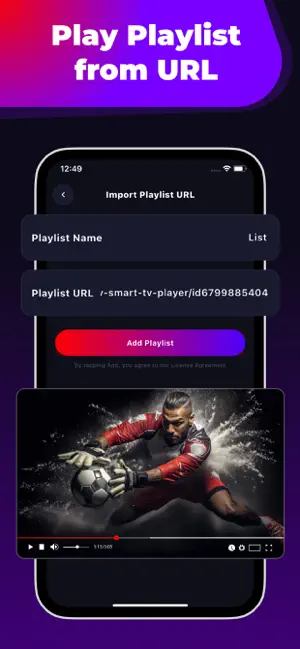
IPTV Media Player is a organizer your playlist, M3U and M3U8 playlist, find favorite channels, and enjoy playback with full-screen mode. your own IPTV playlists together in one simple player. The app does not include, provide, host, index, or discover any channels, subscriptions, catalogs, or media content of any kind. The app ships empty. Nothing plays until you add a playlist file or URL that you personally have the legal right to use. If you already have your own M3U or M3U8 playlist, this app gives you a clean, simple way to open it, organize it, and play its contents on your device. BRING YOUR OWN PLAYLISTS Load the M3U and M3U8 playlist files you already have on your device, or paste a playlist URL that you personally own or are authorized to use. Rename each playlist, keep several side by side, and switch between them whenever you like. Import local M3U and M3U8 files from your device Add playlists by URL that you are authorized to use Rename, edit, or remove any playlist at any time Manage multiple playlists in one organized place FIND ENTRIES FASTER When a playlist grows large, quick in-app search helps you jump straight to the entry you want without endless scrolling. In-playlist search Simple, uncluttered browsing Fast switching between your own playlists SAVE YOUR FAVORITES Mark the entries you open most often so they are one tap away the next time you launch the app. Favorites stay on your device. One-tap favorite / unfavorite Dedicated Favorites tab Favorites are stored locally on your device BUILT-IN PLAYER Play entries from your own playlist with an integrated video player designed for comfort and control. Full-screen playback Playback controls with screen lock Picture-in-Picture on supported devices Cast to a compatible display on supported devices DESIGNED FOR PEOPLE WHO ALREADY HAVE THEIR OWN SOURCES IPTV Media Player is intentionally minimal. It focuses on the essentials of opening, organizing, and playing the M3U and M3U8 playlists you provide. M3U and M3U8 file support Playlist URL support (URLs you own or are authorized to use) Multiple playlists in one place Search and Favorites Built-in player with full-screen, PiP, Cast, and screen lock IMPORTANT - YOUR CONTENT, YOUR RESPONSIBILITY This application is a player and playlist manager only. It ships empty. It does not: Provide any channels, playlists, subscriptions, or media Host, index, aggregate, or discover any third-party content Come pre-loaded with any URLs or sources of any kind Bypass, decrypt, or circumvent any protection on any service You are solely responsible for the playlists and URLs you add. By using the app, you confirm that you own the content you load, or that you have the necessary rights, licenses, or permissions from the rightful owner to access and play it. Each time you add a new playlist, the app requires you to review and accept an in-app License Agreement confirming this. IPTV Media Player is an independent utility. It is not affiliated with, endorsed by, sponsored by, or connected to any television network, media service, content provider, or any other third party. All trademarks and content rights belong to their respective owners.
App privacy
The developer, Heer Patel, reported these privacy practices to Apple.
Data Not Collected
The developer does not collect any data from this app.
Alternatives to IPTV Media Player
Looking for apps like IPTV Media Player? Here are 6 similar apps on the App Store.


| App | Rating | Price | Last updated | Compare |
|---|---|---|---|---|
| IPTV Media Player | – | Free | September 22, 2026 | |
| Grocery-Manager | – | Free | Oct 22, 2026 | Compare |
| Aristi | – | Free | Feb 19, 2025 | Compare |
| pdfscannerconverter | – | Free | May 26, 2026 | Compare |
| MySpd | – | Free | Oct 11, 2026 | Compare |
| Phone Locater Finder: FamiCare | – | Free | Sep 16, 2025 | Compare |
| AnyStream Player | – | Free | Sep 30, 2026 | Compare |
Compare IPTV Media Player with the top alternatives: ratings, updates, ASO score and keyword gaps →