

Evir – Media Converter
Nasim Mahmoudzadeh Utilities iPhoneiPadiPod touch
Evir – Media Converter is a free Utilities app for iPhone and iPad by Nasim Mahmoudzadeh. Rated 4.9/5 from 7 ratings. Requires iOS 18.1.
- Rating
- 4.9
- 7 ratings
- Price
- Free
- on the App Store
- Size
- 146 MB
- Age 4+
- Updated
- Nov 2
- 2026 · v1.0.6
Screenshots
About Evir – Media Converter
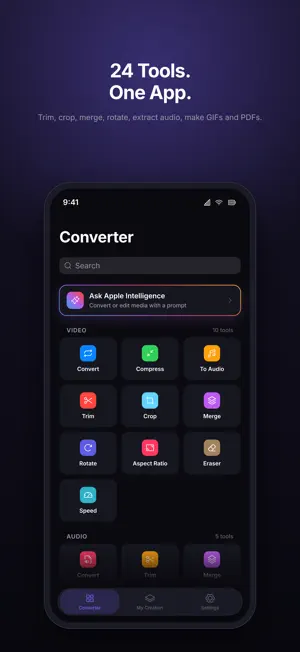
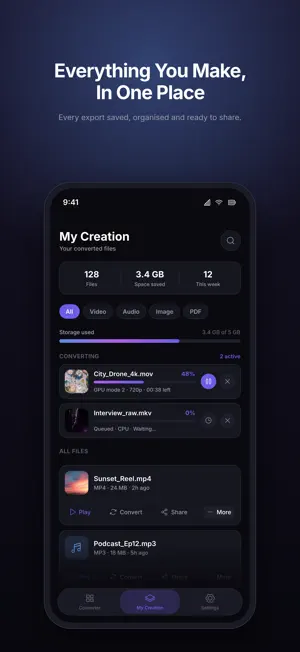
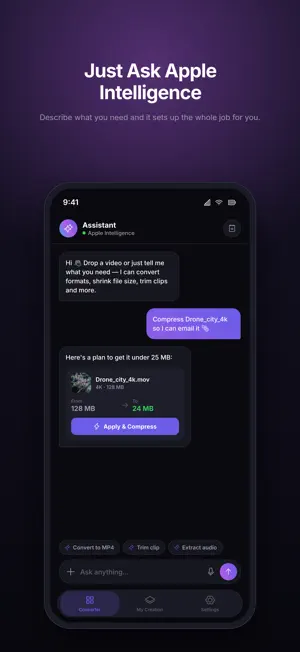
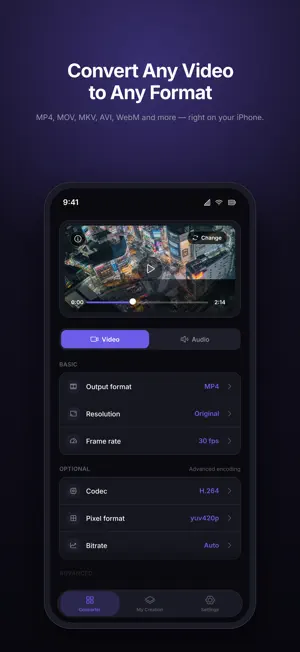
Evir converts, compresses and edits your videos, audio, images and PDFs — fast, private and entirely on your device. No uploads, no waiting for a server, works offline. 35 tools in one app. VIDEO • Convert between MP4, MOV, MKV, WebM, AVI and more • Compress to a fraction of the size — or straight to a target like WhatsApp, Email, Discord or Telegram • Extract audio as MP3, M4A, WAV, FLAC and more • Trim, crop, rotate, change aspect ratio, change speed • Merge clips into one video • Reverse a video or make a boomerang • Watermark videos and photos with a logo or text, in batches • Subtitles: transcribe speech into SRT, VTT or TXT and burn captions in • Eraser: blur or cover a region • Video to GIF SOCIAL STUDIO Turn photos and videos into stories, reels and posts: templates, music and AI voice, animated text, on-device captions, stickers, looks and safe-zone guides for every platform. AUDIO • Convert between MP3, M4A, WAV, FLAC, OGG and more • Trim, merge, split and change speed • Enhance: noise reduction and loudness levelling • Text to Speech: read any text aloud into an audio file • Make a ringtone IMAGE • Convert between HEIC, JPG, PNG, WebP and more • Crop and optimize images • Cut Out: remove a photo's background • Extract Text: pull text from images and PDFs into a searchable PDF • Turn images into a PDF PDF • Scan documents with the camera • Compress, merge, split and password-protect PDFs • Export PDF pages as images PRIVATE BY DESIGN Everything runs locally on your iPhone and iPad, including speech recognition, background removal and text recognition. Your files never leave your device — nothing is uploaded or stored on a server. No account, no ads. SIMPLE AND FAST Pick a file, choose a format or size, and go. Batch-convert several clips at once. Your finished files are collected in one library, ready to preview, save or share. Ask Apple Intelligence which tool to use and it takes you there. Whether you're shrinking a video to send it in a chat, pulling the audio out of a concert clip, captioning a reel or turning a stack of photos into a PDF, Evir gets it done in seconds.
Ratings & reviews
4.9
7 ratings
What’s new
Version 1.0.6 · Updated November 2, 2026
• HDR videos stay HDR when exported as HEVC; H.264 gets a proper SDR conversion. • Conversions keep running when the screen locks and resume after an interruption; the list shows time left. • Unreadable or uncopyable files are retried with another engine instead of failing. • Watermark: Videos / Photos / All filter. PDF Protect: remove passwords. • Enhance Audio handles very loud recordings. Optimize Image supports RAW/DNG.
App privacy
The developer, Nasim Mahmoudzadeh, reported these privacy practices to Apple.
Data Not Linked to You
The following data, which may be collected but is not linked to your identity, may be used for the following purposes:
- Identifiers: Device ID
- Usage Data: Product Interaction
Used for: Analytics
Alternatives to Evir – Media Converter
Looking for apps like Evir – Media Converter? Here are 6 similar apps on the App Store. The highest rated is Text Scanner AI: OCR & Scan (5.0/5), and all 6 are free to download.
-
 SideKey: Custom Action Button
2.5
-
 Smart Printer: HP Print & Scan
3.7
-
 Scrolla: Screenshot Stitcher
4.4
-
 Text Scanner AI: OCR & Scan
5.0
-
 NasScale
4.0
-
 Copy All: Text
5.0
| App | Rating | Price | Last updated | Compare |
|---|---|---|---|---|
| Evir – Media Converter | 4.9 / 5 (7 ratings) | Free | November 2, 2026 | |
| SideKey: Custom Action Button | 2.5 / 5 (2) | Free | Nov 2, 2026 | Compare |
| Smart Printer: HP Print & Scan | 3.7 / 5 (3) | Free | Oct 26, 2026 | Compare |
| Scrolla: Screenshot Stitcher | 4.4 / 5 (16) | Free | Oct 27, 2026 | Compare |
| Text Scanner AI: OCR & Scan | 5.0 / 5 (2) | Free | Oct 7, 2026 | Compare |
| NasScale | 4.0 / 5 (1) | Free | Oct 28, 2026 | Compare |
| Copy All: Text | 5.0 / 5 (3) | Free | Nov 2, 2026 | Compare |