

Lemon Notes: Pdf, Docs, Study
NEFISE ZELIHA BAYAR Productivity iPhoneiPadiPod touch
Lemon Notes: Pdf, Docs, Study is a free Productivity app for iPhone and iPad by NEFISE ZELIHA BAYAR. Requires iOS 17.0. Updated October 15, 2026.
- Price
- Free
- on the App Store
- Size
- 152 MB
- Age 17+
- Updated
- Oct 15
- 2026 · v1.2.0
Screenshots


About Lemon Notes: Pdf, Docs, Study
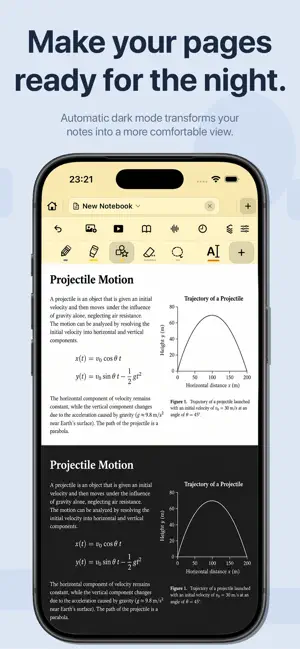
Lemon Notes: Note Taking & PDF Annotation Turn your iPhone and iPad into a digital notebook for handwritten notes, PDF annotation, digital planning, and drawing. Capture lecture notes, organize study materials, keep a journal, or plan your week. Write with touch on iPhone or Apple Pencil on iPad, and bring your notebooks across both devices with iCloud sync. HANDWRITING, DRAWING & STICKY NOTES • Write and sketch with pen, pencil, highlighter, fountain pen, watercolor, crayon, monoline, and more. • Customize colors, stroke widths, and smoothing for your writing style. • Use stroke and pixel erasers, lasso selection, copy, duplicate, resize, and move tools. • Turn rough sketches into clean geometric shapes with Smart Shape Recognition. Smart lines snap precisely to nearby endpoints to keep diagrams connected. • Organize drawings with editable layers. • Add customizable sticky notes for reminders, study tips, and ideas, with improved canvas touch controls. PDF ANNOTATION & DOCUMENTS • Import PDFs from Files to write, draw, highlight, underline, and annotate lecture slides, textbooks, worksheets, and documents. • Expand PDF margins for extra handwritten notes and bookmark important pages. • Import PowerPoint presentations and convert them into PDF notes. • Add photos, scanned documents, images, and emoji stickers. • Export full notebooks or selected pages as shareable PDFs. DIGITAL NOTEBOOKS, PLANNERS & TEMPLATES • Create multi-page notebooks for school, university, work, and personal projects. • Choose blank, lined, grid, dotted, Cornell notes, checklist, daily, weekly, monthly, habit tracker, mind map, table, music, guitar tab, storyboard, and other templates. • Personalize paper colors, spacing, line width, backgrounds, orientation, and covers. • Choose A3, A4, A5, A6, B5, Letter, Legal, and Tabloid paper sizes. • Explore 80 creative notebook covers, organized into three categories. • Keep class notes, meeting notes, and journals organized with folders and nested folders. • Protect notebooks or folders with a password and recover notebooks from Recently Deleted. STUDY TOOLS & EVERYDAY PRODUCTIVITY • Find handwritten notes with handwriting recognition and search. • Record audio with optional live speech transcription for lectures and meetings. • Solve handwritten arithmetic with Automatic Math. • Stay focused with a stopwatch, countdown timer, and built-in calculator. • Open two notes together with split-screen editing. • Preview pages, use Reader Mode, and let pages adapt to dark mode. • Watch YouTube videos or browse the web alongside your notes. HOME SCREEN WIDGETS • Quickly create a note, reopen your last note, and access recent notes and search with sleek widgets for iPhone and iPad. ICLOUD SYNC & LEMON STORE • Enable iCloud sync to continue your notebooks on iPhone and iPad. • Back up PDF notes to iCloud Drive. • Discover more notebook templates, covers, digital planners, study sheets, engineering templates, calendars, and digital stationery in the Lemon Store. MORE LANGUAGES • Now supports Arabic, Simplified Chinese, and Traditional Chinese, with context-aware translations, a right-to-left Arabic layout, and localized plural forms. START YOUR NEXT NOTEBOOK No separate Lemon Notes account is required. Create up to three notebooks for free. One optional annual subscription unlocks unlimited notebook creation on both iPhone and iPad. Use the same Apple Account to access your purchases on both devices, and enable iCloud sync to keep your notes in sync. Purchases can be restored at any time. Privacy Policy: https://lemonnotes.site/privacy/ Terms of Service: https://lemonnotes.site/terms/
What’s new
Version 1.2.0 · Updated October 15, 2026
- Added Arabic, Simplified Chinese, and Traditional Chinese support, including context-aware translations, right-to-left Arabic layout, and localized plural forms. - Added sleek Home Screen widgets for iPhone and iPad to quickly create notes, reopen your last note, and access recent notes and search. - Fixed smart-line snapping so automatically straightened lines join nearby line endpoints precisely and remain connected. - Added customizable, sticky notes with improved canvas touch controls. - Added new 60 creative notebook covers and organized all 80 designs into three categories for easier browsing. - Bug Fixes.
App privacy
The developer, NEFISE ZELIHA BAYAR, reported these privacy practices to Apple.
Data Not Collected
The developer does not collect any data from this app.
Alternatives to Lemon Notes: Pdf, Docs, Study
Looking for apps like Lemon Notes: Pdf, Docs, Study? Here are 6 similar apps on the App Store. The highest rated is CanvasNote (5.0/5), and all 6 are free to download.
-
 VelNotes: Handwriting Notes
-
 Noteora - Notes & Handwriting
-
 AINotes: Note Taking & PDF
4.8
AINotes: Note Taking & PDF
4.8
-
 Daypen: AI Notes & Planner
-
 CanvasNote
5.0
CanvasNote
5.0
-
 MeKa – Homework & Exam Tracker
| App | Rating | Price | Last updated | Compare |
|---|---|---|---|---|
| Lemon Notes: Pdf, Docs, Study | – | Free | October 15, 2026 | |
| VelNotes: Handwriting Notes | – | Free | Oct 18, 2026 | Compare |
| Noteora - Notes & Handwriting | – | Free | Oct 20, 2026 | Compare |
| AINotes: Note Taking & PDF | 4.8 / 5 (6) | Free | Sep 21, 2026 | Compare |
| Daypen: AI Notes & Planner | – | Free | Oct 18, 2026 | Compare |
| CanvasNote | 5.0 / 5 (2) | Free | Feb 20, 2025 | Compare |
| MeKa – Homework & Exam Tracker | – | Free | Nov 25, 2025 | Compare |