

Timeline: Daytrace
Keonho Kwon Lifestyle iPhoneiPadiPod touch
Timeline: Daytrace is a free Lifestyle app for iPhone and iPad by Keonho Kwon. Requires iOS 17.0. Updated October 11, 2026.
- Price
- Free
- on the App Store
- Size
- 43 MB
- Age 4+
- Updated
- Oct 11
- 2026 · v1.0.1
Screenshots
About Timeline: Daytrace
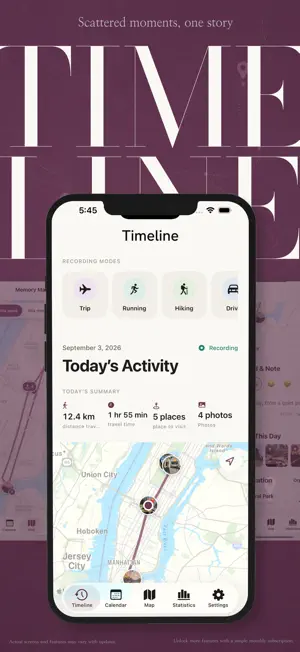
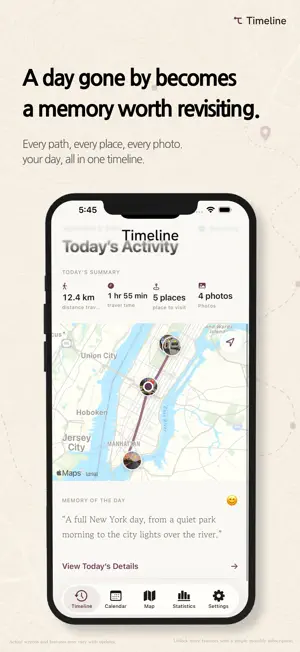
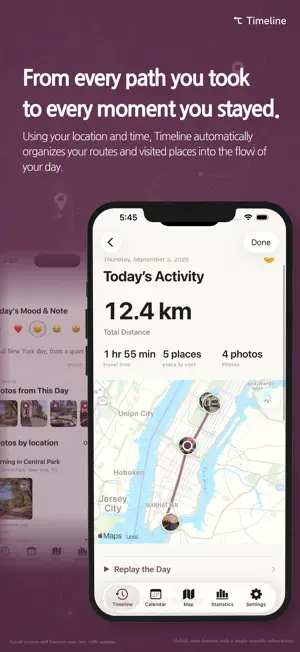
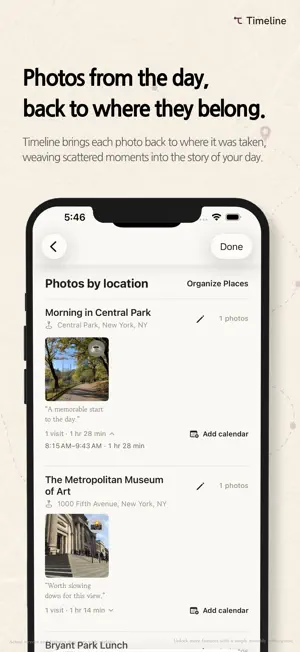
Look back at the path you traveled, and a forgotten day may find its way back to you. A familiar street. A quiet café. A photo taken without much thought. Timeline brings your routes, places, photos, activities, and reflections together to tell the story of each day—not only for the moment you record it, but for the moment you return. Your day, gathered in one place Enable location recording to organize the paths you traveled, the distance you covered, and the places where you stayed. Photos are connected with the times and places they were captured. Add a short note or reaction to preserve not just where you were, but how the day felt. • Record routes, distance, and travel time • Identify places where you spent meaningful time • Connect photos by capture time and location • Edit place names and locations • Add featured photos, notes, and emoji reactions • Add meaningful visits to Apple Calendar A calendar filled with your time Return to today, last week, months ago, or a distant memory through daily, weekly, monthly, and yearly calendars. Explore the routes and places from any selected period on the map. Familiar neighborhoods and faraway destinations gradually become a map shaped by your own memories. Watch the day come alive Start Replay and watch your journey move across the map. Places appear along the route, while photos return in the order they were taken. Jump to any moment or adjust the playback speed. Turn a meaningful day into a vertical video filled with routes and photos, ready to save or share. Every day moves differently A trip far from home. A quiet evening walk. A morning run. A few hours of uninterrupted focus. Record each experience in the way that suits it best: • Travel • Running • Hiking • Driving • Cycling • Walking • Focus time • Custom activities Depending on the activity, Timeline can display distance, duration, speed, pace, steps, elevation, and other relevant details. Enable Apple Health integration to bring running workouts from Apple Watch and compatible apps into your maps, replays, videos, and statistics. A story that grows clearer with time As the days gather, Timeline becomes a personal archive of the life you have lived and the places you have known. • Daily, monthly, and yearly distance and time statistics • Your most active days and frequently visited places • A shareable Year in Review • Home Screen widgets for today’s journey • Lock Screen and Dynamic Island Live Activities for running and driving Bring the past with you Import records from GPX files, Google Timeline exports, or Timeline backup files. Preview your data before importing, remove duplicates, and reconnect photos with existing places. Older memories can continue naturally alongside the days you record now. Your memories remain yours Timeline is a local-first app with no account required. Your records are stored on your device by default. They are not sent to developer-operated servers, advertisers, or data brokers. Access to Location, Photos, Apple Health, Calendar, and Notifications is optional. Timeline requests access only when you enable the corresponding feature. Export your records, delete a selected period, or erase all Timeline data whenever you choose. Timeline Pro Core route, time, distance, and photo recording remain free. Timeline Pro helps you connect longer chapters and discover the patterns within them: • Monthly, yearly, and custom-range Replay • Videos connecting memories across multiple days • Long-term statistics and period comparisons • Memory maps covering longer chapters • Detailed analysis for each activity • Advanced instruments for custom sessions • Private iCloud sync and restoration on a new device Location accuracy and recording continuity may vary depending on GPS availability, device settings, battery conditions, and iOS system policies. Background location recording may increase battery usage. Terms of Use (EULA): https://www.apple.com/legal/internet-services/itunes/dev/stdeula/
What’s new
Version 1.0.1 · Updated October 11, 2026
Added new feature (Hide starting, ending point when exporting for sharing - 100m, 300m, 500m)
App privacy
The developer, Keonho Kwon, reported these privacy practices to Apple.
Data Not Collected
The developer does not collect any data from this app.
Alternatives to Timeline: Daytrace
Looking for apps like Timeline: Daytrace? Here are 6 similar apps on the App Store.


| App | Rating | Price | Last updated | Compare |
|---|---|---|---|---|
| Timeline: Daytrace | – | Free | October 11, 2026 | |
| Tocobi | – | Free | Oct 4, 2026 | Compare |
| ZenInk | – | Free | Sep 14, 2026 | Compare |
| 코그룸, 생각하는 방 | – | Free | Aug 14, 2026 | Compare |
| 워킷(Walk it) | – | Free | Oct 11, 2026 | Compare |
| Qpass Space | – | Free | Apr 28, 2026 | Compare |
| Dustler: Cleaning Butler | – | Free | Oct 15, 2026 | Compare |
Compare Timeline: Daytrace with the top alternatives: ratings, updates, ASO score and keyword gaps →