

Parlor: Retro Game Emulator
DBL Studio Entertainment iPhoneiPadiPod touch
Parlor: Retro Game Emulator is a paid Entertainment app for iPhone and iPad by DBL Studio. Requires iOS 17.0. Updated October 12, 2026.
- Price
- 0.49 USD
- on the App Store
- Size
- 36 MB
- Age 4+
- Updated
- Oct 12
- 2026 · v1.0.1
Screenshots


About Parlor: Retro Game Emulator
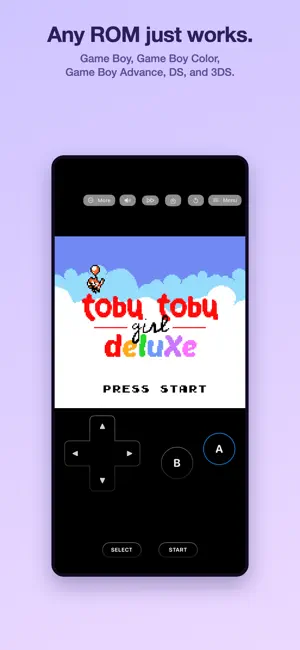
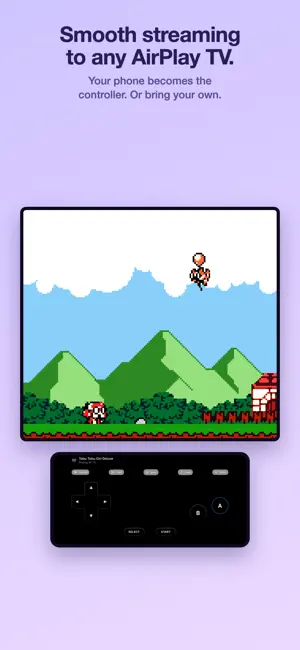
Parlor plays Game Boy, Game Boy Color, Game Boy Advance, DS and 3DS games. iPhone, iPad, Apple TV and Mac. 3DS is on iPhone and iPad. Full speed, and it works with the Bluetooth controller you already have. Bring the games you own. There is a free homebrew title included so you can try it. Parlor does not include, download or link to commercial games. CONTROLLERS PlayStation DualSense and DualShock 4, Xbox, Switch Pro, Joy-Con, 8BitDo, Backbone, and any other MFi controller. Connect one and the on-screen buttons get out of the way. Remap anything. Keyboards work on iPad and Mac. YOUR SAVES Your saves sync across all your devices automatically, through your own iCloud. Start on your phone, pick up on the TV or the Mac. Only Apple has that data. We never see it. PLAY ON A TV AirPlay from your iPhone or iPad. Or plug in an HDMI cable. Or use the Apple TV app. All three work, so you can play on the big screen. DS Stack the screens, put them side by side, pin one in the corner, or show one at a time. Two-finger double-tap to swap. Each game remembers its layout. Touch on iPhone and iPad, mouse on Mac, right stick on Apple TV. No BIOS files. ALSO • Fast forward at 2×, 4× or 8× • Sharp, LCD and CRT filters, plus Game Boy palettes • Box art and titles filled in automatically • Favorites, sort and filter, play time per game • Zip and 7z archives • Siri, Spotlight, a Continue Playing widget, Handoff • Game Center achievements for using the app, not for beating a particular game • A Mac app with menus, keyboard shortcuts and proper window sizes • Send feedback to the developer from inside the app NO ACCOUNTS, NO TRACKING No analytics. If you send feedback, it is just your message and the app version. One purchase covers iPhone, iPad and Apple TV. Family Sharing, no in-app purchases. Parlor plays game files you already own. It is not affiliated with or endorsed by any console manufacturer.
What’s new
Version 1.0.1 · Updated October 12, 2026
Welcome to Parlor. • Game Boy, Game Boy Color, Game Boy Advance, DS and 3DS • Full speed, with the Bluetooth controller you already have • Switch Pro, Joy-Con, PlayStation, Xbox, 8BitDo, Backbone • Saves sync across your devices through your own iCloud • Play on a TV with AirPlay, HDMI, or the Apple TV app • DS screen layouts, fast forward, Sharp, LCD and CRT filters • Send feedback to the developer from inside the app
App privacy
The developer, DBL Studio, reported these privacy practices to Apple.
Data Not Linked to You
The following data, which may be collected but is not linked to your identity, may be used for the following purposes:
- User Content: Customer Support
- Usage Data: Product Interaction
- Diagnostics: Crash Data, Performance Data
Used for: Analytics, App Functionality
Alternatives to Parlor: Retro Game Emulator
Looking for apps like Parlor: Retro Game Emulator? Here are 6 similar apps on the App Store. The highest rated is Omega EMU: Retro Emulator (5.0/5), and 3 of the 6 are free to download.
-
 Sakura!
4.5
Sakura!
4.5
-
 Psimulator - DC Game Emulator
4.6
Psimulator - DC Game Emulator
4.6
-
 Omega EMU: Retro Emulator
5.0
Omega EMU: Retro Emulator
5.0
-
 Pizza Boy AIO: Retro Emulator
5.0
Pizza Boy AIO: Retro Emulator
5.0
-
 Plume!
4.7
Plume!
4.7
-
 POK Emulator: Retro Delta Skin
| App | Rating | Price | Last updated | Compare |
|---|---|---|---|---|
| Parlor: Retro Game Emulator | – | 0.49 USD | October 12, 2026 | |
| Sakura! | 4.5 / 5 (10) | 0.99 USD | Aug 31, 2026 | Compare |
| Psimulator - DC Game Emulator | 4.6 / 5 (19) | 4.99 USD | Sep 4, 2026 | Compare |
| Omega EMU: Retro Emulator | 5.0 / 5 (1) | Free | Sep 25, 2026 | Compare |
| Pizza Boy AIO: Retro Emulator | 5.0 / 5 (1) | Free | Oct 25, 2026 | Compare |
| Plume! | 4.7 / 5 (6) | 0.99 USD | Oct 19, 2026 | Compare |
| POK Emulator: Retro Delta Skin | – | Free | Oct 28, 2026 | Compare |