

SecureVault Private Storage
Greg Williams Utilities iPhoneiPadiPod touch
SecureVault Private Storage is a free Utilities app for iPhone and iPad by Greg Williams. Requires iOS 17.0. Updated September 16, 2026.
- Price
- Free
- on the App Store
- Size
- 5 MB
- Age 17+
- Updated
- Sep 16
- 2026 · v1.5.0
Screenshots

About SecureVault Private Storage
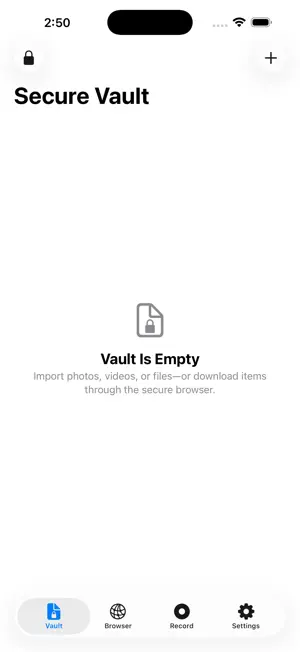
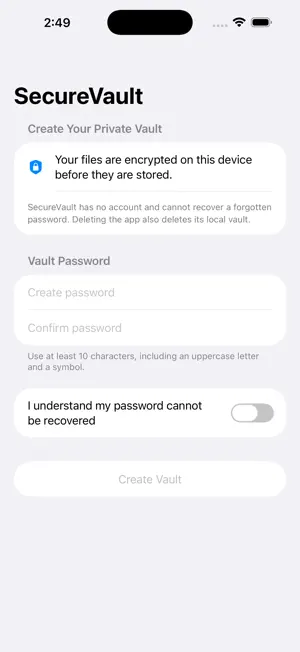
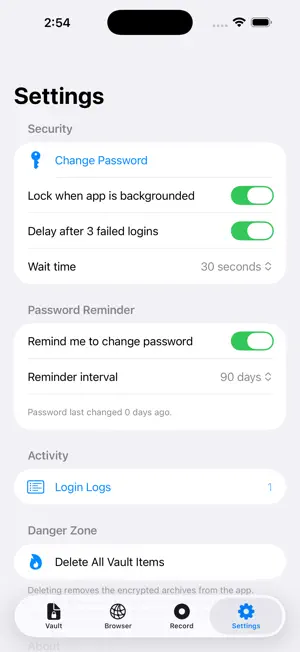
SecureVault helps you organize personal files in a password-protected vault stored locally on your device. FREE FEATURES • Store up to 25 vault items • Import photos, videos, audio, documents, and general files • Search, filter, and sort your vault • Play supported audio and video files • Preview supported files and documents • Record your screen and import completed recordings • Change your vault password • Review and manage local login-activity settings PREMIUM — ONE-TIME PURCHASE Unlock SecureVault Premium with a single lifetime purchase: • Unlimited vault items • Private non-persistent browser • Private video editing tools • Unlimited batch importing • Custom file titles and renaming • Restore Purchases support PRIVATE BROWSING Premium includes a private browser with a dedicated search home, URL and search-query entry, navigation controls, and session clearing. Browser website data uses a non-persistent WebKit session and is cleared when the vault locks. LOCAL STORAGE Imported vault files are encrypted before being written to the app’s local storage. SecureVault does not require a server-side account. Apple processes Premium purchases. SecureVault does not receive or store payment-card information. Remember your vault password and retain backups of important original files. Forgotten vault passwords cannot be recovered.
App privacy
The developer, Greg Williams, reported these privacy practices to Apple.
Data Not Collected
The developer does not collect any data from this app.