

Ruler ▸
Yaroslava Majstrovich Utilities iPhoneiPadiPod touch
Ruler ▸ is a free Utilities app for iPhone and iPad by Yaroslava Majstrovich. Requires iOS 15.1. Updated September 9, 2026.
- Price
- Free
- on the App Store
- Size
- 74 MB
- Age 4+
- Updated
- Sep 9
- 2026 · v1.0.1
Screenshots

About Ruler ▸
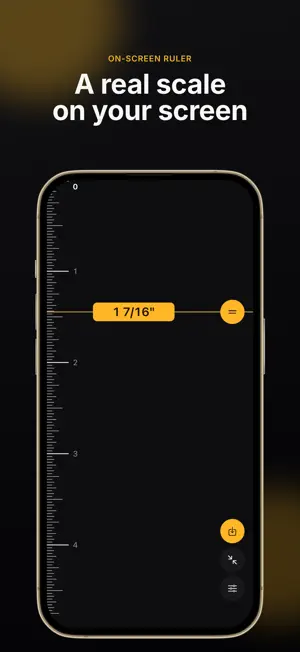
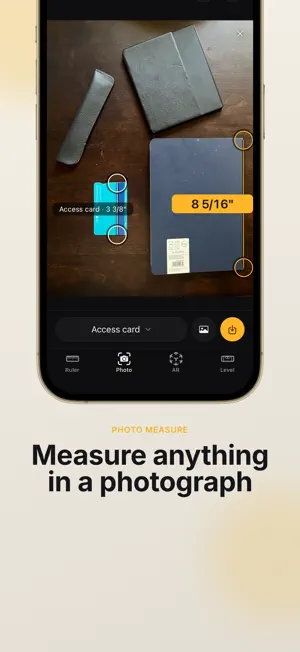
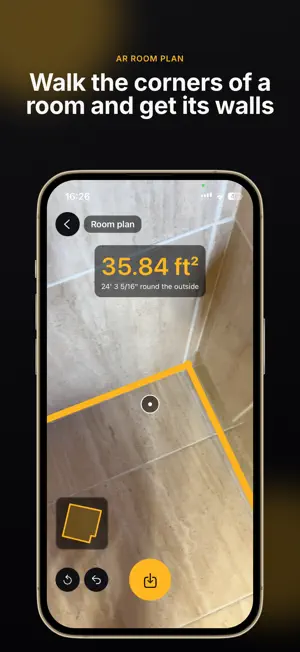
Five measuring tools in one app. • Free — no subscription, no trial, no paywall • No ads and no account • Works offline, even in airplane mode • Nothing you measure ever leaves your phone ON-SCREEN RULER A real scale on your screen, in millimeters or in inches marked like a tape measure down to 1/32". Zero sits at the very edge of the glass, so you can butt the object straight against the phone. Drag the caliper and read the number on the line itself. Turn the phone sideways for the full length of the screen, and the numbers turn to stay readable. Full screen clears everything else away. CALIBRATION IN 30 SECONDS The ruler is accurate as it comes. If you want it exact, lay a bank card, a 1 or 2 euro coin, a US quarter, or anything else whose length you know on the glass and match the scale to it. It is an offer, never a wall in front of the app, and there is no limit on how far you can adjust it. PHOTO MEASURE Measure anything in a photograph. Put something of a known size beside it — an A4 or US Letter sheet, an access card, a business card, a coin, or your own length — draw the reference line along it, then draw the measured line across what you want to know. Both lines are there from the start and every end can be dragged at any time. A magnifier follows your finger above it, never under it, so a point lands where you meant it. Take a new photo or use one you already have. If the photo was taken from an angle, or the reference is far from the measurement, the app tells you instead of quietly handing you a wrong number. BUBBLE LEVEL A spirit level that is two instruments in one: a tube when you hold the phone against something upright, a round glass when you lay it flat, with the angle in degrees. Set any surface as zero and measure from it. The phone gives one short pulse the moment something is exactly level. Hold freezes the tool, and a reading can be held on screen behind a big button you can drag anywhere and make bigger with two fingers, for measuring where the screen cannot be seen. AR QUICK MEASURE Measure across a room with the camera. Aim the crosshair, press once, aim again: one distance, or a chain of them along a floor, a table or a wall, with the total as you go. It uses the depth sensor where your iPhone has one and detected surfaces where it does not, and when it is not sure of a point it says so instead of showing a number it does not believe. AR ROOM PLAN Walk the corners of a room and get its walls, its perimeter and its floor area. The plan draws itself in the corner of the screen as you walk, and it comes out as a real drawing with every wall measured, a scale bar and a north arrow. SAVED MEASUREMENTS AND PDF EXPORT Save anything you measure, name it, and keep it in folders. A ruler measurement opens back on the ruler, a photo measurement back on its photo, a room as its plan. Export through the normal share sheet as a clean A4 PDF: a table of names, measurements, tools and dates, photo measurements drawn on the photograph with each length beside its line, and a room drawn as a plan a builder can read. No watermark, and screenshots are never blocked. UNITS AND LANGUAGES Centimeters, fractional inches the way a tape is marked (3 3/8"), or decimal inches, climbing to meters or to feet and inches on their own. Units start from your region and are yours to change. 38 languages, right to left included, and a dark theme that follows your phone. PRIVATE BY DESIGN No account, no sign-up, no tracking, no network. The camera and the motion sensor are asked for only when you open the tool that needs them, and a refusal costs you that one tool, never the app. The camera measures and records nothing. WHY IT IS FREE Measuring apps turned into weekly subscriptions with ads over the ruler. This one is free, has no ads, and has nothing behind a paywall.
What’s new
Version 1.0.1 · Updated September 9, 2026
Five measuring tools, free, offline, no ads: on-screen ruler with calibration, photo measure, bubble level, AR quick measure and AR room plan, with PDF export.
App privacy
The developer, Yaroslava Majstrovich, reported these privacy practices to Apple.
Data Not Collected
The developer does not collect any data from this app.
Alternatives to Ruler ▸
Looking for apps like Ruler ▸? Here are 6 similar apps on the App Store. The highest rated is Tape Measure+ Ruler App (4.7/5), and all 6 are free to download.
-
 Camera Ruler ٞ
3.5
-
 Measuring Tape & Measure App
4.1
-
 Measuring tape Room scanner
4.1
-
 Measuring Tape : AR Ruler App
4.2
-
 Measuring Tape App with Camera
4.2
-
 Tape Measure+ Ruler App
4.7
| App | Rating | Price | Last updated | Compare |
|---|---|---|---|---|
| Ruler ▸ | – | Free | September 9, 2026 | |
| Camera Ruler ٞ | 3.5 / 5 (11) | Free | Feb 26, 2025 | Compare |
| Measuring Tape & Measure App | 4.1 / 5 (9) | Free | Apr 2, 2026 | Compare |
| Measuring tape Room scanner | 4.1 / 5 (64) | Free | Dec 16, 2025 | Compare |
| Measuring Tape : AR Ruler App | 4.2 / 5 (25) | Free | Jun 24, 2026 | Compare |
| Measuring Tape App with Camera | 4.2 / 5 (92) | Free | Sep 28, 2026 | Compare |
| Tape Measure+ Ruler App | 4.7 / 5 (52) | Free | Oct 13, 2026 | Compare |
Compare Ruler ▸ with the top alternatives: ratings, updates, ASO score and keyword gaps →