

PictoBlox Studio
STEMpedia Education iPad
PictoBlox Studio is a free Education app for iPad by STEMpedia. Rated 4.0/5 from 1 ratings. Requires iOS 15.1. Updated October 26, 2026.
- Rating
- 4.0
- 1 ratings
- Price
- Free
- on the App Store
- Size
- 791 MB
- Age 4+
- Updated
- Oct 26
- 2026 · v1.0.2
Screenshots


About PictoBlox Studio
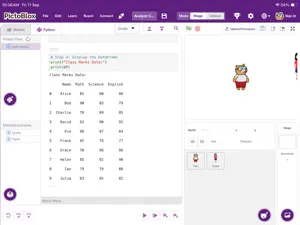
PictoBlox Studio is a creative coding, artificial intelligence and interactive learning environment from STEMpedia. It brings block coding, Python programming, machine learning, 3D and XR creation, and digital art together in one application. Choose an environment based on your interests and experience: Junior Blocks — Ages 4+ Start coding by stacking simple puzzle-shaped blocks designed for young learners. Blocks — Ages 7+ Create animations, games and interactive projects using playful block-based programming. Py Editor — Ages 12+ Write and run text-based Python programs in a dedicated coding environment. Py Notebook — Ages 12+ Learn, experiment and create with Python using an interactive notebook interface. Machine Learning Environment — Ages 12+ Create and train machine learning models for images, objects, faces, hand and body poses, sounds, natural language and numbers. 3D and XR Studio — Ages 12+ Build interactive 3D, augmented reality and virtual reality projects using animations, physics, trackers, filters and other creative tools. Paint Draw, colour and create original digital designs. PictoBlox Studio supports progressive learning—from introductory visual coding to Python, artificial intelligence, machine learning and immersive project creation. It is designed for students, educators, makers and anyone interested in learning through hands-on creation. Some features may require an internet connection, a STEMpedia account, compatible hardware, or permission to use Bluetooth, nearby devices, camera, microphone and files. Feature availability may vary by device.
What’s new
Version 1.0.2 · Updated October 26, 2026
-Intellio Camera Integration: Added support for the Intellio Camera in Machine Learning. -Enhanced Touch Experience: Improved touch responsiveness and usability. -Improved Project Management: Introduced a new folder structure for saving and loading projects. -External Project Support: Added the ability to import and open external .sb3 and .xr3 project files.
App privacy
The developer, STEMpedia, reported these privacy practices to Apple.
Data Linked to You
The following data, which may be collected and linked to your identity, may be used for the following purposes:
- Contact Info: Email Address, Name, Phone Number
- User Content: Photos or Videos, Audio Data
Used for: App Functionality
Data Not Linked to You
The following data, which may be collected but is not linked to your identity, may be used for the following purposes:
- Usage Data: Product Interaction
- Diagnostics: Crash Data, Performance Data
- Identifiers: User ID, Device ID
Used for: Analytics, App Functionality
Alternatives to PictoBlox Studio
Looking for apps like PictoBlox Studio? Here are 6 similar apps on the App Store. The highest rated is Billabong Jabalpur (2.5/5), and all 6 are free to download.
-
 Billabong Jabalpur
2.5
-
 Acadflix
-
 MCLab
-
 Rock Identifier AI: Stone Scan
-
 DPS RAK
-
 KidCoding - Learn to Code
1.0
| App | Rating | Price | Last updated | Compare |
|---|---|---|---|---|
| PictoBlox Studio | 4.0 / 5 (1 rating) | Free | October 26, 2026 | |
| Billabong Jabalpur | 2.5 / 5 (2) | Free | Dec 11, 2023 | Compare |
| Acadflix | – | Free | Mar 7, 2026 | Compare |
| MCLab | – | Free | Aug 15, 2025 | Compare |
| Rock Identifier AI: Stone Scan | – | Free | Sep 21, 2026 | Compare |
| DPS RAK | – | Free | Jun 2, 2026 | Compare |
| KidCoding - Learn to Code | 1.0 / 5 (1) | Free | Sep 25, 2026 | Compare |
Compare PictoBlox Studio with the top alternatives: ratings, updates, ASO score and keyword gaps →