

Scan Image to PDF Converter
Muhammad Abdul Rauf Productivity iPhoneiPadiPod touch
Scan Image to PDF Converter is a free Productivity app for iPhone and iPad by Muhammad Abdul Rauf. Requires iOS 13.0. Updated September 12, 2026.
- Price
- Free
- on the App Store
- Size
- 38 MB
- Age 4+
- Updated
- Sep 12
- 2026 · v1.0
Screenshots



About Scan Image to PDF Converter
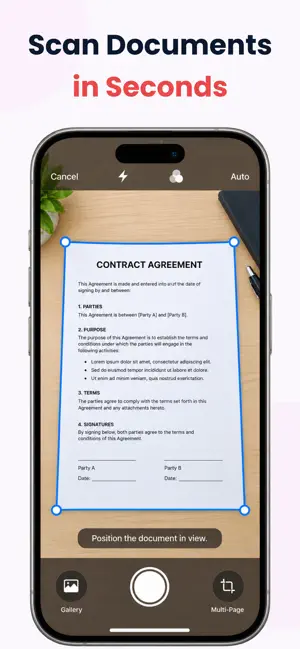
Looking for an all-in-one PDF toolkit to manage, convert, and organize your files on the go? Scan Image to PDF Converter gives you complete control over your documents right from your iPhone and iPad. CORE FEATURES: - Camera Scanning: Instantly capture paper documents, notes, and receipts using your device camera. - PDF Conversion: Seamlessly convert images and JPG files into professional, high-quality PDF documents. - Merge & Split PDFs: Combine multiple files into a single document or split large files into smaller parts effortlessly. - File Compression: Reduce PDF file sizes without sacrificing quality for easier sharing and storage. - Advanced OCR Text Recognition: Extract text from your scans to copy, search, or share. - Security & Protection: Safeguard confidential files with password encryption and custom watermarks. - Page Management: Rotate pages, reorder layouts, delete unwanted pages, and add page numbers precisely. - Digital Signatures: Sign documents directly on your screen without the hassle of printing or scanning. BUILT FOR EFFICIENCY Whether you are managing business contracts, student assignments, or personal paperwork, this app streamlines your document workflow into a single pocket-sized tool. Download Scan Image to PDF Converter today and master your document workflow anywhere, anytime! Privacy Policy: https://www.mtech.pk/privacy-policy.html Terms of Use: https://www.mtech.pk/terms-and-conditions.html
App privacy
The developer, Muhammad Abdul Rauf, reported these privacy practices to Apple.
Data Not Linked to You
The following data, which may be collected but is not linked to your identity, may be used for the following purposes:
- User Content: Photos or Videos
Used for: Analytics, App Functionality