

Pixelmap Builder
Julio Valdes Fernandez Utilities iPhoneiPadiPod touchMac
Pixelmap Builder is a free Utilities app for iPhone and iPad by Julio Valdes Fernandez. Rated 4.9/5 from 8 ratings. Requires iOS 17.0.
- Rating
- 4.9
- 8 ratings
- Price
- Free
- on the App Store
- Size
- 3 MB
- Age 4+
- Updated
- Oct 24
- 2026 · v9.6
Screenshots


About Pixelmap Builder
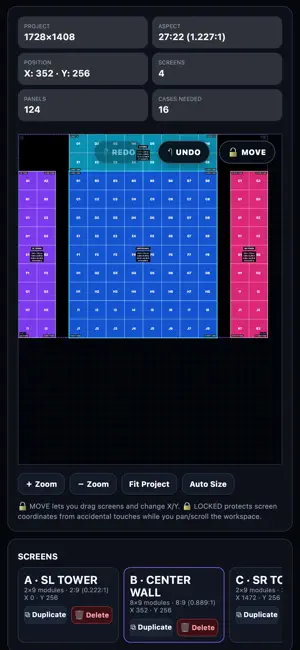
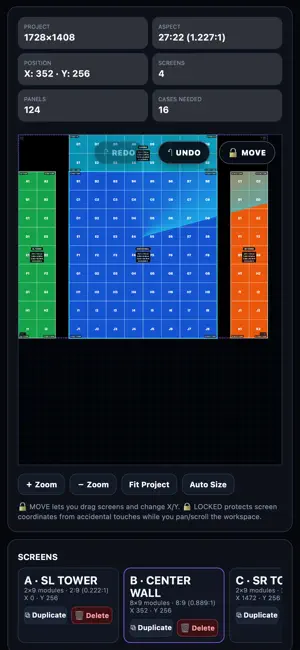
Pixelmap Builder is a professional layout tool for LED video wall and stage designers, VJs, and technicians. Plan your pixel map, test your screens, and export everything you need for a flawless install or show. Design your layout: Build multi-screen LED walls with custom rows, columns, and panel sizes. Position screens freely, select and move several at once, mix panel resolutions, mark missing panels in black, and see real-world dimensions in meters and feet as you work. Outputs: Split your map into processor outputs (for example 1920×1080 each). Every output counts its X/Y from 0, keep an INPUT and an OUTPUT map in the same project, and get one PNG or video per output when you export. Power and cases: Power consumption per screen and circuit, plus project totals of cases and power in the info panel. Test patterns: Animated radar overlays — pulse, sweep, wave, and cross wipe — plus a 3D block effect, with independent per-screen origins. Great for verifying alignment and signal flow before a show. Logos and colors: Place and resize logos on your screens, pick random or custom screen colors, and customize the app's colors. Export everything: High-resolution PNGs of your pixel map, CSV coordinate sheets, and MP4 test pattern videos for your media server. What you see in the preview is exactly what you export. Your projects everywhere: Save projects on your device, or create a free account (optional) to keep them in the cloud and use Premium on all your devices. On iPhone you get a simple, focused interface for quick pixel maps; iPad gets the full professional workspace. A limited number of free exports are included. Pixelmap Premium unlocks unlimited PNG, CSV, and MP4 exports. Terms of Use (EULA): https://www.apple.com/legal/internet-services/itunes/dev/stdeula/
Ratings & reviews
4.9
8 ratings
What’s new
Version 9.6 · Updated October 24, 2026
- Outputs: split your pixel map into processor outputs. Every output counts X/Y from 0, and PNG and video exports come out one file per output (iPad). - INPUT and OUTPUT maps in the same project, plus Duplicate Project. - Black panels for screens with gaps, random screen colors, and project totals of cases and power. - Select several screens at once and move them together. - New professional interface on iPad (the classic one is in Settings); a simpler, cleaner interface on iPhone. - Exports now match the preview exactly. - Many fixes and improvements.
App privacy
The developer, Julio Valdes Fernandez, reported these privacy practices to Apple.
Data Linked to You
The following data, which may be collected and linked to your identity, may be used for the following purposes:
- Purchases: Purchase History
- Contact Info: Email Address
- User Content: Other User Content
- Identifiers: User ID
Used for: App Functionality
Data Not Linked to You
The following data, which may be collected but is not linked to your identity, may be used for the following purposes:
- Usage Data: Product Interaction
- User Content: Photos or Videos
Used for: Analytics, App Functionality