

Photo to PDF: Merge, Compress
VeloTract Utilities iPhoneiPadiPod touch
Photo to PDF: Merge, Compress is a free Utilities app for iPhone and iPad by VeloTract. Rated 5.0/5 from 1 ratings. Requires iOS 17.0.
- Rating
- 5.0
- 1 ratings
- Price
- Free
- on the App Store
- Size
- 19 MB
- Age 4+
- Updated
- Oct 17
- 2026 · v1.1.1
Screenshots
About Photo to PDF: Merge, Compress
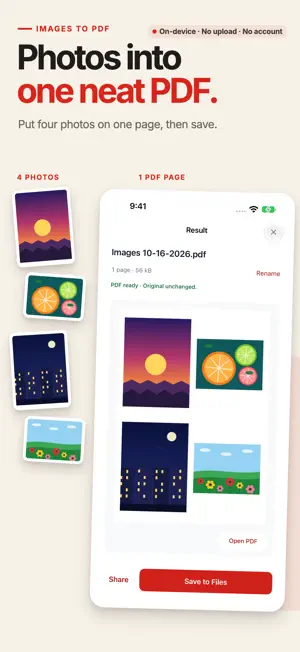
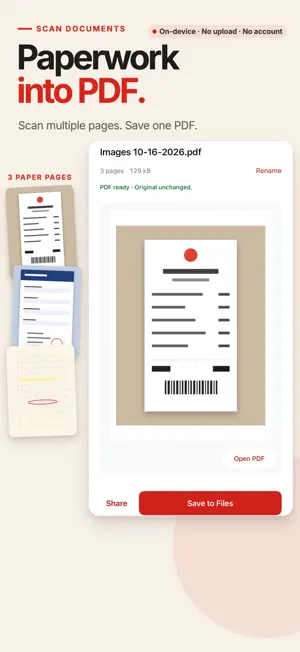
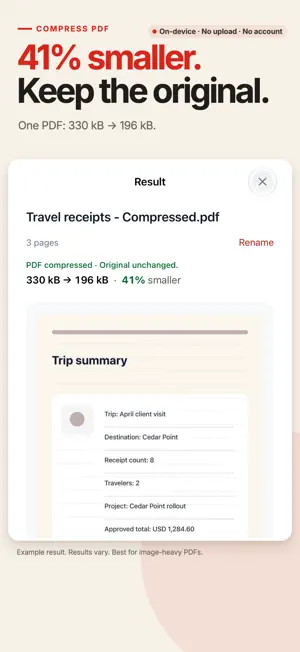
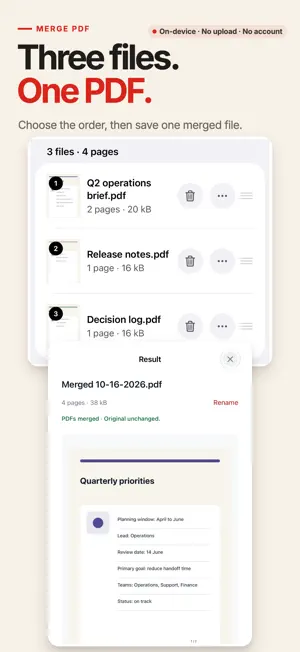
Everyday PDF work, finished on your iPhone or iPad. Once your files are on your device, work offline without uploading them or creating an account. Your original files stay unchanged. MAKE AND MANAGE PDFS • Scan to PDF — launch the document scanner from the app's home screen, or from inside Images to PDF. Edges are detected and straightened on your device. • Images to PDF — pick images from Files and Photos, or take new photos with the camera. Crop each image by hand, auto-trim its blank outer border, and place 1, 2, or 4 images per page on A4 or Letter. • Merge PDF — combine several PDFs into one and reorder them before saving. • Split PDF — export a page range, selected pages, or single pages as separate files. • Organize Pages — reorder, rotate, and delete pages, then save once when you are done. • Select Pages — pick pages from two or more PDFs and combine them into one new PDF. Reorder, rotate, or duplicate any page; your source files stay unchanged. • Compress PDF — try to reduce the size of image-heavy PDFs before emailing or sharing. • Protect PDF — add an open password. • Unlock PDF — enter the password once and save a copy that no longer needs it. PRIVATE BY DESIGN Once your files are available on this device, all tools work without an internet connection. File names, page thumbnails, document text, and passwords are never sent anywhere. There are no ads and no analytics SDKs. Long jobs show progress and can be cancelled. FREE AND PRO Every tool has a free path that finishes a real task. No tool is locked, and nothing is watermarked. Free includes up to 10 input images or scanned pages per PDF — the same count whether a page holds 1, 2, or 4 images — merging 3 files and 50 pages, splitting into 5 outputs at a time, organizing up to 50 pages, and creating a new PDF from up to 10 selected output pages. Pro offers higher limits. All Compress presets are free. Protect and Unlock are free without limits. Pro is a one-time purchase for your Apple Account, not a subscription. Buying or restoring Pro goes through the App Store and may require an internet connection. MADE FOR APPLE DEVICES • Files, Photos, and the camera are supported; only the items you select or scan are read. • On iPad, a two-column layout appears at regular widths. • Dynamic Type, VoiceOver labels on page thumbnails, Reduce Motion, and Dark Mode are included. • Every drag-to-reorder action also has a button or menu alternative. PDF Tools is a focused toolkit, not a full editor: it does not run OCR, edit text inside a PDF, or fill in forms.
What’s new
Version 1.1.1 · Updated October 17, 2026
Clearer result screens make it easier to preview, rename, save, and start a new PDF. Organize Pages and Split PDF now include thumbnail navigation, and Split PDF warns before you leave unsaved results. On iPad, Images to PDF can show the resulting pages while you arrange images.
App privacy
The developer, VeloTract, reported these privacy practices to Apple.
Data Not Collected
The developer does not collect any data from this app.
Alternatives to Photo to PDF: Merge, Compress
Looking for apps like Photo to PDF: Merge, Compress? Here are 6 similar apps on the App Store. The highest rated is Clean Photos: Storage Cleaner (5.0/5), and all 6 are free to download.
-
 QR Scanner Pro: Code Maker
-
 Pro QR Code 掃描器;條碼掃描器
-
 Clean Photos: Storage Cleaner
5.0
Clean Photos: Storage Cleaner
5.0
-
 Merge PDFs: Combine and Split
-
 PDF Splitter & Compressor
-
 Protect PDF: Password Lock
| App | Rating | Price | Last updated | Compare |
|---|---|---|---|---|
| Photo to PDF: Merge, Compress | 5.0 / 5 (1 rating) | Free | October 17, 2026 | |
| QR Scanner Pro: Code Maker | – | Free | Sep 22, 2026 | Compare |
| Pro QR Code 掃描器;條碼掃描器 | – | Free | Oct 1, 2026 | Compare |
| Clean Photos: Storage Cleaner | 5.0 / 5 (1) | Free | Aug 23, 2026 | Compare |
| Merge PDFs: Combine and Split | – | Free | Jul 7, 2026 | Compare |
| PDF Splitter & Compressor | – | Free | Oct 1, 2026 | Compare |
| Protect PDF: Password Lock | – | Free | May 21, 2026 | Compare |