

Bhasa Hindi English Translate
Sunil Jat Productivity iPhoneiPadiPod touch
Bhasa Hindi English Translate is a free Productivity app for iPhone and iPad by Sunil Jat. Requires iOS 15.5. Updated September 1, 2026.
- Price
- Free
- on the App Store
- Size
- 60 MB
- Age 12+
- Updated
- Sep 1
- 2026 · v1.0
Screenshots



About Bhasa Hindi English Translate
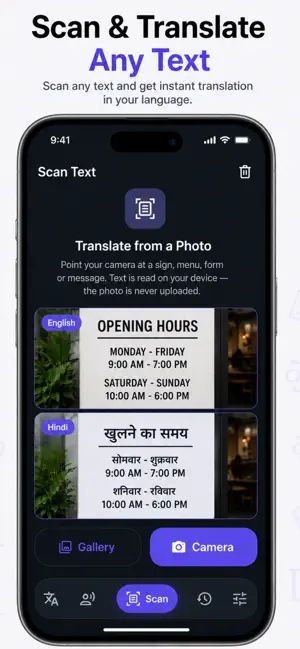
Bhasha translates English, Hindi and Hinglish into the language people actually use in conversation — everyday Hindi, not stiff, over-Sanskritised textbook Hindi. Ask "Are you coming to the office tomorrow?" and you get "क्या तुम कल ऑफिस आ रहे हो?" — the sentence a real person would say. WHAT YOU CAN DO • Six directions — English ⇄ Hindi, English ⇄ Hinglish, Hindi ⇄ Hinglish • Three tones — Natural, Casual and Formal, switched in one tap • Other ways to say it — alternative phrasings for every translation; tap one to make it the main result • Read it out loud — a Roman pronunciation line under every Hindi result, so "आप कैसे हैं?" comes with "Aap kaise hain?" • Speak and listen — talk instead of typing, hear the translation back, and slow it from 0.5x to 1.5x while you learn the sounds • Conversation mode — a split screen with the top half rotated toward the person across from you, so you can pass the phone back and forth • Scan text — point the camera at a sign, menu or document, pick the lines you want and translate just those • Repeat a phrase — generate a phrase 5 to 10,000 times with your choice of separator, for practice sheets and drills • History — every translation saved on your device, searchable, filterable, with favourites you can pin BUILT FOR REAL USE Bhasha is for people who move between English and Hindi all day: students, travellers, families across generations, teams writing to customers, and anyone learning Hindi who wants to sound natural rather than formal. The interface stays out of the way — one screen, large type, and results you can copy or share anywhere in a tap. YOUR DATA Translation history, favourites and settings are stored on your device only and are never uploaded. Text you translate is sent to our translation service to produce a result and is not used to build a profile of you. Camera images are processed on your device for text recognition and are not uploaded. PERMISSIONS • Microphone — only while you are dictating a phrase • Camera and photos — only when you scan text with the camera or pick an image • Speech recognition — to turn what you say into text to translate Each is requested at the moment you use that feature, and the rest of the app works without them. Questions or a translation that came out wrong? Write to us from Settings — we read every message.