

WorkWing Field Service
Littlebourne Labs Productivity iPhoneiPadiPod touch
WorkWing Field Service is a free Productivity app for iPhone and iPad by Littlebourne Labs. Requires iOS 16.4. Updated October 5, 2026.
- Price
- Free
- on the App Store
- Size
- 83 MB
- Age 4+
- Updated
- Oct 5
- 2026 · v1.1.0
Screenshots



About WorkWing Field Service
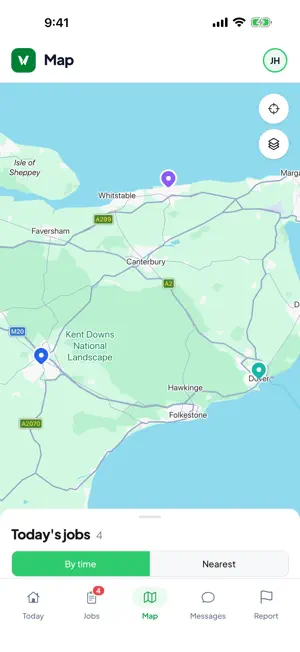
WorkWing is the app for the phone in the van. It shows the jobs you have been assigned, the details you need on site, the form to fill in when the work is done, and somewhere to put the photos and the signature. It carries on working when the signal does not. Accounts are provided by your employer. You will need sign-in details from them before you can use the app. YOUR DAY, IN ORDER Open the app and today's jobs are already there, in order, with the next one and how far through the day you are at the top. Switch to the full list for everything assigned to you, or to the map to see the day laid out and sorted by distance or by scheduled time. GETTING THERE Every job carries the customer, the site address and the contact number. One tap opens directions in Apple Maps, Google Maps or Waze, and one tap calls the customer. Choose your preferred navigation app once and the app remembers it. ON SITE Work through the job the way your company set it up: accept it, mark yourself en route, start it, complete it. The completion form is the one your office built for that job type, so you only fill in the fields that matter for the work in front of you. Take photos, scan a barcode, log the parts you used with quantities and capture the customer's signature on the screen. If a job cannot be done, record why. WORKS OFFLINE Every change saves to the phone first and syncs on its own when a connection comes back. A basement, a plant room or a dead spot in the countryside never costs you your notes or your photos. The outbox shows anything still waiting to go, so you always know where you stand. KEEPING THE OFFICE IN THE LOOP While you are on the way, the app can share your position so dispatch sees progress and the customer gets an accurate arrival time. Messages sit on the job itself, so questions and answers stay with the work instead of scattered across texts. Take a break with a reason, set your availability, and raise a follow-up job from site when you spot something else that needs doing. CARPLAY Today's jobs and anything overdue appear on the car's screen. Tap one to start directions or call the customer without picking up your phone. SIGNING IN Sign in with Face ID or Touch ID after the first time, or through your company's single sign-on. If you work for more than one organisation, switch between them from your account tab. LOCATION WorkWing uses your location to show job sites on the map, work out distances and keep dispatch updated while you are travelling. Background location is used only when your company has enabled it and you have granted permission, and the app shows you while it is on. Continued use of GPS running in the background can dramatically decrease battery life. ABOUT WORKWING WorkWing is field service management software for teams that dispatch engineers. The office works from a web dashboard with a live map, a scheduling board and job templates they build themselves. The field works here. WorkWing is not an invoicing or accounting system: it connects to the tools you already use through its API and webhooks.
What’s new
Version 1.1.0 · Updated October 5, 2026
- Added iPad support
App privacy
The developer, Littlebourne Labs, reported these privacy practices to Apple.
Data Linked to You
The following data, which may be collected and linked to your identity, may be used for the following purposes:
- Location: Precise Location, Coarse Location
- User Content: Photos or Videos
Used for: App Functionality
Data Not Linked to You
The following data, which may be collected but is not linked to your identity, may be used for the following purposes:
- Diagnostics: Crash Data, Performance Data
Used for: App Functionality
Alternatives to WorkWing Field Service
Looking for apps like WorkWing Field Service? Here are 6 similar apps on the App Store. The highest rated is ThinkFlow AI Task Planner (5.0/5), and all 6 are free to download.
-
 ThinkFlow AI Task Planner
5.0
ThinkFlow AI Task Planner
5.0
-
 RedVu GO
-
 Stash: AI Screenshot Organizer
5.0
Stash: AI Screenshot Organizer
5.0
-
 Liebherr TroubleShoot Advisor
-
 Frontline Workplace
5.0
Frontline Workplace
5.0
-
 VIDEX SMS WIZARD PRO
| App | Rating | Price | Last updated | Compare |
|---|---|---|---|---|
| WorkWing Field Service | – | Free | October 5, 2026 | |
| ThinkFlow AI Task Planner | 5.0 / 5 (4) | Free | Apr 2, 2026 | Compare |
| RedVu GO | – | Free | Dec 22, 2025 | Compare |
| Stash: AI Screenshot Organizer | 5.0 / 5 (6) | Free | Sep 12, 2026 | Compare |
| Liebherr TroubleShoot Advisor | – | Free | Jan 7, 2026 | Compare |
| Frontline Workplace | 5.0 / 5 (1) | Free | Apr 1, 2026 | Compare |
| VIDEX SMS WIZARD PRO | – | Free | Jul 9, 2026 | Compare |