

Offhand: Private Voice Notes
Dmytro Samoilov Productivity iPhoneiPadiPod touch
Offhand: Private Voice Notes is a free Productivity app for iPhone and iPad by Dmytro Samoilov. Requires iOS 18.0. Updated October 3, 2026.
- Price
- Free
- on the App Store
- Size
- 100 MB
- Age 4+
- Updated
- Oct 3
- 2026 · v1.4.1
Screenshots
About Offhand: Private Voice Notes
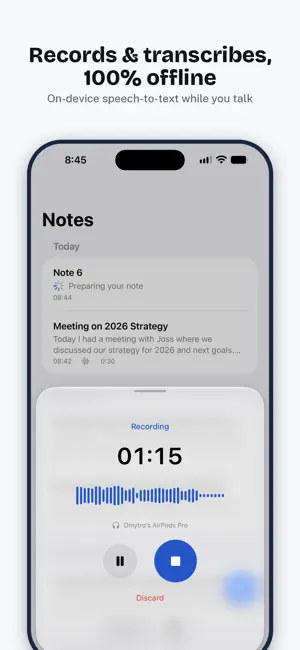
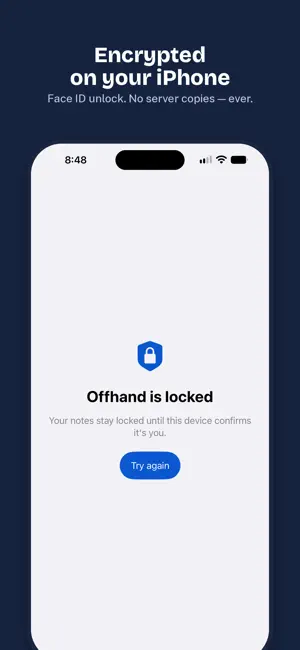
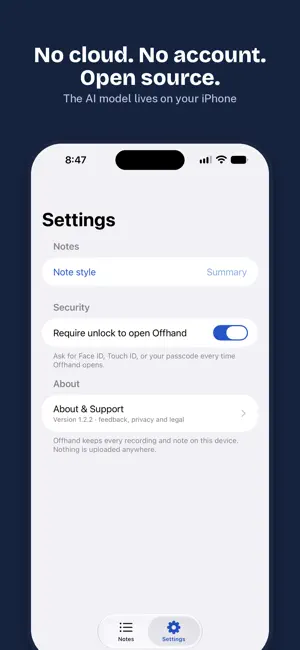
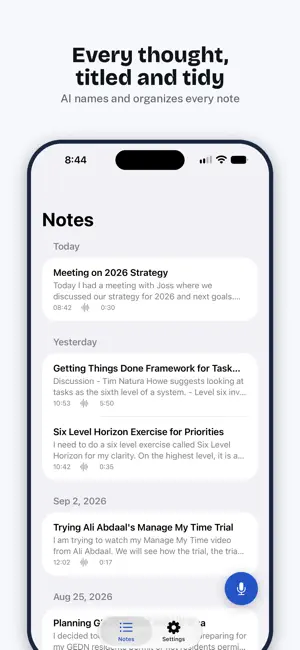
Offhand turns your voice into structured, readable notes — entirely on your iPhone. Record voice notes, meetings, lectures and dictations; on-device AI transcribes your speech to text and rewrites it into a tidy note with a title, headings and action items. No cloud, no account. Everything stays on your iPhone. Nothing is uploaded, ever. WHY OFFHAND IS DIFFERENT Most voice-to-text and AI note-taker apps upload your audio to a server and promise to be careful with it. Offhand can't leak your recordings to the cloud, because there is no cloud. Speech recognition (OpenAI's Whisper) and note structuring run as on-device AI, 100% offline on your iPhone. Turn on Airplane Mode — everything still works. PRIVATE BY DESIGN • Offline transcription — audio is processed by on-device AI, never uploaded • Notes stored in an encrypted database protected by your iPhone • Unlock with Face ID, Touch ID or your passcode • No account, no ads, no tracking — usage and crash reports are off unless you opt in • Encrypted backup file you control, to move notes to a new iPhone STRUCTURED NOTES, NOT LOSSY SUMMARIES Offhand doesn't shrink a 2-hour meeting into three sentences. The on-device AI rewrites your transcript into a readable, detail-preserving note — headings, bullet lists, action items — and gives it a short title. Pick a built-in style (Summary, Meeting notes, Visit report, Legal note), search, organise into folders and edit anything. BUILT FOR LONG RECORDINGS Record up to ~2 hours. Transcription runs while you're still speaking, so even long meetings are ready moments after you stop. Recording continues when you lock the screen or switch apps. NOTHING GETS LOST Transcription is checkpointed as it goes: if the app is interrupted halfway through, Offhand picks up where it stopped instead of starting over. Finishing a note keeps running after you leave the app (fully in the background on iOS 26) and continues the moment you return. And when you change iPhones, an encrypted backup file moves your notes and recordings with you. ALREADY HAVE RECORDINGS? Import any audio file and it becomes a note like any other: Voice Memos, Zoom recordings, lectures, interviews, podcasts and calls. Save the file to Files, then pick it with Import audio in Settings; several at once is fine, up to two hours each. Audio import is part of Offhand Pro. OFFHAND PRO (OPTIONAL) The core app is free with no time limits. Offhand Pro adds your own note styles, PDF and Word export, smart calendar suggestions from your notes and the audio import above. Yearly with a 14-day free trial, or one lifetime purchase. Payment is charged to your Apple Account at confirmation of purchase. The yearly subscription renews automatically unless cancelled at least 24 hours before the end of the current period; manage or cancel it in your Apple Account settings. OPEN SOURCE The full source code is public, so the privacy claims aren't marketing — they're verifiable. PERFECT FOR • Executives capturing meeting debriefs and decisions • Doctors dictating patient notes with confidentiality obligations • Lawyers and consultants recording privileged conversations • Journalists protecting sources and interviews • Anyone whose spoken thoughts are nobody else's business WHAT IT NEEDS On-device AI needs a recent iPhone with enough memory and ~3 GB of free storage for a one-time download. Offhand checks your iPhone at first launch and tells you honestly if it won't run well. Notes in English, German, Spanish, Hindi, Portuguese, Russian, Ukrainian and others. Terms: https://dmytrosamoilov.com/offhand/terms-and-conditions.html Privacy: https://dmytrosamoilov.com/offhand/privacy-policy.html
What’s new
Version 1.4.1 · Updated October 3, 2026
• Notes now say "Summary" and "Transcript": what the on-device AI wrote, and what was said word for word • Give a folder its own summary style (Offhand Pro) and drag folders into any order • A note paused in the background shows as paused, not failed, and continues when you're back • Shorter setup: your on-device AI downloads by itself over Wi‑Fi • Notifications only while Offhand is in the background Everything stays on your phone. Nothing is uploaded, ever.
App privacy
The developer, Dmytro Samoilov, reported these privacy practices to Apple.
Data Not Linked to You
The following data, which may be collected but is not linked to your identity, may be used for the following purposes:
- Diagnostics: Crash Data, Performance Data, Other Diagnostic Data
Used for: Analytics, App Functionality
Alternatives to Offhand: Private Voice Notes
Looking for apps like Offhand: Private Voice Notes? Here are 6 similar apps on the App Store. The highest rated is Dictantor (5.0/5), and all 6 are free to download.
-
 Dictantor
5.0
Dictantor
5.0
-
 Linkfeed: Save and Organise
-
 PromptWallet AI Prompt Library
-
 Screenshot Search: CaptureMind
-
 Quick Sticky Notes Pro
-
 NotePlus - Markdown Editor
5.0
NotePlus - Markdown Editor
5.0
| App | Rating | Price | Last updated | Compare |
|---|---|---|---|---|
| Offhand: Private Voice Notes | – | Free | October 3, 2026 | |
| Dictantor | 5.0 / 5 (1) | Free | Sep 23, 2026 | Compare |
| Linkfeed: Save and Organise | – | Free | Apr 6, 2026 | Compare |
| PromptWallet AI Prompt Library | – | Free | Jul 8, 2026 | Compare |
| Screenshot Search: CaptureMind | – | Free | Sep 7, 2026 | Compare |
| Quick Sticky Notes Pro | – | Free | Jun 7, 2026 | Compare |
| NotePlus - Markdown Editor | 5.0 / 5 (1) | Free | Oct 3, 2026 | Compare |