

Docryva: PDF Document Scanner
Ronald Derksen Productivity iPhoneiPadiPod touch
Docryva: PDF Document Scanner is a free Productivity app for iPhone and iPad by Ronald Derksen. Requires iOS 15.0. Updated September 27, 2026.
- Price
- Free
- on the App Store
- Size
- 41 MB
- Age 4+
- Updated
- Sep 27
- 2026 · v1.2.0
Screenshots



About Docryva: PDF Document Scanner
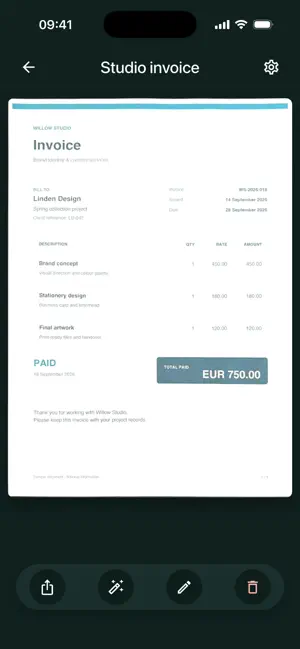
Turn receipts, invoices and notes into clear PDFs. Scan multiple pages, improve readability and keep your paperwork together — ready to share whenever you need it. Scan with ease Automatic edge detection and capture assistance help you scan paper documents. Combine multiple pages into one PDF, from a single receipt to a longer document. Make every page clearer Improve contrast and readability with enhancement presets. Save your own settings for a consistent look across your scans. Keep a cloud copy Automatically save edited PDF copies to Google Drive, iCloud Drive, or both. Copies stay up to date when you edit or rename a document. Save all your existing documents to the cloud at once. You can also enable separate iCloud sync for your scans. Your documents, your choice Start scanning without an account. Scans are stored on your device by default, and cloud storage is optional. Rename documents and remove pages you no longer need before sharing your PDF. Free scanning, optional Pro Scan and enhance documents for free. Watch a rewarded ad to unlock PDF sharing for one hour, or subscribe to Docryva Pro for an ad-free experience. Docryva Pro is an optional monthly subscription. Pricing is shown in the app. Subscriptions renew automatically unless canceled. Manage or cancel your subscription in your App Store account settings. Privacy policy: https://derksen.app/docryva/privacy.html Terms of Use: https://www.apple.com/legal/internet-services/itunes/dev/stdeula/
What’s new
Version 1.2.0 · Updated September 27, 2026
- Automatically save and update PDF copies in Google Drive and iCloud Drive. - Back up all your documents and restore only the ones you need.
App privacy
The developer, Ronald Derksen, reported these privacy practices to Apple.
Data Used to Track You
The following data may be used to track you across apps and websites owned by other companies:
- Identifiers: Device ID
- Usage Data: Advertising Data
Data Linked to You
The following data, which may be collected and linked to your identity, may be used for the following purposes:
- Identifiers: User ID
Used for: App Functionality
Data Not Linked to You
The following data, which may be collected but is not linked to your identity, may be used for the following purposes:
- Usage Data: Advertising Data, Product Interaction
- Identifiers: Device ID
Used for: Third-Party Advertising, Analytics, App Functionality
Alternatives to Docryva: PDF Document Scanner
Looking for apps like Docryva: PDF Document Scanner? Here are 6 similar apps on the App Store. The highest rated is ADHD Planner Organizer : FOCO (5.0/5), and all 6 are free to download.
-
 Daily Planner : Ai Matrix
-
 ADHD Planner Organizer : FOCO
5.0
ADHD Planner Organizer : FOCO
5.0
-
 MeetNFC
-
 OKR Personal: Goal Management
-
 LifeFeed AI - Smart Bookmarks
5.0
LifeFeed AI - Smart Bookmarks
5.0
-
 Family Central: Organizer
| App | Rating | Price | Last updated | Compare |
|---|---|---|---|---|
| Docryva: PDF Document Scanner | – | Free | September 27, 2026 | |
| Daily Planner : Ai Matrix | – | Free | Sep 17, 2026 | Compare |
| ADHD Planner Organizer : FOCO | 5.0 / 5 (17) | Free | Oct 17, 2026 | Compare |
| MeetNFC | – | Free | May 30, 2025 | Compare |
| OKR Personal: Goal Management | – | Free | Oct 20, 2026 | Compare |
| LifeFeed AI - Smart Bookmarks | 5.0 / 5 (3) | Free | Oct 20, 2026 | Compare |
| Family Central: Organizer | – | Free | Oct 18, 2026 | Compare |