

SimpleTube: Video Speed Up
Kohei Ishikawa Utilities iPhoneiPadiPod touch
SimpleTube: Video Speed Up is a free Utilities app for iPhone and iPad by Kohei Ishikawa. Requires iOS 15.0. Updated November 3, 2026.
- Price
- Free
- on the App Store
- Size
- 2 MB
- Age 4+
- Updated
- Nov 3
- 2026 · v1.0
Screenshots

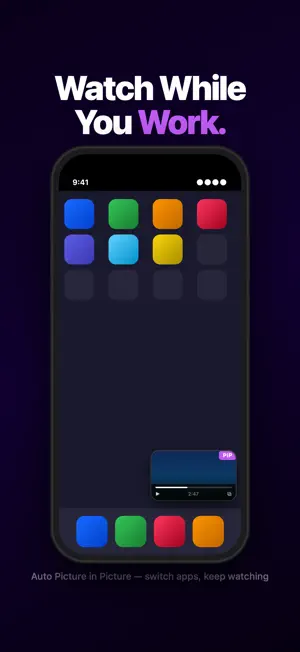

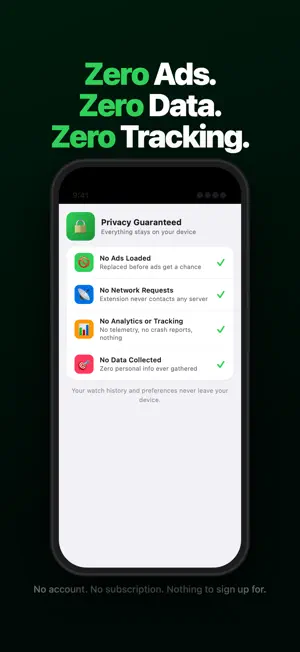
About SimpleTube: Video Speed Up
SimpleTube lets you watch any video in Safari at the speed you want. Set your preferred speed once, and it applies on every video site you visit. No more hunting for a speed menu on each site, or finding out there isn't one. WHAT IT DOES - Plays videos on any website at your chosen speed - Fast-forwards ads automatically whenever it can - 15-second and 30-second skip buttons for ads that can't be skipped automatically - Saves real time on lectures, dramas, anime, and stream archives WHO IT'S FOR - People who can't sit through anything at 1x - Anyone tired of every site having different speed limits, or none at all - People who hate waiting for ads to finish - Students getting through online lectures faster HOW TO TURN IT ON 1. Open Settings > Apps > Safari > Extensions 2. Turn on SimpleTube and allow it on all websites 3. Open any video in Safari. It plays at your speed. Questions or bug reports? Use "Send Feedback" inside the app.
App privacy
The developer, Kohei Ishikawa, reported these privacy practices to Apple.
Data Not Collected
The developer does not collect any data from this app.
Alternatives to SimpleTube: Video Speed Up
Looking for apps like SimpleTube: Video Speed Up? Here are 6 similar apps on the App Store. The highest rated is ARC Type Keyboard (4.6/5), and 5 of the 6 are free to download.
-
 IkmahLog: Vehicle Records
-
 Cheese: Private Connection
-
 Sunglasses at Night
-
 Readmory - Highlights & Notes
-
 Voice Clone Master
-
 ARC Type Keyboard
4.6
| App | Rating | Price | Last updated | Compare |
|---|---|---|---|---|
| SimpleTube: Video Speed Up | – | Free | November 3, 2026 | |
| IkmahLog: Vehicle Records | – | 0.49 USD | Nov 2, 2026 | Compare |
| Cheese: Private Connection | – | Free | Nov 5, 2026 | Compare |
| Sunglasses at Night | – | Free | Nov 11, 2026 | Compare |
| Readmory - Highlights & Notes | – | Free | Nov 7, 2026 | Compare |
| Voice Clone Master | – | Free | Nov 12, 2026 | Compare |
| ARC Type Keyboard | 4.6 / 5 (5) | Free | Nov 7, 2026 | Compare |