

ChoreoSync: Dance Video Editor
CM Tech Consulting LLC Photo & Video iPhoneiPadiPod touch
ChoreoSync: Dance Video Editor is a free Photo & Video app for iPhone and iPad by CM Tech Consulting LLC. Rated 5.0/5 from 3 ratings. Requires iOS 17.6.
- Rating
- 5.0
- 3 ratings
- Price
- Free
- on the App Store
- Size
- 11 MB
- Age 4+
- Updated
- Oct 19
- 2026 · v1.5
Screenshots


About ChoreoSync: Dance Video Editor
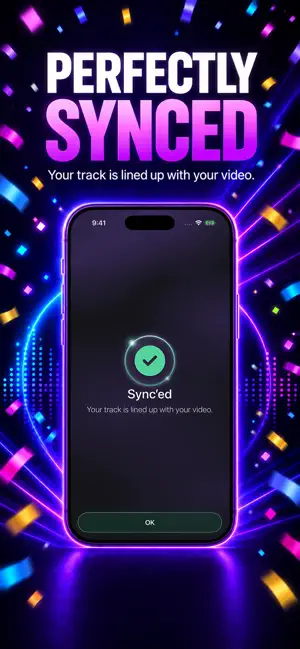
A dance video editor that lines your clean music up with your choreography automatically. Record your routine in the app or import a clip you already shot, then add your own copy of the song. ChoreoSync finds that song in your video, swaps in the clean version and lines it up with your movement. Then finish it in a real editor: more than 200 effects, 8 filters, keyframed camera moves, 18 color tools, six aspect ratios, and export up to 4K. Free to record, import, sync and edit, with no account, and your first two exports are free. Pro unlocks unlimited exports to Photos. HOW IT WORKS 1. Record in ChoreoSync, or import a video from Photos. 2. Add the audio file for the song in that video. 3. ChoreoSync lines the two up and replaces the camera audio. 4. Frame it, color it, add effects, and save it to Photos. THE SYNC Studio, gym, driveway, park, rooftop: wherever you filmed, you can hear the song in your video. It just sounds like your phone recorded it. That recording is what ChoreoSync listens to. It finds the same moment in your clean copy and drops it in at that point, so every count stays where you danced it. No dragging waveforms. If a clip has no usable audio, mark one move and its beat by hand instead, then nudge the timing until it sits right. RECORDED IN SYNC Pick the section of the song you want, tap record, and dance while it plays. A count-in gives you time to get into place, and recording stops on its own at the end of the section. The take lands in your library already lined up with the track. FRAME IT - Six aspect ratios: 9:16, 1:1, 16:9, 4:3, 3:4, or the original - Pinch, drag and twist to reframe the shot - Keyframes: set the framing at any moment and the camera moves between them, so a wide shot can push in on the chorus and follow you across the floor - Trim the start and end COLOR IT - 18 adjustments, from exposure, highlights and shadows to warmth, vibrance, sharpness, noise reduction and vignette - 8 filters: HDR, Vivid, Warm, Cool, B&W, Vintage, Fade and Dramatic - Tap to compare against the original at any time EFFECTS - More than 200 effects, each previewed on your own video before you add it: openers and closers, glows and trails around the dancer, motion, light, retro looks, split screens and more - Every effect is a bar on the timeline under your video. Hold a bar to move it, drag its ends to set how long it runs - Search effects by name - Undo and redo your edits FINISH IT - Mix the clean track with your camera audio, so the cues you called out still come through - Fade your song in and out at the start and end - Choose the cover frame, and pinch to frame it - Export at 720p, 1080p or 4K Projects stay in your library, so you can pick one back up later. WHO IT'S FOR Dance and dance fitness instructors, choreographers, and anyone filming routines to post. Rehearsals, run-throughs, combos, class previews, showcases. If you filmed it to music, you can sync it. WHAT YOU NEED - A video, recorded in ChoreoSync or imported from Photos - Your own audio file for the song in that video ChoreoSync does not search for, identify, stream or provide music. You bring the audio. Your video is rendered on your iPhone and saved to Photos. Nothing is uploaded to be rendered. FREE AND PRO Record, import, sync, edit and preview for free, with no account and no payment. Your first two finished videos save to Photos for free. ChoreoSync Pro unlocks unlimited exports, on a monthly or a yearly plan. An account is optional. It keeps your library on every device you sign in on. Subscriptions renew automatically unless canceled at least 24 hours before the end of the current period. Payment is charged to your Apple Account at confirmation of purchase. You can manage or cancel your subscription in your Apple Account settings. Terms of Use (EULA): https://www.apple.com/legal/internet-services/itunes/dev/stdeula/ Privacy Policy: https://choreosync.com/legal/privacy/
What’s new
Version 1.5 · Updated October 19, 2026
Effects are here. Pick from more than 200 effects, watch each one play on your own video, and place it on the timeline. Hold a bar to move it, and drag its ends to set how long it runs. Also in this release: - Undo and redo, right on your video - Fade your song in and out, up to 5 seconds each, in Audio > Mixer > Fades - Clearer messages when a video can't be imported - Delete Account now tells you where your subscription is billed - Fixes and improvements
App privacy
The developer, CM Tech Consulting LLC, reported these privacy practices to Apple.
Data Linked to You
The following data, which may be collected and linked to your identity, may be used for the following purposes:
- Contact Info: Email Address, Name, Phone Number
- User Content: Photos or Videos, Audio Data, Customer Support
- Identifiers: User ID
Used for: App Functionality
Data Not Linked to You
The following data, which may be collected but is not linked to your identity, may be used for the following purposes:
- Diagnostics: Crash Data, Performance Data, Other Diagnostic Data
Used for: App Functionality
Alternatives to ChoreoSync: Dance Video Editor
Looking for apps like ChoreoSync: Dance Video Editor? Here are 6 similar apps on the App Store. The highest rated is Quick Cut Pro - Video Editor (5.0/5), and 3 of the 6 are free to download.
-
 WEAVE: Music Video Editor
-
 Artech - Photo & Video Effects
4.7
-
 Magic Photo - Color Invert
1.0
-
 Quick Cut Pro - Video Editor
5.0
-
 Vidra - Video Presentations
3.7
-
 Reelvana: Teleprompter Video
| App | Rating | Price | Last updated | Compare |
|---|---|---|---|---|
| ChoreoSync: Dance Video Editor | 5.0 / 5 (3 ratings) | Free | October 19, 2026 | |
| WEAVE: Music Video Editor | – | Free | Sep 23, 2026 | Compare |
| Artech - Photo & Video Effects | 4.7 / 5 (61) | 4.99 USD | Apr 7, 2024 | Compare |
| Magic Photo - Color Invert | 1.0 / 5 (4) | 1.99 USD | Feb 10, 2025 | Compare |
| Quick Cut Pro - Video Editor | 5.0 / 5 (4) | Free | Sep 23, 2026 | Compare |
| Vidra - Video Presentations | 3.7 / 5 (29) | 6.99 USD | Dec 7, 2024 | Compare |
| Reelvana: Teleprompter Video | – | Free | Oct 23, 2026 | Compare |