

Beauty: Markdown Editor
Thiago Peres Productivity iPhoneiPadiPod touchMac
Beauty: Markdown Editor is a free Productivity app for iPhone and iPad by Thiago Peres. Requires iOS 26.0. Updated September 30, 2026.
- Price
- Free
- on the App Store
- Size
- 98 MB
- Age 4+
- Updated
- Sep 30
- 2026 · v1.2.0
Screenshots
About Beauty: Markdown Editor
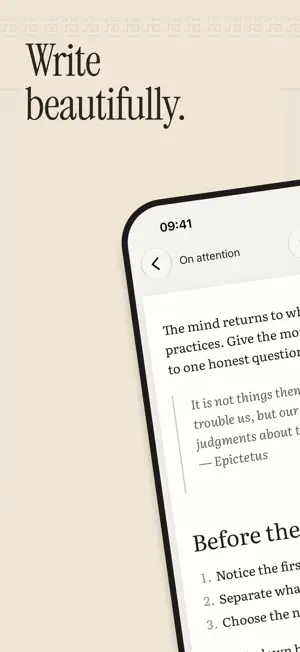
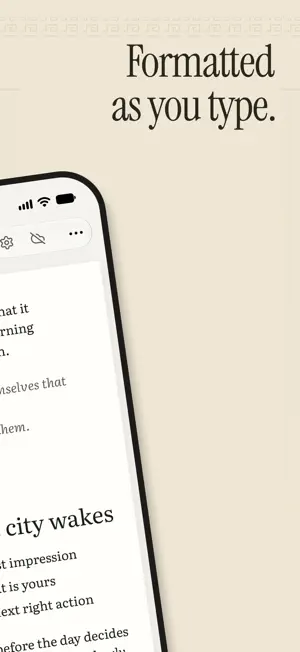
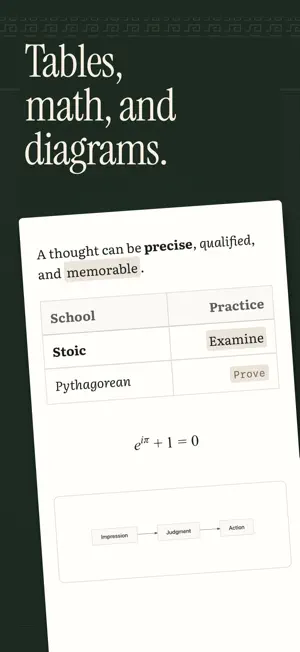
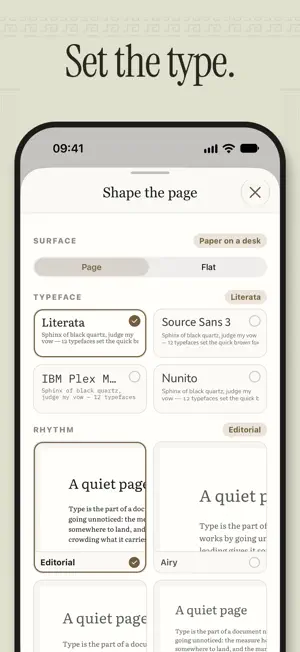
Give your thoughts a place worth returning to. Beauty is a Markdown editor for people who care about their words. A quiet page, expressive typography, and carefully considered details make room for the work: a passing thought, a difficult problem, a first draft worth finishing. Start writing. No Beauty account required. The editor, local notes, export, and live collaboration are free. A PAGE THAT FEELS LIKE YOURS Choose from four typefaces: Literata, Source Sans 3, IBM Plex Mono, and Nunito. Find your preferred line width, switch between light and dark, and settle into a page that suits the way you think. MORE THAN WORDS Bring ideas into focus with headings, lists, checklists, quotes, links, and images. Work through the details with tables, code blocks, mathematical formulas, and Mermaid diagrams. Slash commands put blocks within reach; thoughtful punctuation shortcuts keep your hands moving. ROOM TO THINK Arrange notes in folders, move between documents in tabs, and return to earlier drafts with version history. Beauty keeps up to 200 versions of each note, so a new direction does not have to erase the old one. YOUR WORDS, YOUR FILES Write offline. Keep your work in an open format. Export Markdown, HTML, or PDF, or take your whole library with you. On Mac, your library lives in ordinary files. On iPhone, the private library is encrypted on the device. There are no ads or app usage analytics. THINK TOGETHER Invite someone into a document with a link and edit together, live. Collaboration is optional. Your edits travel between participants; no Beauty document server keeps a copy. IPHONE AND MAC, TOGETHER Beauty Maximus is an optional auto-renewable subscription for iCloud sync. Keep your library current across iPhone and Mac using your own iCloud account. Choose a monthly or annual plan. Everything else stays free. Payment is charged to your Apple Account at confirmation of purchase, or after any eligible free trial. Subscriptions renew automatically unless cancelled at least 24 hours before the current period ends. Manage or cancel your subscription in your App Store account settings. Made slowly, on purpose. Privacy Policy: https://www.markdown.beauty/privacy Terms of Use: https://www.apple.com/legal/internet-services/itunes/dev/stdeula/
What’s new
Version 1.2.0 · Updated September 30, 2026
Beauty 1.2. Another coat of polish; the Senate approves. • Todos: every checklist from every note, in one place. Search, sort, and hide tasks until later. • A new Liquid Glass formatting bar that opens right where you type. • Pin favorite notes to the top of your library. • Press and hold a note or folder for quick actions, or drag to move it. • More reliable iCloud sync. • Smoother images, one Settings sheet, and many small refinements.
App privacy
The developer, Thiago Peres, reported these privacy practices to Apple.
Data Not Linked to You
The following data, which may be collected but is not linked to your identity, may be used for the following purposes:
- Purchases: Purchase History
Used for: Analytics, App Functionality
Alternatives to Beauty: Markdown Editor
Looking for apps like Beauty: Markdown Editor? Here are 6 similar apps on the App Store.
-
 Crew Sheet: Wedding Timeline
-
 stage create 2
-
 Copy Vault
-
 Tally: Offline Checklist Maker
-
 OneThink - One Thing a Day
-
 QuickPaste – Snippet Keyboard
| App | Rating | Price | Last updated | Compare |
|---|---|---|---|---|
| Beauty: Markdown Editor | – | Free | September 30, 2026 | |
| Crew Sheet: Wedding Timeline | – | Free | Oct 7, 2026 | Compare |
| stage create 2 | – | Free | Oct 5, 2026 | Compare |
| Copy Vault | – | Free | Mar 27, 2026 | Compare |
| Tally: Offline Checklist Maker | – | Free | Sep 11, 2026 | Compare |
| OneThink - One Thing a Day | – | Free | Sep 17, 2026 | Compare |
| QuickPaste – Snippet Keyboard | – | Free | Feb 14, 2026 | Compare |