

LibreCam: Manual RAW Camera
Timo Josten Photo & Video iPhoneiPadiPod touchApple Watch
LibreCam: Manual RAW Camera is a free Photo & Video app for iPhone and iPad by Timo Josten. Rated 5.0/5 from 4 ratings. Requires iOS 18.0.
- Rating
- 5.0
- 4 ratings
- Price
- Free
- on the App Store
- Size
- 12 MB
- Age 4+
- Updated
- Oct 8
- 2026 · v1.9
Screenshots
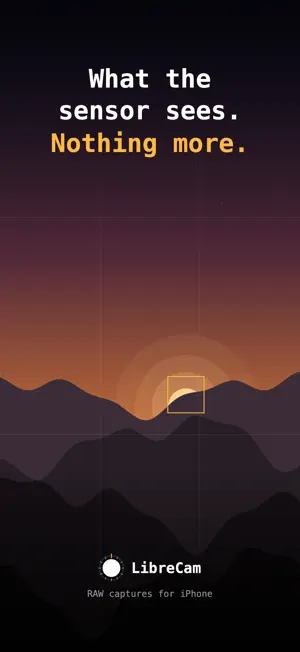

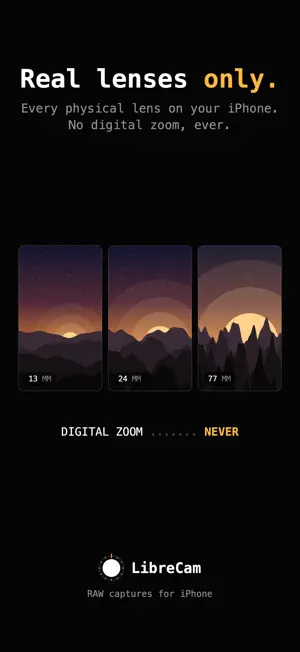
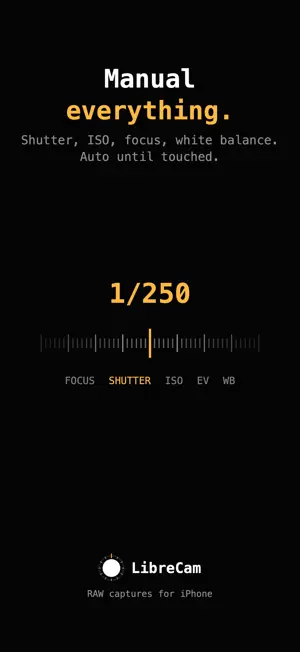
About LibreCam: Manual RAW Camera
LibreCam is a manual RAW camera for iPhone that captures what the sensor sees, and nothing more. Shoot true Bayer DNGs, single-frame HEIFs, or both at once, with no fusion, no aggressive processing, no account, no tracking and no subscription. The stock camera applies Smart HDR, Deep Fusion, noise reduction, sharpening and tone mapping to every shot. LibreCam turns off everything that can be turned off, and is honest about what cannot. DNG: the true Bayer sensor readout. No fusion, no noise reduction, no tone mapping, no distortion correction. One frame, exactly as the sensor read it. HEIF: a single frame developed by the hardware ISP. No fusion, no HDR, no semantic tricks. LOOKS: nine fixed color recipes, applied to the HEIF as you shoot. Build your own with dials in the Look Editor, and import or export standard .cube files. The DNG is never touched. PRINT: share a shot as a framed print. Ink or paper matte, and a label with the exposure, camera, date, place and your name, set like a museum caption. A copy made for sharing; the photo itself stays as it is. LIBRECAM PRO: one purchase, no subscription, and only two things are paid: the Look Editor for your own recipes, and the Apple Watch remote. Everything else is free. FEATURES - Every physical lens on your iPhone. No digital zoom, ever. - The front camera too, with mirrored or true-to-sensor selfies. - An Apple Watch remote: shutter, readouts, framing assist. (LibreCam Pro) - Manual focus, shutter, ISO, exposure bias and white balance. Everything is automatic until touched. - Focus peaking: the sharpest edges glow amber while you focus. - Level: a horizon line that reports the tilt your photo will actually have. It never straightens anything. - Histogram: all three channels live on the glass, with marks for which one is clipping, and at which end. - Nine looks free; build your own with LibreCam Pro. - Print: a framed, captioned copy of any shot, ready to share. - Frame lock: 9:16, 2:3, 4:5 or 1:1 on the glass, the developed copy cropped to match. The DNG keeps the full frame. - Flash: off, auto or on. On auto, the bolt turns amber only when the scene will fire it. - Aperture on iPhone 18 Pro: f/1.48 to f/4 on the 24 mm lens in thirds of a stop, one tap each. Automatic until touched. - Shutter priority and ISO priority metering. - Camera Control on iPhone 16 and later: focus, aperture, shutter, ISO, EV, white balance and the lenses, right on the button. - Hardware shutter on the volume buttons. No shutter sound. - Add-only Photos access. No account, no tracking. - Optional location tagging, written into the photo on your device. A camera, not a computer.
What’s new
Version 1.9 · Updated October 8, 2026
CAMERA CONTROL. On iPhone 16 and later, the Camera Control now does what the dials do: focus, aperture, shutter, ISO, EV and white balance, and the lenses too. Slide on the button to set a value, and its dial comes up on screen. A fast swipe moves in big steps, a slow one step by step. AUTO on the dial hands a setting back to the camera, and whatever you change on screen shows on the button as well. A full press still takes the picture. IPHONE DUO. Opened, the camera makes use of the large display: the shutter and the two switches stand together in the margin down one side, where your thumb already is, and the dials keep to that half of the screen, clear of the fold. Folded, everything stays where it always was.
App privacy
The developer, Timo Josten, reported these privacy practices to Apple.
Data Not Linked to You
The following data, which may be collected but is not linked to your identity, may be used for the following purposes:
- Diagnostics: Crash Data
Used for: App Functionality
Alternatives to LibreCam: Manual RAW Camera
Looking for apps like LibreCam: Manual RAW Camera? Here are 6 similar apps on the App Store. The highest rated is Truly Simple RAW Camera (5.0/5), and all 6 are free to download.
-
 RawCam – Raw DNG Camera
4.3
RawCam – Raw DNG Camera
4.3
-
 FilmFold - Vintage Camera
4.4
FilmFold - Vintage Camera
4.4
-
 f/64 - RAW Camera
4.8
f/64 - RAW Camera
4.8
-
 Truly Simple RAW Camera
5.0
Truly Simple RAW Camera
5.0
-
 QuickFrame - True RAW Camera
3.7
QuickFrame - True RAW Camera
3.7
-
 Iris : Manual Camera - Zero Ai
5.0
Iris : Manual Camera - Zero Ai
5.0
| App | Rating | Price | Last updated | Compare |
|---|---|---|---|---|
| LibreCam: Manual RAW Camera | 5.0 / 5 (4 ratings) | Free | October 8, 2026 | |
| RawCam – Raw DNG Camera | 4.3 / 5 (3) | Free | Oct 4, 2026 | Compare |
| FilmFold - Vintage Camera | 4.4 / 5 (7) | Free | Oct 10, 2026 | Compare |
| f/64 - RAW Camera | 4.8 / 5 (9) | Free | Aug 11, 2026 | Compare |
| Truly Simple RAW Camera | 5.0 / 5 (2) | Free | Jun 2, 2026 | Compare |
| QuickFrame - True RAW Camera | 3.7 / 5 (3) | Free | Sep 1, 2026 | Compare |
| Iris : Manual Camera - Zero Ai | 5.0 / 5 (3) | Free | Sep 20, 2026 | Compare |