

3D File Converter: STL & 3MF
Berkay Taha Tutcu Utilities iPhoneiPadiPod touch
3D File Converter: STL & 3MF is a free Utilities app for iPhone and iPad by Berkay Taha Tutcu. Requires iOS 15.0. Updated October 21, 2026.
- Price
- Free
- on the App Store
- Size
- 10 MB
- Age 4+
- Updated
- Oct 21
- 2026 · v1.2
Screenshots


About 3D File Converter: STL & 3MF
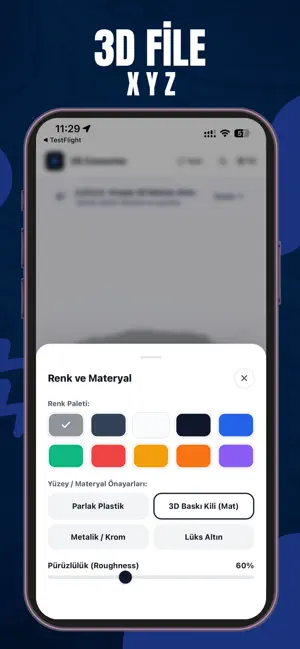
3D File Converter is the ultimate mobile studio for 3D printing enthusiasts, CAD engineers, and 3D designers. Easily view, inspect, colorize, and convert your 3D models directly on your iPhone and iPad with 100% privacy and zero server uploads! UNIVERSAL 3D FORMAT CONVERSION: STL (Binary & ASCII) — Standard format for 3D printing 3MF (3D Manufacturing Format) — Next-gen standard for Bambu Studio, PrusaSlicer & Cura Wavefront OBJ — Compatible with Blender, Maya, Rhino & CAD GLB & GLTF — Ultra-compact modern format for Web & iOS AR QuickLook PLY — Ideal for 3D scanning and point cloud mesh data 100% PRIVATE & ON-DEVICE: All conversions occur locally on your device GPU. Your designs are never uploaded to any cloud server. INTERACTIVE 3D VIEWER: Smooth 60 FPS touch orbit, pan, and zoom controls Titanium CAD Slate Gray, Matte Clay, Metallic & Gold finishes Real-time scale, rotation, and floor grid toggles Triangle count, vertex count, and estimated PLA filament weight calculations
What’s new
Version 1.2 · Updated October 21, 2026
• Fixed model export and download flow after rewarded/interstitial ads on mobile devices. • Improved file sharing and saving reliability across native iOS file managers. • Enhanced 3D model conversion stability for STL, 3MF, OBJ, GLTF, GLB, and PLY formats. • General UI responsiveness improvements and minor bug fixes.
App privacy
The developer, Berkay Taha Tutcu, reported these privacy practices to Apple.
Data Used to Track You
The following data may be used to track you across apps and websites owned by other companies:
- Identifiers: Device ID
- Usage Data: Advertising Data
Data Linked to You
The following data, which may be collected and linked to your identity, may be used for the following purposes:
- Usage Data: Advertising Data
Used for: Third-Party Advertising
Data Not Linked to You
The following data, which may be collected but is not linked to your identity, may be used for the following purposes:
- Identifiers: Device ID
- Usage Data: Product Interaction
- Diagnostics: Crash Data
Used for: Third-Party Advertising, Analytics
Alternatives to 3D File Converter: STL & 3MF
Looking for apps like 3D File Converter: STL & 3MF? Here are 6 similar apps on the App Store. The highest rated is 3D File Viewer - PrintPeek (5.0/5), and 5 of the 6 are free to download.
-
 STL Workshop
3.0
STL Workshop
3.0
-
 STL Viewer: 3D Print & G-code
-
 STL Viewer: Measure 3D Files
-
 3D File Viewer - PrintPeek
5.0
3D File Viewer - PrintPeek
5.0
-
 gclean
-
 Simple Offline STL OBJ Viewer
| App | Rating | Price | Last updated | Compare |
|---|---|---|---|---|
| 3D File Converter: STL & 3MF | – | Free | October 21, 2026 | |
| STL Workshop | 3.0 / 5 (1) | Free | Jul 23, 2026 | Compare |
| STL Viewer: 3D Print & G-code | – | Free | Oct 20, 2026 | Compare |
| STL Viewer: Measure 3D Files | – | Free | Sep 23, 2026 | Compare |
| 3D File Viewer - PrintPeek | 5.0 / 5 (2) | Free | Oct 12, 2026 | Compare |
| gclean | – | Free | Jul 21, 2026 | Compare |
| Simple Offline STL OBJ Viewer | – | 0.99 USD | May 14, 2026 | Compare |