

Inkstone: Sign PDF & Docs
YI SHIH LIU Business iPhoneiPadiPod touch
Inkstone: Sign PDF & Docs is a free Business app for iPhone and iPad by YI SHIH LIU. Requires iOS 17.0. Updated November 1, 2026.
- Price
- Free
- on the App Store
- Size
- 10 MB
- Age 4+
- Updated
- Nov 1
- 2026 · v26.10.1
Screenshots


About Inkstone: Sign PDF & Docs
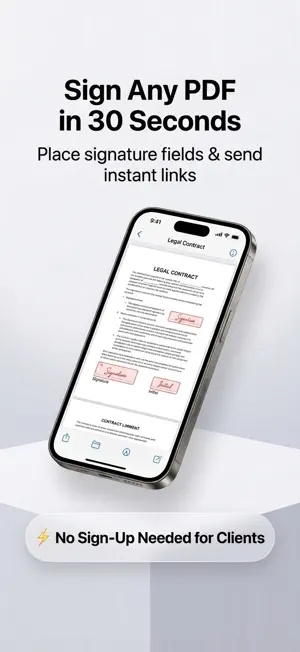
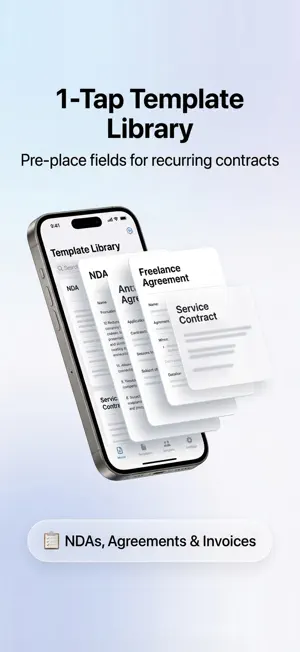
Prepare documents and get them signed in minutes. Generate a secure link — recipients sign right in their browser with no app to install and no account required. Inkstone makes document signing effortless for landlords, agencies, clinics, and professionals who need fast, legally robust electronic signatures. WHY PEOPLE CHOOSE INKSTONE Most signature apps lock basic sending behind $10+ monthly subscriptions with confusing trial traps. Inkstone offers clear, fair pricing and makes signing friction-free for your clients and partners. PREPARE & PLACE FIELDS • Import any PDF or scan paper documents with your camera • Place signature, initial, date, and text fields exactly where needed • Pinch to zoom for precise alignment on fine print • Clean, legible field placement on both iPhone and iPad SHARE A SECURE SIGNING LINK • Generate an encrypted, tamper-evident signing link in one tap • Share via Messages, WhatsApp, AirDrop, or any chat app • Recipients open and sign in their mobile or desktop browser • Zero friction for signers: no app download, no account creation PROOF THAT HOLDS UP Every signed document includes a comprehensive audit page: • SHA-256 cryptographic digest before and after signing • Timestamped audit trail and signer consent verification • Sealed PDF with tamper-evident digital verification YOUR FILES, AUTOMATICALLY SAVED Completed documents are automatically saved to your Files app and iCloud Drive, ensuring you always keep a permanent, secure copy. STRICT PRIVACY & 90-DAY RETENTION Documents stored on our servers are automatically deleted 90 days after signing — for everyone, Pro included. We never hold third parties' sensitive identification or personal data indefinitely. TEMPLATES Save reusable form templates — rental agreements, consent forms, work orders — and generate new signing documents with fields pre-placed in seconds. INKSTONE PRO Upgrade to Inkstone Pro for unlimited signing links and watermark-free documents. Templates are blank formatting references, not legal advice. SUBSCRIPTION DETAILS Inkstone Pro is an auto-renewing subscription: 1 month (USD 5.99) or 1 year (USD 39.99). Payment is charged to your Apple Account at confirmation of purchase. It renews automatically unless auto-renew is turned off at least 24 hours before the end of the current period. Manage or cancel in your device Settings after purchase. There is no free trial. Terms of Use (EULA): https://inkstone-app-prod.web.app/terms Privacy Policy: https://inkstone-app-prod.web.app/privacy
What’s new
Version 26.10.1 · Updated November 1, 2026
Stability improvements and bug fixes.
App privacy
The developer, YI SHIH LIU, reported these privacy practices to Apple.
Data Not Collected
The developer does not collect any data from this app.
Alternatives to Inkstone: Sign PDF & Docs
Looking for apps like Inkstone: Sign PDF & Docs? Here are 6 similar apps on the App Store. The highest rated is Invoice Maker, Bill & Quote (5.0/5), and all 6 are free to download.
-
 Sign PDF Documents & Forms
-
 HAYAWAZA3
-
 Invoice Maker, Bill & Quote
5.0
-
 SignPdf - PDF Signer
4.8
-
 OWNER'S BANK
-
 TISA Bank
| App | Rating | Price | Last updated | Compare |
|---|---|---|---|---|
| Inkstone: Sign PDF & Docs | – | Free | November 1, 2026 | |
| Sign PDF Documents & Forms | – | Free | Nov 2, 2026 | Compare |
| HAYAWAZA3 | – | Free | Jan 20, 2026 | Compare |
| Invoice Maker, Bill & Quote | 5.0 / 5 (1) | Free | Nov 2, 2026 | Compare |
| SignPdf - PDF Signer | 4.8 / 5 (6) | Free | May 13, 2026 | Compare |
| OWNER'S BANK | – | Free | Sep 10, 2026 | Compare |
| TISA Bank | – | Free | Oct 19, 2026 | Compare |