

OCR, Read & Convert Documents
Anatol Radzko Productivity iPhoneiPadiPod touch
OCR, Read & Convert Documents is a free Productivity app for iPhone and iPad by Anatol Radzko. Requires iOS 18.0. Updated October 16, 2026.
- Price
- Free
- on the App Store
- Size
- 12 MB
- Age 4+
- Updated
- Oct 16
- 2026 · v1.1.7
Screenshots


About OCR, Read & Convert Documents
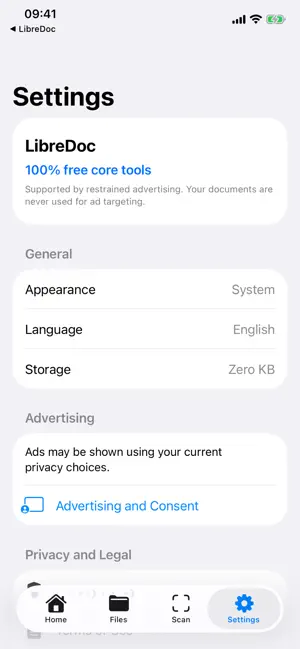
LibreDoc Reader is a private, local-first document toolbox. READ AND ORGANIZE - Open PDFs, text files, images, office documents, presentations, spreadsheets, EPUB books, and other formats supported by iOS Quick Look. - Search your local library and recognized text. - Import explicitly from Files, Photos, the camera scanner, or the clipboard. EDIT AND ANNOTATE - Highlight, add notes, rotate, and remove PDF pages. - Try one recognized PDF text change free, then save and open the edited copy automatically. After using it, voluntarily complete three rewarded videos to unlock one more text change; this can be repeated when videos are available. - With PDF Editor or Full Pro, replace recognized visible text in ordinary and scanned PDFs and save a new flattened copy. - Edit DOCX, ODT, RTF, and a broad range of plain/source-text formats directly. Legacy DOC changes are saved safely to a new DOCX copy. - Export a copy whenever you choose. SCAN AND CONVERT - Scan paper pages with automatic edge detection. - Run automatic OCR on the device across recognition languages supported by iOS, with an additional Belarusian Cyrillic fallback. - Convert supported content locally between PDF, TXT, DOCX, RTF, HTML, CSV, JPEG, and PNG. - Extract text from DOCX, XLSX, PPTX, unencrypted EPUB, PDFs, and images; Office/EPUB “text layout” exports do not preserve complex layout, formulas, charts, animation, macros, or embedded objects. - Export the first supported PDF page as JPEG or PNG. CREATE A PROFESSIONAL CV - Build a polished CV PDF in English, Italian, Russian, Spanish, French, or German. - Choose from 20 print-ready layouts. - Add an optional portrait with local head-and-shoulders framing. Adjust the photo with pinch-to-zoom and dragging before creating your CV. - Each CV export is purchased separately, including for subscribers. PRIVATE BY DEFAULT - No account is required. - Documents remain on the device unless you explicitly share or export them. - Document content is never sent to the advertising provider. LibreDoc does not promise to open or edit every possible file. Availability depends on the format, file integrity, encryption or DRM, and capabilities provided by the installed iOS version. See the in-app Format Support page for the exact matrix.
What’s new
Version 1.1.7 · Updated October 16, 2026
Updated privacy choices: Google consent is checked before advertising. Optional diagnostics require both relevant consent and the separate diagnostics switch. Analytics is never used for ad personalization. Turning diagnostics off stops collection, resets local Analytics data and deletes unsent crash reports. Personalized advertising requires Google consent and Apple tracking permission. Full Pro remains ad-free.
App privacy
The developer, Anatol Radzko, reported these privacy practices to Apple.
Data Used to Track You
The following data may be used to track you across apps and websites owned by other companies:
- Identifiers: Device ID
Data Linked to You
The following data, which may be collected and linked to your identity, may be used for the following purposes:
- Location: Coarse Location
- Identifiers: Device ID
- Usage Data: Product Interaction, Advertising Data
- Diagnostics: Performance Data
Used for: Third-Party Advertising, Analytics, App Functionality
Data Not Linked to You
The following data, which may be collected but is not linked to your identity, may be used for the following purposes:
- Diagnostics: Crash Data
Used for: Third-Party Advertising, Analytics, App Functionality
Alternatives to OCR, Read & Convert Documents
Looking for apps like OCR, Read & Convert Documents? Here are 6 similar apps on the App Store. The highest rated is PDF Toolkit: PDF Editor & Scan (5.0/5), and all 6 are free to download.
-
 Arca: Save Links, Keep Value
-
 PDF Toolkit: PDF Editor & Scan
5.0
PDF Toolkit: PDF Editor & Scan
5.0
-
 LiftNet
-
 ReadSync - PDF Reader
-
 PDF Scanner & Doc Editor
-
 Simple Notes Widget
| App | Rating | Price | Last updated | Compare |
|---|---|---|---|---|
| OCR, Read & Convert Documents | – | Free | October 16, 2026 | |
| Arca: Save Links, Keep Value | – | Free | Aug 15, 2026 | Compare |
| PDF Toolkit: PDF Editor & Scan | 5.0 / 5 (1) | Free | May 28, 2026 | Compare |
| LiftNet | – | Free | Sep 28, 2026 | Compare |
| ReadSync - PDF Reader | – | Free | Oct 24, 2026 | Compare |
| PDF Scanner & Doc Editor | – | Free | Oct 17, 2026 | Compare |
| Simple Notes Widget | – | Free | Sep 30, 2026 | Compare |