
Keepnook
Aliaksandra Valodzina Lifestyle iPhoneiPadiPod touch
Keepnook is a free Lifestyle app for iPhone and iPad by Aliaksandra Valodzina. Requires iOS 16.4. Updated September 16, 2026.
- Price
- Free
- on the App Store
- Size
- 71 MB
- Age 4+
- Updated
- Sep 16
- 2026 · v1.1
Screenshots
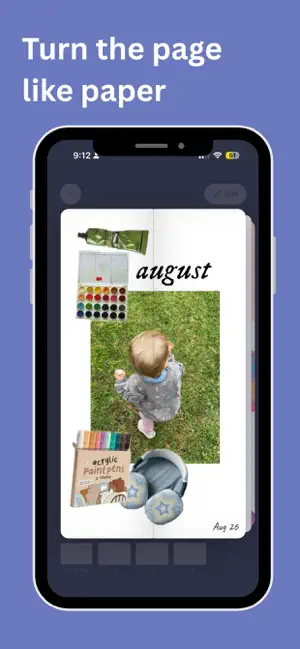
About Keepnook
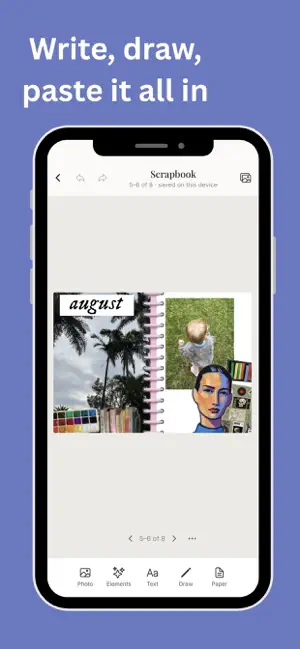
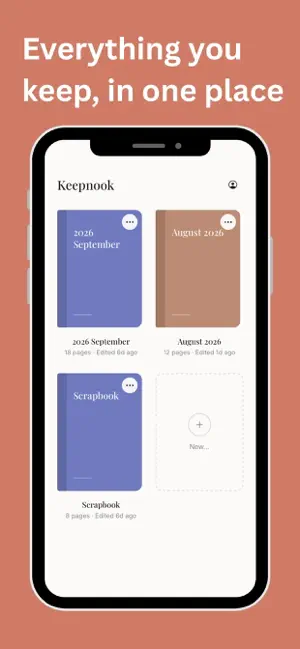
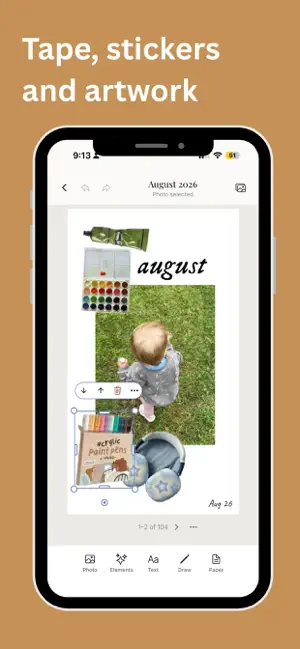
Keepnook is a notebook you keep with your hands. Paste in a photograph, write beside it, run a strip of tape across the corner. Turn the page like paper. It lives on your iPad. No account, no sign-in, nothing to log into - your notebooks are yours and they stay on your device. A real spread Two pages, side by side, the way a notebook actually opens. Write across the fold. Turn the page and watch the leaf lift. Draw with a pen that means it Pen, pencil, marker and highlighter, all pressure-sensitive with Apple Pencil. Rub something out and the ink is gone, not painted over. Photographs, cut how you like Place a photo, drag its sides to reshape it, or cut around a subject by hand. Round the corners, or give it a polaroid border. Tape, stickers and artwork Washi tape, drawn shapes, and illustrated packs you can add as they arrive. Tint the paper, change the ruling, or pick a texture. Bring your planner in Import a PDF and it becomes a notebook you can write on - a planner, a workbook, sheet music. Save a page as a picture Send a spread to Photos to print or keep. Your work is yours Export a backup any time, free, forever. Import it on another device. Nothing is locked behind anything. Keepnook Plus Three notebooks to start with. Plus adds as many as you like, opens the premium artwork, and unlocks print-quality export. Terms of Use (EULA): https://www.apple.com/legal/internet-services/itunes/dev/stdeula/ Terms of Service: https://keepnook.app/terms
What’s new
Version 1.1 · Updated September 16, 2026
Import a PDF and keep your place. Leave mid-import and Keepnook carries on where it stopped; an unfinished import waits for you on the shelf. Apple Pencil pressure works properly. Press harder for a thicker line, and the angle you hold the Pencil at now shapes the stroke. Keep your own stickers. Cut anything out of a photo and save it to use again, in any notebook. Clearer cut-outs. You can see the line you're drawing on any picture, and the frame trims to what you cut. A bigger page when you're reading, nine new fonts, and a long list of fixes to text, page turns and exporting.
App privacy
The developer, Aliaksandra Valodzina, reported these privacy practices to Apple.
Data Not Linked to You
The following data, which may be collected but is not linked to your identity, may be used for the following purposes:
- Diagnostics: Crash Data
- Purchases: Purchase History
Used for: Analytics, App Functionality
Alternatives to Keepnook
Looking for apps like Keepnook? Here are 6 similar apps on the App Store. The highest rated is Vision Board: Goals & Dreams (5.0/5), and all 6 are free to download.
-
 Vision Board: Goals & Dreams
5.0
Vision Board: Goals & Dreams
5.0
-
 Memori: Visual Journal
-
 VisionBoard_AI
3.0
VisionBoard_AI
3.0
-
 Offa: Swipe Real Estate Deals
4.9
Offa: Swipe Real Estate Deals
4.9
-
 JuJo: Creative Journal & Diary
4.6
JuJo: Creative Journal & Diary
4.6
-
 Northern Beaches Library
| App | Rating | Price | Last updated | Compare |
|---|---|---|---|---|
| Keepnook | – | Free | September 16, 2026 | |
| Vision Board: Goals & Dreams | 5.0 / 5 (2) | Free | Jul 17, 2026 | Compare |
| Memori: Visual Journal | – | Free | Nov 19, 2025 | Compare |
| VisionBoard_AI | 3.0 / 5 (2) | Free | Oct 13, 2026 | Compare |
| Offa: Swipe Real Estate Deals | 4.9 / 5 (17) | Free | Jan 26, 2026 | Compare |
| JuJo: Creative Journal & Diary | 4.6 / 5 (18) | Free | Sep 19, 2026 | Compare |
| Northern Beaches Library | – | Free | Jun 12, 2026 | Compare |
Compare Keepnook with the top alternatives: ratings, updates, ASO score and keyword gaps →