

PDF Scanner & Document Scan
Shenzhen Mengmi Technology Co., Ltd. Business iPhoneiPadiPod touch
PDF Scanner & Document Scan is a free Business app for iPhone and iPad by Shenzhen Mengmi Technology Co., Ltd. Rated 4.8/5 from 22 ratings.
- Rating
- 4.8
- 22 ratings
- Price
- Free
- on the App Store
- Size
- 230 MB
- Age 4+
- Updated
- Nov 2
- 2026 · v2.2.7
Screenshots



About PDF Scanner & Document Scan
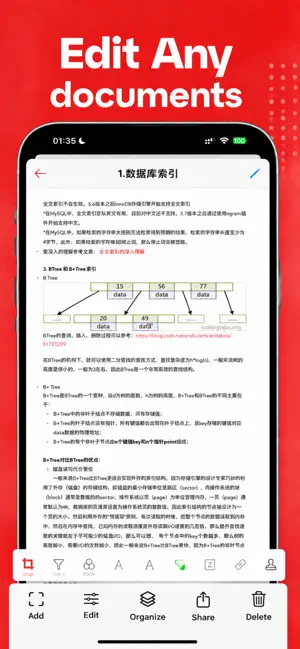
Everything you need for PDF work in one powerful, easy-to-use app. Convert, edit, scan, sign, annotate, and translate documents right from your iPhone or iPad. Whether you're a student, business professional, freelancer, or teacher, this all-in-one PDF toolkit saves you time and keeps your paperwork organized wherever you go. KEY FEATURES PDF Converter - Convert PDF to Word, Excel, PowerPoint, and images - Turn photos, Word, and other files into PDF - Merge, split, compress, and reorder pages PDF Editor - Edit text, images, and links directly in your PDF - Add, delete, rotate, and rearrange pages - Fill out forms quickly and easily Document Scanner - Scan paper documents, receipts, and IDs with your camera - Auto edge detection and crop for clean, sharp scans - Save multi-page scans as a single PDF OCR & Translation - Extract text from scanned pages and images - Recognize text in multiple languages - Translate documents into the language you need Sign & Annotate - Create and add your electronic signature - Handwrite notes and draw directly on pages - Highlight, underline, add comments and sticky notes - Add watermarks, stamps, and dates WHY YOU'LL LOVE IT - Clean, intuitive design that's simple to navigate - Fast performance, even with large files - Keep all your documents neatly organized - Share and export in just a few taps PERFECT FOR - Signing contracts and business agreements - Scanning receipts and expense reports - Marking up study materials and lecture notes - Filling out and returning forms - Converting files for work or school Manage your documents smarter. Download now and take control of every PDF. Privacy Policy: https://scan.aonovel.com/privacy.html Terms of Use: https://scan.aonovel.com/terms.html Support: [email protected]
Ratings & reviews
4.8
22 ratings
What’s new
Version 2.2.7 · Updated November 2, 2026
What’s New: 1. Added batch operations. 2. Fixed incomplete text recognition in image and PDF translation. 3. Updated the save flow after scanning.
App privacy
The developer, Shenzhen Mengmi Technology Co., Ltd., reported these privacy practices to Apple.
Data Linked to You
The following data, which may be collected and linked to your identity, may be used for the following purposes:
- Purchases: Purchase History
- Identifiers: User ID, Device ID
- Usage Data: Product Interaction, Other Usage Data
Used for: Analytics
Alternatives to PDF Scanner & Document Scan
Looking for apps like PDF Scanner & Document Scan? Here are 6 similar apps on the App Store. The highest rated is Focus Sheep - Pomodoro Timer (5.0/5), and all 6 are free to download.
-
 屋屋记
2.5
-
 Sequence: Time Block Planner
-
 CaseKeep: Legal Case Organizer
-
 Focus Sheep - Pomodoro Timer
5.0
-
 Orbit: Small Business Orders
5.0
-
 Clip Keyboard: Paste Snippets
4.8
| App | Rating | Price | Last updated | Compare |
|---|---|---|---|---|
| PDF Scanner & Document Scan | 4.8 / 5 (22 ratings) | Free | November 2, 2026 | |
| 屋屋记 | 2.5 / 5 (2) | Free | Sep 7, 2026 | Compare |
| Sequence: Time Block Planner | – | Free | Oct 12, 2026 | Compare |
| CaseKeep: Legal Case Organizer | – | Free | Nov 1, 2026 | Compare |
| Focus Sheep - Pomodoro Timer | 5.0 / 5 (2) | Free | Oct 18, 2026 | Compare |
| Orbit: Small Business Orders | 5.0 / 5 (4) | Free | Oct 16, 2026 | Compare |
| Clip Keyboard: Paste Snippets | 4.8 / 5 (12) | Free | Nov 2, 2026 | Compare |