

Madriss: Budget & Expenses
Aman Maher Finance iPhoneiPadiPod touch
Madriss: Budget & Expenses is a free Finance app for iPhone and iPad by Aman Maher. Rated 5.0/5 from 1 ratings. Requires iOS 17.0. Updated October 23, 2026.
- Rating
- 5.0
- 1 ratings
- Price
- Free
- on the App Store
- Size
- 20 MB
- Age 4+
- Updated
- Oct 23
- 2026 · v2.3.6
Screenshots


About Madriss: Budget & Expenses
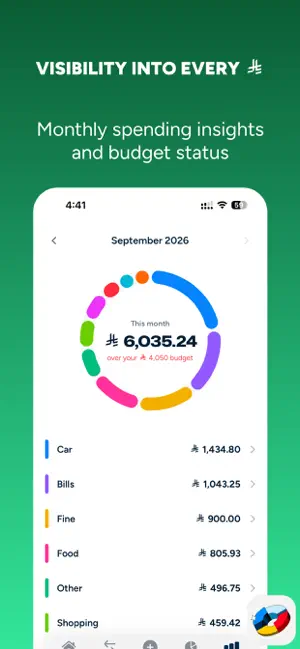
Every purchase, on budget, automatically. Madriss is the iPhone budget app built for Saudi Arabia. Your card purchases log themselves from the bank SMS you already get: no bank linking, no manual logging. AUTOMATIC LOGGING FROM YOUR BANK SMS • mada, Visa and Mastercard, plus online, in-app and subscription purchases. • One-time setup: two iOS Shortcuts automations, and the app walks you through every step. • Reads purchase alerts in Arabic and English and recognizes 9+ Saudi bank alert formats. If yours isn't recognized, send us a sample and it's usually added in the next update. • Logged instantly, categorize whenever you want: the moment your bank SMS arrives, the purchase is logged and Madriss shows a category prompt. Categorizing is optional, so if you're busy and skip it, the spend is still logged and waits in Activity. • Categorize a shop once and Madriss remembers it: future purchases from that merchant are categorized automatically. • With Apple Pay, every tap pops a category prompt in the Dynamic Island. Skip it and the purchase is still saved, waiting in Activity. BUDGETS THAT WARN YOU EARLY • Set one monthly number and Madriss splits it across your categories with the 50/30/20 rule, matches last month's real spending, or lets you set each category yourself. • Pace alerts before you hit a limit, not after. • "Safe to spend today" on Home. BILLS & SUBSCRIPTION: PLAN YOUR MONTH AND YEAR • In Bills & Subscription, plan expenses before they arrive: rent, installments and bills, plus yearly costs like car registration, insurance, school fees and travel. SEE WHERE THE SALARY WENT • A color ring for every month. Tap any category to see its purchases. • Reports by category and merchant, spend per card, and estimated cashback against each card's rates and caps. • Search purchases by shop, note, category or amount. Export to CSV for Excel or Numbers. QATTAH: SPLIT THE BILL, SKIP THE CHASE • Dinner with friends? Split the purchase, share the Qattah link on WhatsApp, and Madriss tracks who owes what. • Only your share counts against your budget, and what you've paid stays in the list with a Paid badge. HOUSEHOLD • Invite your partner with a link and choose what to share: everything, or selected cards. A Shared view puts your spending side by side. Only the person who logged a purchase can edit it. PRIVACY FIRST • Never asks for your bank login and has no access to your accounts. • Bank messages are read on your iPhone. Only the transaction details are saved to your account; the message itself never leaves your phone. OTPs and personal texts are ignored, and Madriss has no access to your Messages app. • Guest mode: use it without an account and everything stays on your phone. Sign in with Apple or Google only if you want backup and sync. • No trackers, no analytics SDKs, no ads. Arabic-first, with dedicated Arabic typography and full right-to-left layout. Also in English, Hindi and Malayalam. Works in your currency: SAR, AED, INR and more. Free. iPhone, iOS 17 or later. Madriss is not affiliated with any bank, mada, Visa, Mastercard or Apple. Trademarks belong to their owners.
What’s new
Version 2.3.6 · Updated October 23, 2026
After you set up auto-logging, Home now shows "Auto-logging on" while Madriss waits for your first bank SMS. If nothing arrives, the new Check setup page walks you through the usual fixes in one place. Plus small polish: Done on the setup's "All set" screen takes you straight back to Home.
App privacy
The developer, Aman Maher, reported these privacy practices to Apple.
Data Linked to You
The following data, which may be collected and linked to your identity, may be used for the following purposes:
- Usage Data: Product Interaction
- Diagnostics: Other Diagnostic Data
- Financial Info: Other Financial Info
- Contact Info: Email Address, Name
- Identifiers: User ID
Used for: Analytics, App Functionality
Data Not Linked to You
The following data, which may be collected but is not linked to your identity, may be used for the following purposes:
- Financial Info: Other Financial Info
- Identifiers: User ID, Device ID
Used for: Analytics