
PDF Organizer - Files Protect
Fuzhou Yuhui Technology Co., Ltd. Utilities iPhoneiPadiPod touch
PDF Organizer - Files Protect is a free Utilities app for iPhone and iPad by Fuzhou Yuhui Technology Co., Ltd. Requires iOS 16.6. Updated September 11, 2026.
- Price
- Free
- on the App Store
- Size
- 88 MB
- Age 4+
- Updated
- Sep 11
- 2026 · v1.1.2
Screenshots



About PDF Organizer - Files Protect
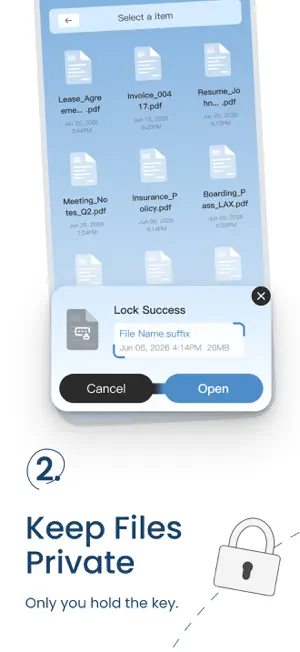
PDF Organizer - Files Protect PDF Organizer - Files Protect brings common PDF organization and editing tools into one place, making it easier to manage documents without switching between multiple apps. You can organize files with categories and color tags, combine or extract PDF pages, recognize text with OCR, and add annotations while reviewing documents. Organize Documents Your Way Create custom categories for different types of documents and use color tags to mark files that are important or need attention. This gives you a clearer way to manage PDFs such as receipts, notes, reports, forms, study materials, and personal documents instead of keeping everything in one long file list. Combine and Extract PDF Pages When several documents belong together, merge them into a single PDF for easier storage or sharing. If you only need part of a larger document, select the pages you want and extract them into a separate PDF. These tools make it easier to prepare documents without repeatedly creating new files or moving between different PDF utilities. Recognize Text with OCR Use OCR to recognize text from supported images and PDF pages. This can be useful when you want to reuse text from scanned documents, screenshots, notes, receipts, or other image-based content without typing it again manually. Read and Annotate PDFs Review documents and add markings directly to the page. You can highlight important content, underline text, or draw on PDF pages while reading. Designed for Everyday Documents Whether you're sorting personal files, reviewing a PDF, preparing pages to share, or extracting text from a scanned document, PDF Organizer - Files Protect keeps common PDF tasks easy to access and straightforward to use. Core document operations are designed to work primarily on your device. File or camera access is requested only when needed for the actions you choose.
What’s new
Version 1.1.2 · Updated September 11, 2026
1.Improved stability and minor improvements.
App privacy
The developer, Fuzhou Yuhui Technology Co., Ltd., reported these privacy practices to Apple.
Data Used to Track You
The following data may be used to track you across apps and websites owned by other companies:
- Identifiers: Device ID
Data Not Linked to You
The following data, which may be collected but is not linked to your identity, may be used for the following purposes:
- Identifiers: Device ID
- Diagnostics: Crash Data, Performance Data
Used for: Third-Party Advertising, Analytics, App Functionality
Alternatives to PDF Organizer - Files Protect
Looking for apps like PDF Organizer - Files Protect? Here are 6 similar apps on the App Store. The highest rated is ReadQR & Barcode Creator (5.0/5), and all 6 are free to download.
-
 PDF Expert Viewer
-
 ReadQR & Barcode Creator
5.0
-
 PDF ProX: PDF Reader & Editor
4.8
-
 PhotoSure
-
 PDF Reader - Viewer
4.7
-
 PDF Converter: Docs Scanner
5.0
| App | Rating | Price | Last updated | Compare |
|---|---|---|---|---|
| PDF Organizer - Files Protect | – | Free | September 11, 2026 | |
| PDF Expert Viewer | – | Free | Sep 20, 2026 | Compare |
| ReadQR & Barcode Creator | 5.0 / 5 (1) | Free | Sep 22, 2026 | Compare |
| PDF ProX: PDF Reader & Editor | 4.8 / 5 (4) | Free | Oct 7, 2026 | Compare |
| PhotoSure | – | Free | Sep 20, 2026 | Compare |
| PDF Reader - Viewer | 4.7 / 5 (66) | Free | Sep 22, 2026 | Compare |
| PDF Converter: Docs Scanner | 5.0 / 5 (4) | Free | Aug 11, 2026 | Compare |