

Colorbits - Paint by Number
Cleveroad OU Games iPhoneiPadiPod touch
Colorbits - Paint by Number is a free Games app for iPhone and iPad by Cleveroad OU. Requires iOS 15.0. Updated September 16, 2026.
- Price
- Free
- on the App Store
- Size
- 51 MB
- Age 4+
- Updated
- Sep 16
- 2026 · v1.0.3
Screenshots
About Colorbits - Paint by Number
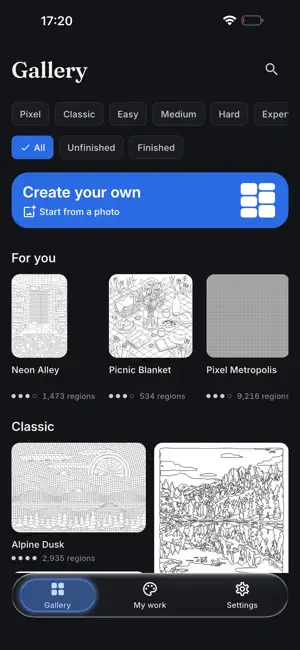
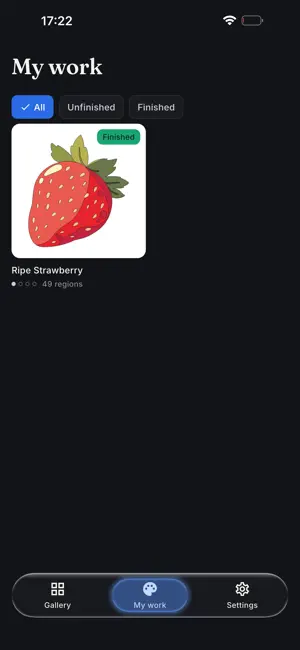
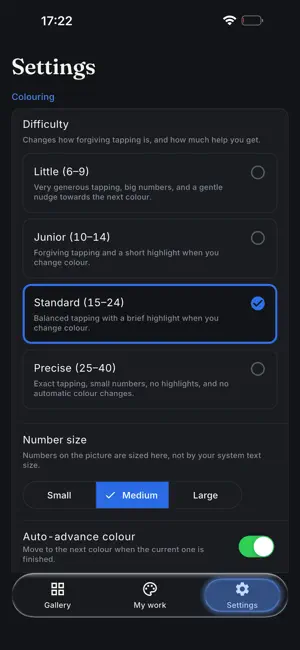
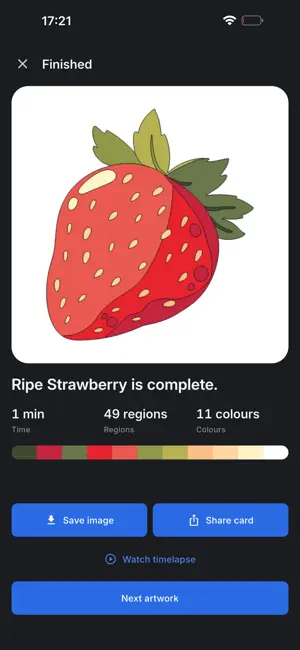
Colorbits turns numbered pictures into quiet, satisfying coloring sessions. Pick a shade, tap the matching regions, and watch the artwork appear on a canvas that stays perfectly smooth, even on pieces with thousands of shapes. It works fully offline, and there are no ads anywhere. FOR ADULTS - Symmetrical patterns, ornaments, art deco botanicals, and night city scenes with up to 4,000 regions - A precision magnifier lifts above your finger, so tiny shapes are easy to hit - Dark theme and gentle haptics for late-night sessions - Save finished pieces as sharp 2048 px images or share a completion card FOR KIDS - Bigger numbers, forgiving taps, and a small celebration for every finished shade - Wrong taps are never punished: a gentle shake, and you keep going - Four difficulty levels, from age 6 up, switchable any time - No chat, no purchases, and no links to tap by accident TURN YOUR PHOTOS INTO COLORING PAGES - Convert any photo into numbered art, entirely on your iPhone - Pick pixel or classic style, 12 to 48 colors, and three detail levels - Your photos never leave your device - Recolor the same photo with new settings whenever you like PIXEL ART AND CLASSIC PAGES - 20 original artworks included, all open from the first launch - Crisp pixel grids, from quick 24x24 sprites to a 96x96 night city - Classic pages that feel like a printed coloring book - Progress saves as you go, so you can close mid-piece and resume days later MADE TO BE CALM - No ads, no accounts, and no tracking of any kind - Offline in the full sense: it never needs a connection - Color-blind friendly, with patterns and color names on every swatch - Finish a piece, then replay it as a timelapse and share the result Every tap answers instantly with a soft tick and a spreading fill. Fill quickly and the sounds climb a musical scale. Small things, but they are why sessions run long. One app for the whole family: a seven-year-old and a night-owl adult can color side by side, each with a difficulty setting that fits, and neither feels the app was made for the other. Download Colorbits and make coloring your calmest few minutes of the day. No signup, no waiting: just pick a picture and start.
App privacy
The developer, Cleveroad OU, reported these privacy practices to Apple.
Data Not Linked to You
The following data, which may be collected but is not linked to your identity, may be used for the following purposes:
- Location: Coarse Location
- Identifiers: Device ID
- Usage Data: Product Interaction
- Diagnostics: Crash Data, Performance Data, Other Diagnostic Data
Used for: Analytics
Alternatives to Colorbits - Paint by Number
Looking for apps like Colorbits - Paint by Number? Here are 6 similar apps on the App Store. The highest rated is Just Color by Number (5.0/5), and all 6 are free to download.
-
 Play a level
-
 Just Color by Number
5.0
Just Color by Number
5.0
-
 SnapPaint: Paint by Number
4.4
SnapPaint: Paint by Number
4.4
-
 Carcassonne Scoring
-
 Dropzle: Water Sort Offline
3.7
Dropzle: Water Sort Offline
3.7
-
 Pixel Paint: Color & Create
5.0
Pixel Paint: Color & Create
5.0
| App | Rating | Price | Last updated | Compare |
|---|---|---|---|---|
| Colorbits - Paint by Number | – | Free | September 16, 2026 | |
| Play a level | – | Free | May 14, 2026 | Compare |
| Just Color by Number | 5.0 / 5 (5) | Free | Sep 10, 2026 | Compare |
| SnapPaint: Paint by Number | 4.4 / 5 (13) | Free | Sep 29, 2026 | Compare |
| Carcassonne Scoring | – | Free | Sep 7, 2026 | Compare |
| Dropzle: Water Sort Offline | 3.7 / 5 (3) | Free | Oct 15, 2026 | Compare |
| Pixel Paint: Color & Create | 5.0 / 5 (2) | Free | Oct 25, 2026 | Compare |