

Mail Organizer
Yongyanganfeng (Beijing) Technology Co., Ltd. Productivity iPhoneiPadiPod touch
Mail Organizer is a free Productivity app for iPhone and iPad by Yongyanganfeng (Beijing) Technology Co., Ltd. Requires iOS 17. Updated August 24, 2026.
- Price
- Free
- on the App Store
- Size
- 18 MB
- Age 4+
- Updated
- Aug 24
- 2026 · v1.0.1
Screenshots
Save to Pinterest

About Mail Organizer
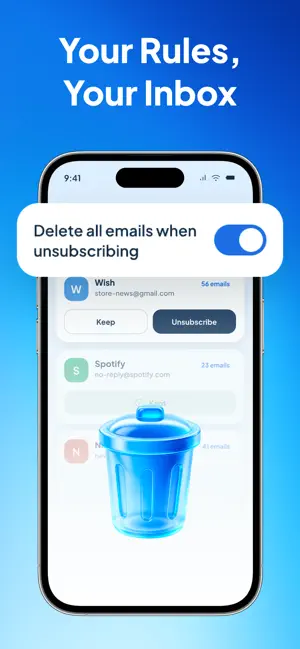
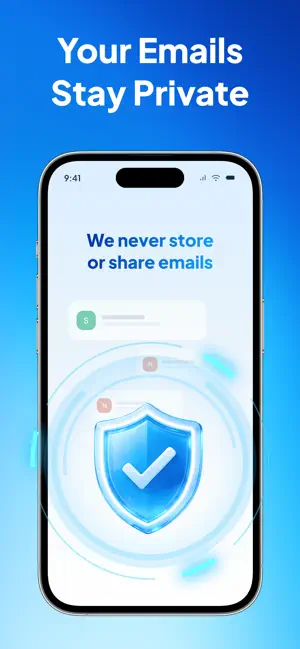
This app helps you take control of your email inbox. Sign in with your email account, scan your inbox by sender, keep the senders you care about, and unsubscribe from the rest using email filter rules. Everything happens on your own account, and you can manage or undo your choices at any time. AI-assisted inbox scan The built-in scan groups emails by sender and shows results as it runs, so you can see which senders fill your inbox without waiting for the whole scan to finish. Keep important senders Add a sender to your keep list with one action. Kept senders are stored locally on your device and are not shown in later scan results. Unsubscribe with email filters For senders you no longer want, this app creates a email filter rule and records it locally, so future emails from that sender are filtered out. In the same step, you can choose whether to delete all existing emails from that sender. One switch for deletion preference A global switch in the in-app settings panel controls whether unsubscribing also deletes all existing emails from that sender. The switch is on by default, so deletion happens right away without a second confirmation. Turn it off if you prefer to review before deleting. App settings From the settings screen, you can rate the app, share it, manage EU data preferences, and open the privacy policy and terms of service. You can sign out of your email account at any time. Note: This app uses AI to assist with scanning and grouping emails by sender. AI processing is limited to organizing the inbox view and does not generate content. Data & permission notice: This app requires access to your email account to display, filter, and manage your emails. Keep lists and unsubscribe records are stored locally on your device. You can sign out or revoke access at any time through your email account settings.
App privacy
The developer, Yongyanganfeng (Beijing) Technology Co., Ltd., reported these privacy practices to Apple.
Data Linked to You
The following data, which may be collected and linked to your identity, may be used for the following purposes:
- Identifiers: Device ID
- Other Data: Other Data Types
Used for: Analytics, App Functionality
Data Not Linked to You
The following data, which may be collected but is not linked to your identity, may be used for the following purposes:
- Usage Data: Product Interaction
- Diagnostics: Crash Data, Performance Data, Other Diagnostic Data
Used for: Analytics, App Functionality
Alternatives to Mail Organizer
Looking for apps like Mail Organizer? Here are 6 similar apps on the App Store.
-
 Clearly-You
-
 Performika
-
 CampaignAI : Email Marketing
-
 Flick: Swipe Email Cleaner
-
 OH HAI — Agent Inbox
-
 Art Browser.
| App | Rating | Price | Last updated | Compare |
|---|---|---|---|---|
| Mail Organizer | – | Free | August 24, 2026 | |
| Clearly-You | – | Free | Nov 6, 2026 | Compare |
| Performika | – | Free | Jul 2, 2026 | Compare |
| CampaignAI : Email Marketing | – | Free | Oct 5, 2026 | Compare |
| Flick: Swipe Email Cleaner | – | Free | Sep 19, 2026 | Compare |
| OH HAI — Agent Inbox | – | Free | Sep 22, 2026 | Compare |
| Art Browser. | – | Free | Nov 25, 2026 | Compare |
Compare Mail Organizer with the top alternatives: ratings, updates, ASO score and keyword gaps →