

Neylo: Film Photo Editor
NIL AMBER UGUR Photo & Video iPhoneiPadiPod touch
Neylo: Film Photo Editor is a free Photo & Video app for iPhone and iPad by NIL AMBER UGUR. Requires iOS 16.4. Updated September 15, 2026.
- Price
- Free
- on the App Store
- Size
- 119 MB
- Age 4+
- Updated
- Sep 15
- 2026 · v1.0.2
Screenshots

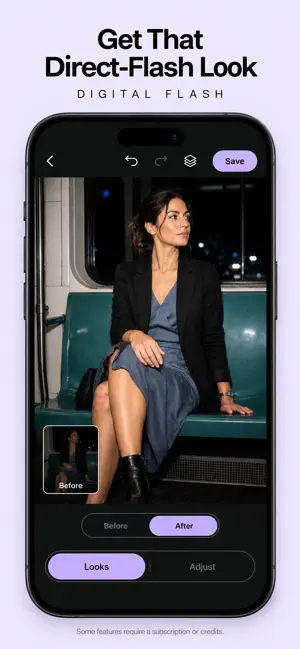


About Neylo: Film Photo Editor
Neylo is a thoughtful photo editor for turning everyday photos into images with a point of view. Start with film-inspired looks, soft grain, cinematic color, and direct-flash effects. Build a mood with analog, vintage, black-and-white, warm, cool, and evening styles, then fine-tune the result with light, color, detail, blur, crop, and canvas tools. Make portraits feel more considered with private on-device beauty, relighting, and depth adjustments. When a photo needs a bigger change, use AI tools for relighting, backlight correction, digital flash, refocus, object removal, and creative effects. Create something more expressive with AI remakes. Turn one photo into an editorial collage, a street-art composition, a cinematic night scene, a floral water world, a pop-art outline, or another carefully art-directed transformation. Add more reference photos when a recipe can benefit from them. Neylo gives you a focused set of creative tools without making every edit feel like a template. Save the finished image to your photo library and keep your favorite results close. Neylo is made for portraits, outfit photos, travel memories, night shots, social posts, and anyone who wants a more distinctive finish. Some tools and effects may require a subscription or credits. Legal To use this app, you must agree to Apple’s End User License Agreement (EULA): https://www.apple.com/legal/internet-services/itunes/dev/stdeula/
What’s new
Version 1.0.2 · Updated September 15, 2026
Makes paid AI looks more reliable in the editor, makes Retake clearer on Home, and polishes the paywall and Settings.
App privacy
The developer, NIL AMBER UGUR, reported these privacy practices to Apple.
Data Used to Track You
The following data may be used to track you across apps and websites owned by other companies:
- Identifiers: Device ID
Data Linked to You
The following data, which may be collected and linked to your identity, may be used for the following purposes:
- Purchases: Purchase History
- Identifiers: User ID
- Usage Data: Product Interaction
- Other Data: Other Data Types
- User Content: Photos or Videos, Customer Support, Other User Content
Used for: Analytics, App Functionality
Data Not Linked to You
The following data, which may be collected but is not linked to your identity, may be used for the following purposes:
- Identifiers: Device ID
Used for: Third-Party Advertising, Analytics, App Functionality