

Whenever: Tasks & Focus
Trifon Baciu Productivity iPhoneiPadiPod touch
Whenever: Tasks & Focus is a free Productivity app for iPhone and iPad by Trifon Baciu. Requires iOS 17.0. Updated October 10, 2026.
- Price
- Free
- on the App Store
- Size
- 15 MB
- Age 4+
- Updated
- Oct 10
- 2026 · v1.3.0
Screenshots


About Whenever: Tasks & Focus
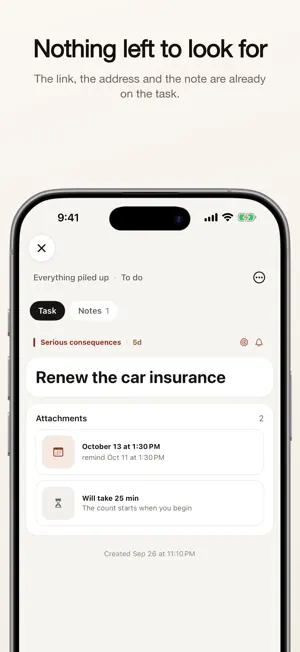
Stop carrying your tasks in your head. Whenever helps you focus on what actually matters — not just what's due soonest. Most to-do apps drown you in deadlines. Whenever works differently: every task gets sorted by priority, not just by date, so you always know what to do first — even when nothing has a due date at all. PRIORITIES INSTEAD OF DEADLINES Sort every task into one of four priorities: urgent & important, important but not urgent, urgent but not important, or neither. See at a glance what actually deserves your attention today. FOCUS ON TODAY Pull a handful of tasks into Focus and work through them one at a time — no overwhelming lists, just what you decided matters right now. HONEST TIME TRACKING Set a time estimate before you start, then see exactly how long a task really took. No guessing, no self-deception — just an honest record of your own pace. EVERYTHING IN ONE PLACE Attach links, addresses, images, and usernames directly to any task. Add notes with Markdown formatting. Everything you need to get something done lives right where the task is. MULTIPLE BOARDS Separate work, home, and personal projects into their own boards. Switch between them in a tap. YOUR DATA STAYS YOURS All your tasks and notes are stored locally on your device. No account required, no ads, no tracking. Available in English, Russian, Romanian, and French. Whenever offers optional auto-renewing subscriptions for extended features. Subscription pricing and terms are shown before purchase. Terms of Use (EULA): https://baciutrifon.github.io/whenever-site/terms.html Privacy Policy: https://baciutrifon.github.io/whenever-site/privacy.html
What’s new
Version 1.3.0 · Updated October 10, 2026
Priority in two questions The matrix is gone; ABCDE takes its place. When you create a task, two questions: who will do it, and what happens if it's not done. The answers set the level from A to E. Tasks created earlier stay without a priority until you pick one. Clearer reminders A notification now shows the task's name and when it's due: "Due tomorrow at 6:00 PM". Tap it to open the task. What's alive stays on top Tasks on a board are ordered by how recently and how often you come back to them. Four levels — At hand, In play, Cooling off, Untouched for a while — and a filter for each. Tabs: All, To do, In progress, Done. Four sections side by side Home, Boards, Deadlines and Shares share one menu at the bottom. Swipe from section to section the same way you swipe between board columns. Contact and email Two new attachments: a person from your contacts and an email address. You can now pick the board right while creating a task. Search everything A word is found in notes, links, addresses, contacts, file names and even in text on pictures. Each result shows where it matched, highlighted. Statistics in five questions Am I making progress? Doing what matters? Meeting deadlines? Am I consistent? What have I dropped? Home shows what you've done in 7 days. Small things that got in the way • Drag a card to another column — a panel appears at the bottom • New tasks are marked NEW until you open them • Dates and times follow your phone settings, including 12- or 24-hour • "Done" on a task with no text no longer does nothing — you get a hint • An iCloud backup restores even if the file isn't downloaded yet • Overdue tasks leave "Ahead" the minute they're due
App privacy
The developer, Trifon Baciu, reported these privacy practices to Apple.
Data Not Linked to You
The following data, which may be collected but is not linked to your identity, may be used for the following purposes:
- Purchases: Purchase History
Used for: App Functionality
Alternatives to Whenever: Tasks & Focus
Looking for apps like Whenever: Tasks & Focus? Here are 6 similar apps on the App Store. The highest rated is TimeBlocks: Work Journal (5.0/5), and all 6 are free to download.
-
 Chronicle - Work Journal
-
 TimeBlocks: Work Journal
5.0
TimeBlocks: Work Journal
5.0
-
 Mandala Goal: 3x3 & 9x9 Grid
-
 Goat Tasks: To-Do List Planner
5.0
Goat Tasks: To-Do List Planner
5.0
-
 StreaksTrack - Habit Tracker
5.0
StreaksTrack - Habit Tracker
5.0
-
 Quicknotes - Catch
4.8
Quicknotes - Catch
4.8
| App | Rating | Price | Last updated | Compare |
|---|---|---|---|---|
| Whenever: Tasks & Focus | – | Free | October 10, 2026 | |
| Chronicle - Work Journal | – | Free | Apr 13, 2026 | Compare |
| TimeBlocks: Work Journal | 5.0 / 5 (2) | Free | Oct 6, 2026 | Compare |
| Mandala Goal: 3x3 & 9x9 Grid | – | Free | Sep 22, 2026 | Compare |
| Goat Tasks: To-Do List Planner | 5.0 / 5 (2) | Free | Aug 11, 2026 | Compare |
| StreaksTrack - Habit Tracker | 5.0 / 5 (2) | Free | May 27, 2026 | Compare |
| Quicknotes - Catch | 4.8 / 5 (5) | Free | Aug 24, 2026 | Compare |