

PDF Scanner: Scan Docs & PDF
Mayur Sutariya Utilities iPhoneiPadiPod touch
PDF Scanner: Scan Docs & PDF is a free Utilities app for iPhone and iPad by Mayur Sutariya. Requires iOS 17.6. Updated September 29, 2026.
- Price
- Free
- on the App Store
- Size
- 46 MB
- Age 12+
- Updated
- Sep 29
- 2026 · v1.2
Screenshots



About PDF Scanner: Scan Docs & PDF
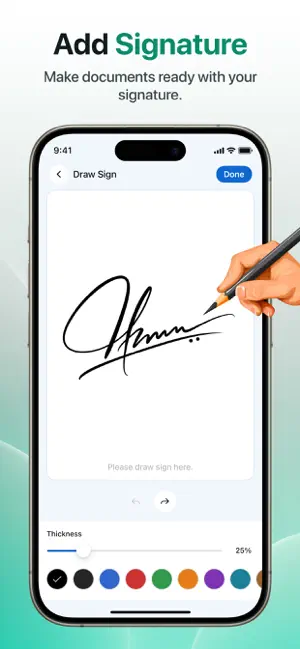
PDF Scanner: Scan Docs & PDF turns your phone into a convenient document scanning and PDF tool. Scan documents, adjust your scans, add signatures, and keep your files organized in one place. Need a simple way to digitize your documents? Capture documents with your camera, improve their appearance, add your signature, and save your scans as organized digital files. KEY FEATURES Document Scanner — Capture documents quickly using your camera and scan pages with ease Scan to PDF — Turn scanned documents into PDF files for convenient storage and sharing Scan & Adjust — Crop your scans, adjust the selected area, and improve the appearance of your documents Filters & Colours — Apply different filters and choose suitable colours to make scanned documents clearer Add Signature — Create your signature and place it on your scanned documents when needed Draw & Annotate — Add drawings, text, and other available annotations directly to your scanned documents Document Management — View your saved documents, organize your files, and access them easily from the app QR Code Scanner — Scan QR codes using your device camera Barcode Scanner — Scan barcodes and view the information detected from them Merge PDF — Combine multiple PDF files into a single document for easier management Split PDF — Split PDF files into separate documents or pages as needed SIMPLE DOCUMENT WORKFLOW Capture your document, adjust the scan, add a signature or annotation when needed, and save your finished document as a PDF. KEEP YOUR DOCUMENTS ORGANIZED Store your scanned documents in one place and manage them easily whenever you need to view or access your files. Scan. Edit. Sign. Save. Everything you need for everyday document scanning in one simple app. Privacy Policy: https://sites.google.com/view/varnipdfscannerpp/home User Agreement: https://sites.google.com/view/varnipdfscannerua/home Terms of Use (EULA): https://www.apple.com/legal/internet-services/itunes/dev/stdeula/
What’s new
Version 1.2 · Updated September 29, 2026
• Improved overall app performance. • Fixed minor bugs for a smoother experience. • Enhanced compatibility and stability.
App privacy
The developer, Mayur Sutariya, reported these privacy practices to Apple.
Data Used to Track You
The following data may be used to track you across apps and websites owned by other companies:
- Identifiers: Device ID
- Usage Data: Advertising Data
Data Not Linked to You
The following data, which may be collected but is not linked to your identity, may be used for the following purposes:
- Identifiers: Device ID
- Usage Data: Advertising Data, Other Usage Data
Used for: Third-Party Advertising, Analytics, App Functionality
Alternatives to PDF Scanner: Scan Docs & PDF
Looking for apps like PDF Scanner: Scan Docs & PDF? Here are 6 similar apps on the App Store. The highest rated is SnapClean:Quick Clean (4.7/5), and all 6 are free to download.
-
 PDF Documents Scanner
-
 PDF Converter: Docs Scanner
4.3
-
 SnapClean:Quick Clean
4.7
-
 Docs Scanner - PDF Convert
4.5
-
 PixelQR Scan
3.8
-
 File & Photo Recovery
3.6
| App | Rating | Price | Last updated | Compare |
|---|---|---|---|---|
| PDF Scanner: Scan Docs & PDF | – | Free | September 29, 2026 | |
| PDF Documents Scanner | – | Free | Oct 28, 2026 | Compare |
| PDF Converter: Docs Scanner | 4.3 / 5 (6) | Free | Nov 3, 2026 | Compare |
| SnapClean:Quick Clean | 4.7 / 5 (9) | Free | Nov 3, 2026 | Compare |
| Docs Scanner - PDF Convert | 4.5 / 5 (11) | Free | Oct 31, 2026 | Compare |
| PixelQR Scan | 3.8 / 5 (11) | Free | Aug 22, 2026 | Compare |
| File & Photo Recovery | 3.6 / 5 (36) | Free | Sep 29, 2026 | Compare |