

Screen Recorder: Audio & Video
Mayur Sutariya Utilities iPhoneiPadiPod touch
Screen Recorder: Audio & Video is a free Utilities app for iPhone and iPad by Mayur Sutariya. Requires iOS 17.6. Updated October 7, 2026.
- Price
- Free
- on the App Store
- Size
- 97 MB
- Age 12+
- Updated
- Oct 7
- 2026 · v1.1
Screenshots


About Screen Recorder: Audio & Video
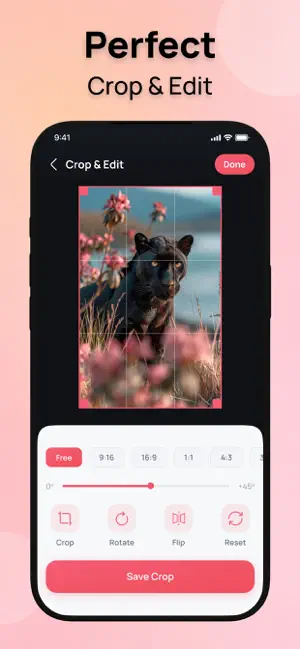
Screen Recorder: Audio & Video makes it simple to capture your screen, create engaging videos, and manage your recordings in one convenient app. Whether you want to record your screen, create a reaction video, add commentary, or optimize your recordings, Screen Recorder provides essential tools in a clean and easy-to-use experience. Screen Recording Capture your screen whenever you need to create a video or save important on-screen activity. Start recording quickly and manage your recordings with ease. Create Reaction Videos Turn your screen recordings into engaging reaction videos. Select a video from your device, add your reaction, and create content in a simple workflow. Add Commentary Create commentary videos by combining your content with your own reactions and thoughts. A straightforward way to make more engaging video content. Compress Videos Reduce video file size when you need more manageable recordings. Choose your preferred compression settings and optimize videos with ease. Recording History Keep your created recordings organized in one place. Browse your recording history and quickly access previously created videos. What You Can Do • Record your screen with audio and video • Create reaction videos • Add commentary to your content • Crop videos for a cleaner frame • Compress recordings to reduce file size • Access previous recordings through History Create screen recordings, reaction videos, and commentary content with the essential tools you need—all in one place. Privacy Policy: https://sites.google.com/view/varniscreenrecordpp/home User Agreement: https://sites.google.com/view/varniscreenrecordua/home Terms of Use (EULA): https://www.apple.com/legal/internet-services/itunes/dev/stdeula/
What’s new
Version 1.1 · Updated October 7, 2026
• Improved overall app performance. • Fixed minor bugs for a smoother experience. • Enhanced compatibility and stability.
App privacy
The developer, Mayur Sutariya, reported these privacy practices to Apple.
Data Used to Track You
The following data may be used to track you across apps and websites owned by other companies:
- Identifiers: Device ID
- Usage Data: Advertising Data
Data Not Linked to You
The following data, which may be collected but is not linked to your identity, may be used for the following purposes:
- Identifiers: Device ID
- Usage Data: Advertising Data, Other Usage Data
Used for: Third-Party Advertising, Analytics, App Functionality
Alternatives to Screen Recorder: Audio & Video
Looking for apps like Screen Recorder: Audio & Video? Here are 6 similar apps on the App Store. The highest rated is Mic-Lock (5.0/5), and all 6 are free to download.


| App | Rating | Price | Last updated | Compare |
|---|---|---|---|---|
| Screen Recorder: Audio & Video | – | Free | October 7, 2026 | |
| Spending Rate | – | Free | Jun 30, 2026 | Compare |
| Mic-Lock | 5.0 / 5 (2) | Free | Jun 2, 2026 | Compare |
| Screen Rec* | – | Free | May 27, 2026 | Compare |
| BB SEMS | – | Free | Mar 10, 2026 | Compare |
| VoltScope: Battery Monitor | – | Free | Sep 11, 2026 | Compare |
| Text Enhancer | – | Free | May 27, 2025 | Compare |