

Snipper: Screenshot Tool
SUPER KIM KIMYA VE TEKSTIL SANAYI TICARET LIMITED SIRKETI Productivity iPhoneiPadiPod touchMac
Snipper: Screenshot Tool is a free Productivity app for iPhone and iPad by SUPER KIM KIMYA VE TEKSTIL SANAYI TICARET LIMITED SIRKETI. Requires iOS 16.0.
- Price
- Free
- on the App Store
- Size
- 7 MB
- Age 4+
- Updated
- Oct 9
- 2026 · v1.0.1
Screenshots
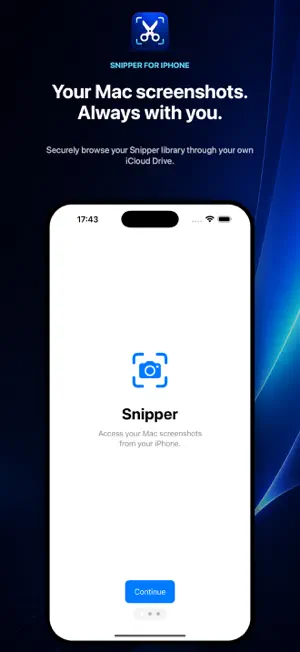


About Snipper: Screenshot Tool
Your Mac screenshots, ready on iPhone. Snipper for iPhone securely brings the screenshots you capture with Snipper on Mac into a fast, native gallery through your own iCloud Drive. FAST ICLOUD GALLERY • See new Mac screenshots on iPhone • Search by filename or capture date • Refresh with a simple pull • Choose a 2, 3, or 4-column layout VIEW THE ORIGINAL • Open the full-resolution screenshot • Pinch to zoom and inspect every detail • Save directly to Photos • Share through any app on your iPhone PRIVATE BY DESIGN Your screenshots remain on your devices and in your personal iCloud Drive. Snipper does not require an account. During the seven-day free trial, the iPhone and iPad app displays Google AdMob banner ads in the gallery. Lifetime-unlocked users do not see ads. Google UMP presents consent choices where required; privacy choices are in the gallery menu. Google may collect device identifiers, approximate location, ad interactions, diagnostics, and performance data for advertising and measurement. Screenshot contents are not used as ad content. See our Privacy Policy for details. SNIPPER PRO Try every feature free for 7 days. After that, unlock Snipper Pro permanently for a one-time $2.99 purchase. There is no subscription or recurring charge. The same purchase unlocks Snipper on Mac and iPhone when you use the same Apple Account. Requirements: iCloud Drive and Snipper for Mac with iCloud Sync enabled. Terms of Use (EULA): https://www.apple.com/legal/internet-services/itunes/dev/stdeula/
What’s new
Version 1.0.1 · Updated October 9, 2026
Improves the advertising consent flow and the App Tracking Transparency request at launch.
App privacy
The developer, SUPER KIM KIMYA VE TEKSTIL SANAYI TICARET LIMITED SIRKETI, reported these privacy practices to Apple.
Data Used to Track You
The following data may be used to track you across apps and websites owned by other companies:
- Identifiers: Device ID
Data Linked to You
The following data, which may be collected and linked to your identity, may be used for the following purposes:
- Location: Coarse Location
- Identifiers: Device ID
- Usage Data: Product Interaction, Advertising Data
Used for: Third-Party Advertising, Developer’s Advertising or Marketing, Analytics, App Functionality
Data Not Linked to You
The following data, which may be collected but is not linked to your identity, may be used for the following purposes:
- Diagnostics: Performance Data, Other Diagnostic Data, Crash Data
Used for: Third-Party Advertising, Developer’s Advertising or Marketing, Analytics, App Functionality
Alternatives to Snipper: Screenshot Tool
Looking for apps like Snipper: Screenshot Tool? Here are 6 similar apps on the App Store. The highest rated is Auto Scroll PDF (5.0/5), and all 6 are free to download.
-
 Snippety - Snippets Manager
4.8
Snippety - Snippets Manager
4.8
-
 SnipNotes Notebook & Clipboard
4.7
SnipNotes Notebook & Clipboard
4.7
-
 Auto Scroll PDF
5.0
Auto Scroll PDF
5.0
-
 Annotate: Screenshot Markup
4.8
Annotate: Screenshot Markup
4.8
-
 PDB ePTW+
-
 AI Nav
| App | Rating | Price | Last updated | Compare |
|---|---|---|---|---|
| Snipper: Screenshot Tool | – | Free | October 9, 2026 | |
| Snippety - Snippets Manager | 4.8 / 5 (72) | Free | Oct 21, 2026 | Compare |
| SnipNotes Notebook & Clipboard | 4.7 / 5 (245) | Free | Oct 26, 2026 | Compare |
| Auto Scroll PDF | 5.0 / 5 (1) | Free | Oct 26, 2026 | Compare |
| Annotate: Screenshot Markup | 4.8 / 5 (8) | Free | Oct 24, 2026 | Compare |
| PDB ePTW+ | – | Free | Jan 10, 2024 | Compare |
| AI Nav | – | Free | Jun 30, 2026 | Compare |