

Queue Focus: Tasks One by One
亦南 潘 Productivity iPhoneiPadiPod touch
Queue Focus: Tasks One by One is a free Productivity app for iPhone and iPad by 亦南 潘. Rated 5.0/5 from 1 ratings. Requires iOS 18.0. Updated October 3, 2026.
- Rating
- 5.0
- 1 ratings
- Price
- Free
- on the App Store
- Size
- 8 MB
- Age 4+
- Updated
- Oct 3
- 2026 · v1.5
Screenshots
About Queue Focus: Tasks One by One
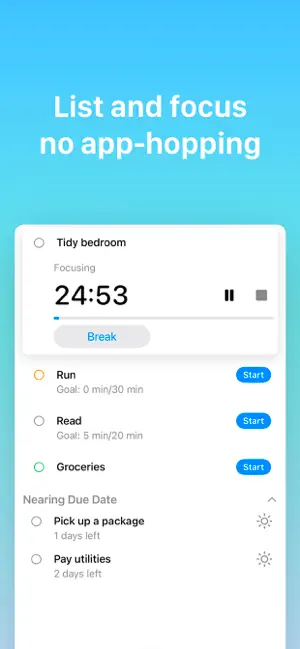
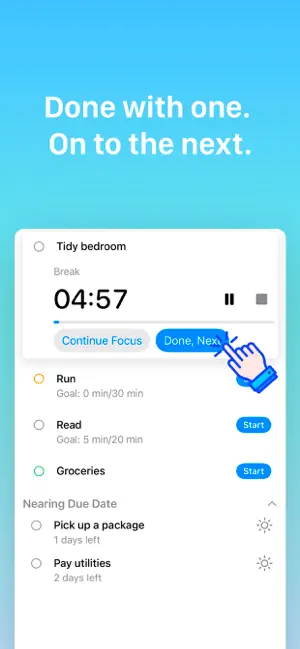
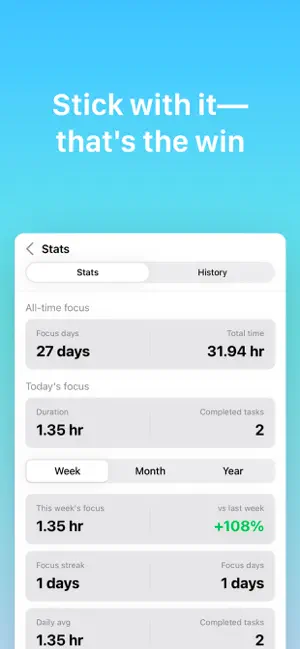
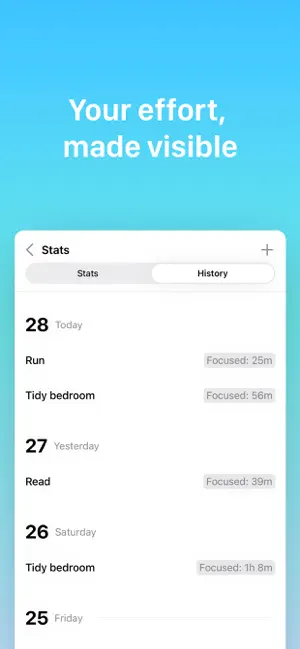
Queue Focus brings task planning and a focus timer into one simple flow: plan today, choose one task, focus, finish, and move forward. Instead of switching between a to-do app and a timer, build a clear Today queue and act on it. When a task is done, tap Done, Next and keep your momentum. Lists are more than categories—they can represent the context you want to focus on. Create a Grocery list for milk, bread, and eggs. Create a Travel list for clothes, a charger, a wallet, and your passport. Switch lists to bring your attention back to what you are doing now. PLAN TODAY • Build and reorder a focused Today queue; batch-select to move or delete • Start a focus session from a task; set any focus and break duration • Pause, take a break, finish, and move to what’s next • See upcoming dues on Today; undo a completed task shortly after • Get local notifications when focus or break time ends FOCUS ON THE CURRENT CONTEXT • Create colored lists for shopping, travel, work, or daily routines • Filter by list and see only what matters now • Add planned dates, deadlines, and Important flags • Browse the month in Calendar, jump to a day, and batch-reschedule BUILD YOUR FOCUS RHYTHM • A clean Pomodoro-style focus timer • Focus stats for week / month / year and about seven days of Focus History from Today • Control focus from Lock Screen and Dynamic Island Live Activities • Free Home Screen widgets for Today and interactive Focus • No extra account—tasks and sessions stay on your device; with Pro, sync across devices with Apple iCloud QUEUE FOCUS PRO • Unlimited custom lists • Unlimited recurring tasks • Unlimited focus goals on tasks • iCloud sync • Longer focus history • Edit and add focus history Core task management (including batch), Today focus at any duration, up to 3 custom lists, up to 3 recurring tasks, up to 3 tasks with focus goals, Home Screen widgets, Focus Stats (week / month / year), about seven days of Focus History, Calendar month view, and upcoming dues remain free. SUBSCRIPTION DETAILS • Pro Monthly — one-month period, renews automatically • Pro Yearly — one-year period, renews automatically • Pro Lifetime — one-time purchase, never renews Prices are shown in the app and charged to your Apple Account. Subscriptions renew at the same price unless canceled at least 24 hours before the end of the current period. Manage or cancel anytime in Settings → Apple Account → Subscriptions. Privacy Policy: https://doneandnext.com/privacy/ Terms of Use: https://doneandnext.com/terms/ Queue Focus is for anyone who wants less switching and more finishing—one task at a time.
What’s new
Version 1.5 · Updated October 3, 2026
• Bug fixes
App privacy
The developer, 亦南 潘, reported these privacy practices to Apple.
Data Not Collected
The developer does not collect any data from this app.
Alternatives to Queue Focus: Tasks One by One
Looking for apps like Queue Focus: Tasks One by One? Here are 6 similar apps on the App Store. The highest rated is One Job - One Task at a Time (5.0/5), and all 6 are free to download.
-
 One Job - One Task at a Time
5.0
One Job - One Task at a Time
5.0
-
 Image Converter: PDF JPEG HEIC
5.0
Image Converter: PDF JPEG HEIC
5.0
-
 Topmost: Simplest To-Do List
-
 SnapNote - 极简记录灵感
-
 ticks: offline browser
-
 Watermelon: AI Sticky Notes
5.0
Watermelon: AI Sticky Notes
5.0
| App | Rating | Price | Last updated | Compare |
|---|---|---|---|---|
| Queue Focus: Tasks One by One | 5.0 / 5 (1 rating) | Free | October 3, 2026 | |
| One Job - One Task at a Time | 5.0 / 5 (1) | Free | Sep 14, 2026 | Compare |
| Image Converter: PDF JPEG HEIC | 5.0 / 5 (1) | Free | Sep 17, 2026 | Compare |
| Topmost: Simplest To-Do List | – | Free | Sep 24, 2026 | Compare |
| SnapNote - 极简记录灵感 | – | Free | Mar 3, 2026 | Compare |
| ticks: offline browser | – | Free | Aug 14, 2025 | Compare |
| Watermelon: AI Sticky Notes | 5.0 / 5 (4) | Free | Sep 12, 2026 | Compare |