

Mermaid Live Editor - AI Chart
小玲 王 Utilities iPhoneiPadiPod touch
Mermaid Live Editor - AI Chart is a free Utilities app for iPhone and iPad by 小玲 王. Requires iOS 15.0. Updated October 2, 2026.
- Price
- Free
- on the App Store
- Size
- 23 MB
- Age 4+
- Updated
- Oct 2
- 2026 · v1.1.0
Screenshots


About Mermaid Live Editor - AI Chart
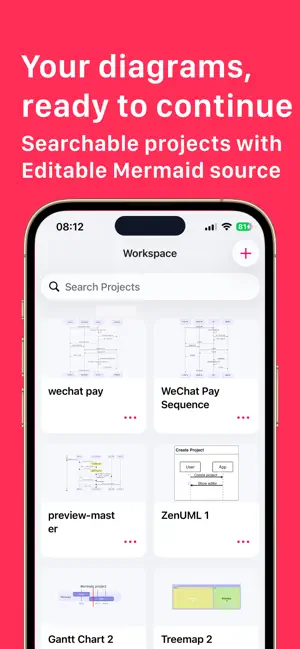
Mermaid Live Editor - AI Chart is a focused Mermaid workspace for iPhone and iPad. Turn plain text into clear diagrams wherever an idea starts: while documenting an API, mapping a user journey, planning a release, explaining an architecture, or sketching a flow with a team. Create a project, write Mermaid code, and see the result on a live interactive canvas. With Mermaid Live Editor - AI Chart, you can: - Create and organize Mermaid projects in a searchable workspace - Start from an empty file or a purpose-built template - Work with flowcharts, sequence diagrams, class diagrams, state diagrams, E-R diagrams, Gantt charts, mind maps, timelines, Git graphs, C4 diagrams, Sankey diagrams, radar charts, architecture diagrams, and more - Edit Mermaid source with line numbers, touch-friendly quick keys, bracket completion, and fast code copy - See live rendering as you edit, with a manual preview action when you want to focus on the result - Pan, pinch to zoom, and double-tap to fit complex diagrams on the canvas - Choose Mermaid themes including default, neutral, dark, forest, and base - Choose classic, hand-drawn, or neo looks for supported flowcharts and state diagrams - Tap a node to adjust label, shape, fill, stroke, text color, and line style - Import Mermaid source files and keep each project as editable code - Export the current project as Mermaid code, PNG, or SVG - Browse automatic version history, inspect an earlier diagram, and restore it safely AI when you want it, control when you need it Describe the diagram you need and let AI create a structured Mermaid starting point. You can also ask AI to modify the code already in your editor. Mermaid Live Editor - AI Chart sends requests only through an AI provider you configure yourself. Add one or more providers, choose the model, set the order, and the app will try the next enabled provider if the first one fails. Supported configurable providers include OpenAI, Anthropic, Gemini, Grok, and compatible Sub2API services. AI features require your own API account and may be subject to the selected provider's terms, network availability, and usage charges. If you have any questions about the app, or requests for features you would like to see, just write a short review or use the button inside the app to contact me. Get more support on https://www.whalesgrowth.top Mermaid Pro Subscriptions You can subscribe for Mermaid Pro Subscriptions to all features and content offered for purchase within the app. Mermaid Pro offers subscriptions. The subscription prices are: (i) Monthly Subscription ($2.99 / Month) (ii) Yearly Subscription ($12.99 / Year) Payment will be charged to iTunes Account at confirmation of purchase. Subscriptions automatically renew unless auto-renew is turned off at least 24-hours before the end of the current period. Account will be charged for renewal within 24-hours prior to the end of the current period, and identify the cost of the renewal. Subscriptions may be managed by the user and auto-renewal may be turned off by going to the user's Account Settings after purchase. The prices are in US dollars. Pricing in other countries may vary and actual charges may be converted to your local currency depending on the country of residence. Any unused portion of a free trial period, if offered, will be forfeited when the user purchases a subscription to that publication, where applicable. Our app is functional without purchasing an Auto-Renewable subscription, and you can use all the unlocked content after the subscription expires. Q: How do I restore the subscriptions on new devices? A: You can tap the 'Restore' button on the subscription page. Privacy Policy: https://www.whalesgrowth.top/pp/ Terms of Service: https://www.whalesgrowth.top/tos/
What’s new
Version 1.1.0 · Updated October 2, 2026
- Bug fixes and improvements.
App privacy
The developer, 小玲 王, reported these privacy practices to Apple.
Data Not Collected
The developer does not collect any data from this app.
Alternatives to Mermaid Live Editor - AI Chart
Looking for apps like Mermaid Live Editor - AI Chart? Here are 6 similar apps on the App Store. The highest rated is PDF to Markdown Converter (2.0/5), and 5 of the 6 are free to download.
-
 Screenshot Organizer - Sweepy
-
 App Sitemap — FlowSnap
-
 CISSP Practice & Exam Prep
-
 PDF to Markdown Converter
2.0
PDF to Markdown Converter
2.0
-
 PetDiary - Pet Life Tracker
-
 中屹售后平台
| App | Rating | Price | Last updated | Compare |
|---|---|---|---|---|
| Mermaid Live Editor - AI Chart | – | Free | October 2, 2026 | |
| Screenshot Organizer - Sweepy | – | Free | Oct 24, 2026 | Compare |
| App Sitemap — FlowSnap | – | Free | Apr 20, 2026 | Compare |
| CISSP Practice & Exam Prep | – | Free | May 27, 2026 | Compare |
| PDF to Markdown Converter | 2.0 / 5 (1) | 3.99 USD | Aug 6, 2026 | Compare |
| PetDiary - Pet Life Tracker | – | Free | Oct 24, 2026 | Compare |
| 中屹售后平台 | – | Free | Oct 17, 2026 | Compare |