

TireScan AI: Tire Inspector
Ramesh Vodela Utilities iPhoneiPadiPod touch
TireScan AI: Tire Inspector is a free Utilities app for iPhone and iPad by Ramesh Vodela. Requires iOS 15.0. Updated September 28, 2026.
- Price
- Free
- on the App Store
- Size
- 45 MB
- Age 4+
- Updated
- Sep 28
- 2026 · v2.0.0
Screenshots


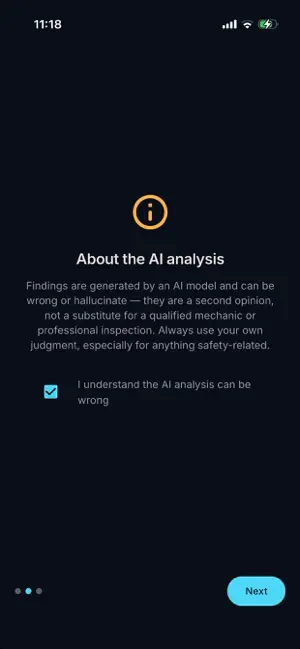

About TireScan AI: Tire Inspector
TireScan AI turns your phone into a tire inspector — no garage visit, no guesswork, no expertise required. Point your camera at a tire, follow three simple on-screen prompts, and TireScan AI's built-in AI analysis walks around the whole tire with you: tread wear and depth, sidewall bulges or cracking, uneven wear patterns that hint at an alignment problem, and an overall safety risk rating — all explained in plain language a non-mechanic can actually use. HOW IT WORKS 1. Capture — three guided photos: tread center, tread edge, and sidewall, so nothing gets missed. 2. Analyze — your chosen AI provider inspects the photos in seconds. 3. Report — get a clear, plain-language health report with a risk level and a recommendation for what to do next. WHY TIRESCAN AI • Bring your own AI key. Connect OpenAI, Anthropic (Claude), or Google Gemini with your own API key. Your key, your data, your control — nothing routes through our servers. • Share-ready PDF reports. Every completed inspection becomes a professional PDF — your photos included — ready to text to a mechanic, email to yourself, or keep as a maintenance record. • Privacy by design. Your photos, measurements, and history stay on your device. The only network requests are the AI analysis calls you personally trigger, sent directly to the provider you configured. • A growing platform. Preview upcoming hardware integrations — like Bluetooth tire pressure sensors and tread-depth scanners — right in the app, before they ever launch, and tell us what you'd like to see next. HONEST ABOUT AI AI analysis can be wrong or hallucinate. TireScan AI is designed to be a useful, honest second opinion — not a substitute for a qualified mechanic or professional inspection. Always verify a safety-relevant finding before acting on it. PRICING Try every feature free for 1 day. After that, continue for just $4.99/year — no separate premium tier, no feature paywalls, everything unlocked. Download TireScan AI and give every tire a second opinion before it becomes a roadside surprise. TireScan AI offers a free trial. After the trial, full access requires an auto-renewing subscription at $4.99/year, billed through the App Store. You can cancel anytime in your device's subscription settings. Terms of Use and Privacy Policy links below. Terms of Use: https://www.apple.com/legal/internet-services/itunes/dev/stdeula/ Privacy Policy: https://smvodela-sys.github.io/privacy-policy/
What’s new
Version 2.0.0 · Updated September 28, 2026
Fixed an issue where AI-powered ingredient and menu analysis could fail for users on Gemini or Groq. Improved error messages so you'll know exactly what to fix if an AI provider ever has trouble.
App privacy
The developer, Ramesh Vodela, reported these privacy practices to Apple.
Data Not Collected
The developer does not collect any data from this app.
Alternatives to TireScan AI: Tire Inspector
Looking for apps like TireScan AI: Tire Inspector? Here are 6 similar apps on the App Store. The highest rated is Eunice App (1.0/5), and all 6 are free to download.
-
 TireOptic
-
 Tire Identifier: Tire Analyzer
-
 Tire Ai Scan 2025 Lite
-
 Tire Check & Tread Scan
-
 TireScan:AI Tread & Wear Check
-
 Eunice App
1.0
Eunice App
1.0
| App | Rating | Price | Last updated | Compare |
|---|---|---|---|---|
| TireScan AI: Tire Inspector | – | Free | September 28, 2026 | |
| TireOptic | – | Free | Aug 31, 2026 | Compare |
| Tire Identifier: Tire Analyzer | – | Free | Sep 28, 2026 | Compare |
| Tire Ai Scan 2025 Lite | – | Free | Aug 14, 2025 | Compare |
| Tire Check & Tread Scan | – | Free | Jul 13, 2026 | Compare |
| TireScan:AI Tread & Wear Check | – | Free | Sep 21, 2026 | Compare |
| Eunice App | 1.0 / 5 (1) | Free | Oct 21, 2025 | Compare |