

Stepping: ADHD Task Planner
明昭 路 Health & Fitness iPhoneiPadiPod touch
Stepping: ADHD Task Planner is a free Health & Fitness app for iPhone and iPad by 明昭 路. Requires iOS 17.0. Updated September 15, 2026.
- Price
- Free
- on the App Store
- Size
- 21 MB
- Age 4+
- Updated
- Sep 15
- 2026 · v3.0
Screenshots


About Stepping: ADHD Task Planner
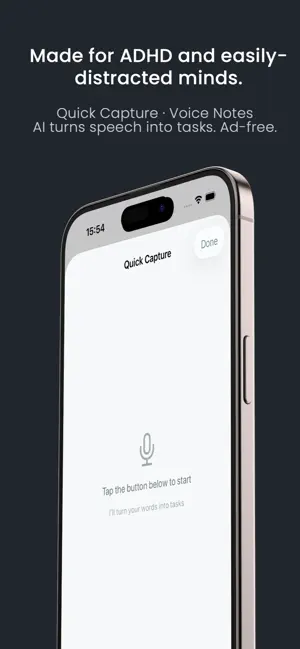
Big tasks make your brain go blank? You're not lazy — you need to see the next step, not a list of 20. Stepping shows you ONE step at a time. Do it. Swipe. Next. No scrolling, no overwhelm — just this one thing, right now. WHO IT'S FOR • ADHD / ADD — beat task paralysis & time blindness • Autism & AuDHD — calm, predictable, low-sensory • Executive dysfunction — externalize the planning • Anyone frozen by "where do I even start?" CORE TOOLS ▸ Task Steps — turn "clean the kitchen" into 5 doable micro-steps ▸ Guided Mode — our signature: one step, then the next ▸ Time Sense — learns your real pace (ADHD ×1.5 buffer built in) ▸ Brain Dump — voice or text your chaos, get tasks back ▸ Tone Adjust / Reader — write and read messages without spiraling ▸ Kitchen & Space — photo your fridge or mess, get a plan WHY STEPPING • Native iOS — smooth, no webview lag • Updated every 2 weeks — this app won't vanish • Privacy-first — your tasks stay on your device One step at a time. Privacy Policy: https://essaycoder.github.io/stepping/privacy.html Terms of Use(EULA):https://www.apple.com/legal/internet-services/itunes/dev/stdeula/
What’s new
Version 3.0 · Updated September 15, 2026
Korean support added "Save for later" — capture without starting Say what's on your mind and put it down. No categories, no breakdown, no deciding when you'll do it. It waits quietly in "To sort out" on your home screen, visible whenever you open the app. Capture while you focus Sudden thought mid-task? There's now a shortcut in the focus screen — jot it down and return to the current step without breaking your flow. Sorting is lighter Each item in "To sort out" gives you exactly three choices: break it down now / put it on today / not needed. Doing nothing means "just remembering" — the item stays as it is. Nothing nags you. Also - Insights redesigned — less on screen, easier to read - A light timer on each step (appears after one minute, and never alarms you if you run long) - The "+ New task" button now opens the full planning screen: estimate time, set priority, edit steps by hand
App privacy
The developer, 明昭 路, reported these privacy practices to Apple.
Data Not Collected
The developer does not collect any data from this app.
Alternatives to Stepping: ADHD Task Planner
Looking for apps like Stepping: ADHD Task Planner? Here are 6 similar apps on the App Store. The highest rated is Mental Healthy (5.0/5), and all 6 are free to download.
-
 Rest Planner: Burnout Recovery
-
 CareOps Maeumi: AI Counseling
-
 Ebbwell: Sobriety Tracker
-
 Mental Healthy
5.0
Mental Healthy
5.0
-
 微光 - 情緒日記與自我覺察
5.0
微光 - 情緒日記與自我覺察
5.0
-
 小鹿练练-情绪认知沟通关系每日练习
| App | Rating | Price | Last updated | Compare |
|---|---|---|---|---|
| Stepping: ADHD Task Planner | – | Free | September 15, 2026 | |
| Rest Planner: Burnout Recovery | – | Free | Aug 3, 2026 | Compare |
| CareOps Maeumi: AI Counseling | – | Free | Oct 16, 2026 | Compare |
| Ebbwell: Sobriety Tracker | – | Free | Oct 13, 2026 | Compare |
| Mental Healthy | 5.0 / 5 (2) | Free | Jul 16, 2025 | Compare |
| 微光 - 情緒日記與自我覺察 | 5.0 / 5 (1) | Free | Aug 8, 2026 | Compare |
| 小鹿练练-情绪认知沟通关系每日练习 | – | Free | Mar 17, 2026 | Compare |